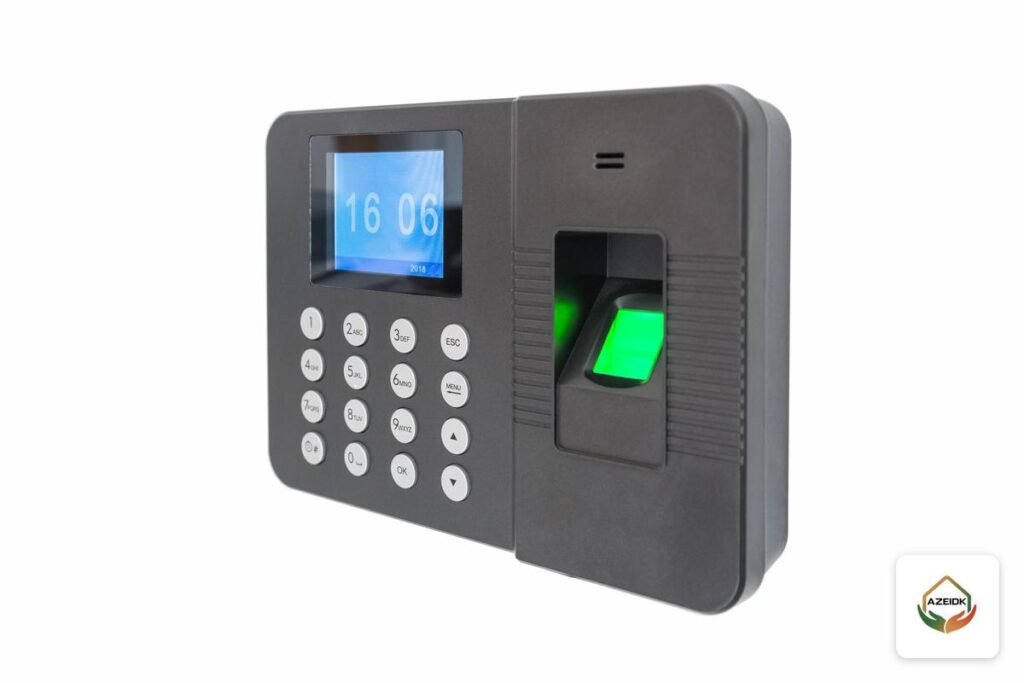
Most fingerprint device faults in a time attendance system come down to four causes: a fingerprint or face that was enrolled badly, a broken link between the device and the software because of the IP address, port or Comm Key, a wrong date and time, or a full record memory. Most can be fixed from the device menu.
Below are the troubleshooting steps from ZKTeco and Hikvision official manuals and FAQ pages, applied to devices supplied in Saudi Arabia: the ZKTeco UA400, SF300, F22 and MB10-VL, and the Hikvision DS-K1A8503EF and DS-K1T320EFWX. AZEIDK supplies ZKTeco products with installation and technical support, and lists fingerprint time attendance devices under its security and surveillance systems. If the fault remains after these checks, contact the team.
Key takeaways
- A device that rejects one employee usually has an enrolment or finger-condition problem. A device that rejects everyone needs a sensor or settings check.
- ZKTeco manuals list IP 192.168.1.201, port 4370 and Comm Key 0 as common defaults; the Hikvision DS-K1A8503 guide lists IP 192.0.0.64 and port 8000. Defaults can differ by model, so check your device’s manual. Any mismatch between device and software breaks the link.
- Saudi Arabia runs on UTC+3 all year with no daylight saving time, so the DST option on the device must stay off.
- When the memory fills up, devices delete the oldest records automatically. Regular downloads and backups prevent lost punches.
- Never factory-reset a device or update its firmware before taking a backup.
In this article
- How do you troubleshoot a time attendance system step by step?
- Why doesn’t the device recognise a fingerprint or face?
- Why don’t attendance records reach the software?
- Date and time: how do you stop lost punches or punches on the wrong day?
- Back up and sync before any repair
- Common mistakes that cause repeat faults
- When do you need a maintenance technician?
- Frequently asked questions
- Conclusion
How do you troubleshoot a time attendance system step by step?
First ask: is it one employee or everyone, and does the device record punches that never reach the report, or not record them at all? Each answer points to a different layer.
| Symptom | Most likely cause | Check first |
|---|---|---|
| Device rejects one employee’s fingerprint | Wrong finger enrolled, or a dry or wet finger | Re-enrol two or three fingers the correct way |
| Device rejects most employees | Dirty or damaged sensor, or strong light on a face terminal | Clean the sensor and review the mounting position |
| Software shows the device as offline | Changed IP address, or mismatched port or Comm Key | Match the communication settings on device and software |
| Punches stored on the device but missing from reports | Device settings in the software, or sync stopped | Re-sync manually and review the device settings in the software |
| Punches land on the wrong day or hour | Device date, time zone, or DST switched on | Set the time, turn DST off, check the server time zone |
| Older punches have disappeared | Memory full and automatic cyclic deletion | Download records regularly and set a capacity alert |
Why doesn’t the device recognise a fingerprint or face?
The fingerprint reader does not read the finger
Both ZKTeco and Hikvision manuals recommend enrolling the index, middle or ring finger, and the ZKTeco manual says to avoid the thumb and little finger. The finger goes flat and level, with the centre of the print on the centre of the sensor: not tilted, not from the side and not too low. Staff should punch the same way they enrolled.
If the finger is wet or dirty, clean both the finger and the sensor and try again. If it is very dry, which is common in Saudi Arabia’s dry climate, the ZKTeco manual suggests blowing on the finger first. For employees with shallow or injured prints, the Hikvision manual suggests trying another finger or using a different verification method such as a card.
Enrol at least two fingers per employee, one from each hand. If many employees are rejected at once, suspect the sensor or the mounting location.
The face terminal does not recognise the employee
The Hikvision DS-K1T320 manual specifies about 0.5 m between the user and the device, with a natural expression, and no hat, sunglasses or hair covering the eyes. It warns against backlight and sunlight.
ZKTeco’s face terminal manual adds: do not aim the device at a door, window or strong light, and enrol glasses wearers with and without glasses.
The device locks after wrong attempts
According to its manual, the DS-K1T320 locks for 30 minutes after 5 failed password attempts. This is a protection feature, not a fault: wait, then use the correct password.
Why don’t attendance records reach the software?
IP address, port and Comm Key on ZKTeco devices
Official ZKTeco manuals (such as the SA50 and EFace10 manuals) list these defaults in the communication menu, though your model may differ, so check its manual: IP 192.168.1.201, subnet mask 255.255.255.0, TCP port 4370, and a Comm Key of 0, meaning no password, which can be set to a 1 to 6 digit number. If someone changes the Comm Key on the device but not in the software, the connection is refused. If DHCP is enabled, the device may pick up a new address after a power cut or router restart and disappear from the software. Use a fixed IP outside the DHCP range.
For devices that push data to the server automatically (the Cloud Server or ADMS setting), check the server address and port in the device menu. ZKTeco’s FAQ lists two recurring cases: in ZKBio Time 8.0, staff data is not uploaded from the device until the “registration device” option, off by default, is enabled; and when data does not reach other devices, try a manual re-sync first. For software setup, see ZKBio Time attendance software.
Hikvision devices
The DS-K1A8503 guide lists IP 192.0.0.64, port 8000 and user admin. Change address, port and gateway with SADP or the client software to match the PC’s subnet. The device must first be activated with an 8 to 16 character password.
Date and time: how do you stop lost punches or punches on the wrong day?
Saudi Arabia uses UTC+3 all year and does not observe daylight saving time. ZKTeco and Hikvision devices both have a DST option with start and end dates. If it is switched on by mistake, the clock runs an hour ahead for part of the year and the system logs lateness that never happened. Confirm DST is off.
Hikvision’s DS-K1T320 supports time zone setting and NTP sync. For ZKBio Time, ZKTeco’s FAQ says that if the device time changes after connecting to the server, disconnect the server first; if the device time then corrects itself, the problem is the time zone of the PC or server. It also notes an 8-hour offset caused by the database time zone. The device, server and database must all be on Riyadh time.
Why do some punches go missing?
- Duplicate punches: ZKTeco devices have a duplicate punch period that ignores repeat punches within a set number of minutes. Set it too long and a genuine clock-out can be ignored.
- Full memory: on ZKTeco devices, cyclic deletion removes the oldest records automatically when memory is full, and an alert can be set before that point. The Hikvision DS-K1A8503 deletes the first 3,000 records when full, with that option enabled by default, and can warn you at a fill percentage you choose.
- Delete after download: when downloading records to a USB drive, ZKTeco devices offer an option to delete them from the device afterwards.
Back up and sync before any repair
Back up before any reset, swap or update. ZKTeco devices with USB can download attendance records and user data, and some offer full USB backup and restore. On Hikvision, the DS-K1A8503 exports the attendance report to a USB drive, and the DS-K1T320 can export face, event and user data to a 1 to 32 GB drive.
ZKTeco’s FAQ explains manual and scheduled backups of the ZKBio Time database from the system menu. Note that a ZKTeco factory reset returns communication settings to defaults, so the link drops until they are re-entered. Hikvision separates “restore to factory settings” (everything) from “restore to default settings”, which keeps communication settings.
Common mistakes that cause repeat faults
- Changing the Comm Key or admin password without recording it.
- Mounting a face terminal opposite a glass door or window, or a fingerprint reader where it is exposed to sun and rain.
- Updating firmware from a file of unknown origin. The ZKTeco manual says firmware updates should use a file from technical support and does not recommend routine updates.
When do you need a maintenance technician?
Call technical support if the device still rejects most staff after the sensor is cleaned, if the screen, camera or internal clock fails, if the admin password is lost, if the link stays down even though the settings match, or if devices and data must move to a new server.
AZEIDK supplies ZKTeco products with installation and technical support, and its security and surveillance systems page includes fingerprint time attendance devices, with maintenance and technical follow-up when needed. When you request technical support, have the device model, serial number, a description of the fault, when it started and the steps you already tried ready, as this shortens diagnosis. If the device is old or undersized, replacement may cost less than repair: see choosing a time attendance device and the article on fingerprint attendance device price.
Frequently asked questions
Why doesn’t the fingerprint device recognise my fingerprint?
Usually a dry or wet finger, or a different angle from enrolment. Clean finger and sensor, press flat in the centre, and re-enrol the index or middle finger if it continues.
Why don’t punches from the fingerprint device reach the software?
Check that IP, port and Comm Key match on both sides and on the same network, then re-sync. If staff data is not uploading in ZKBio Time 8.0, check the registration device setting.
How do I set the time on a fingerprint device?
In the date and time menu, set Riyadh time (UTC+3) and switch DST off. The software’s PC or server must use the same time zone.
Do power or internet outages affect the device and its records?
A network outage does not stop the device storing punches in memory; pull them later or by USB. A power cut stops punching, so a UPS is good practice.
When should I use a face terminal instead of fingerprint?
When the work causes frequent rejections, such as cracked or dirty hands, or when you want touchless punching. Keep it away from backlight and sun.
What is the price difference between face and fingerprint devices?
No fixed difference: it depends on model, capacity, communication, software and installation. See our price article; quotes are by headcount.
Can attendance software connect to payroll or ERP systems?
ZKBio Time exports attendance reports that payroll systems can import. The method depends on your payroll system; review it before purchase.
Conclusion
Most fingerprint device faults in a time attendance system are solved with three checks: how staff enrol and punch, whether the communication settings match between device and software, and whether the date and time are correct with DST switched off. Regular downloads and backups prevent lost records.
Attendance device down, or punches not reaching the software? Send us the model, software name and fault, and we will advise the next step or arrange a diagnostic visit. Talk to the AZEIDK team
Related guides
- UL 300, NFPA 17A and NFPA 96: What a Kitchen Suppression System Listing Means and Why Consultants Ask for It
- NFPA 14 Standpipe and Hose Systems: Classes, Types and Testing
- General Contracting in Dammam and Khobar: How to Choose a Contractor for MEP and Fire Works
- Salamah Application Rejection Reasons: Common Civil Defense Licensing Mistakes and How to Fix Them Before Resubmitting