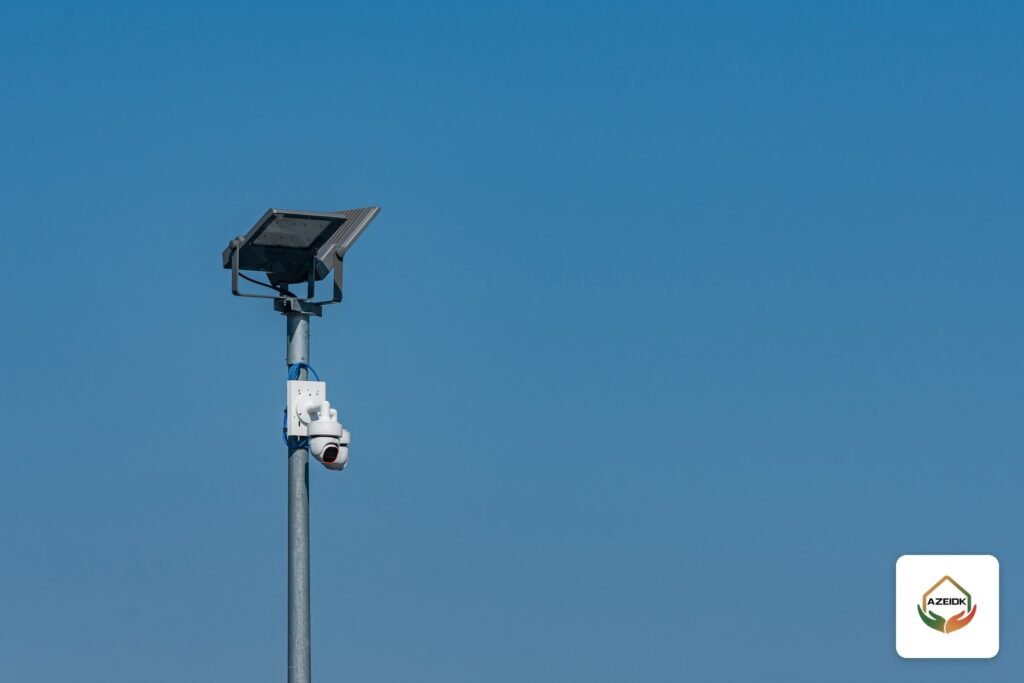
Solar powered CCTV cameras and battery cameras suit sites that no power cable or internet line reaches: a farm, a temporary construction site, a remote rest house, or a gate at the edge of a plot. The camera runs from a battery that a solar panel recharges, sends video to your phone over a 4G SIM, and records to a memory card inside the unit.
This article explains when they are the right choice, how 4G compares with Wi-Fi, what decides panel and battery size, and where these cameras fall short, using figures from the official datasheets of three Hikvision, Dahua and EZVIZ models that AZEIDK supplies. AZEIDK supplies solar and battery CCTV cameras as part of its security and surveillance solutions in Saudi Arabia.
Key takeaways
- Solar and battery cameras make sense where running power and network cable is difficult or costly, and on temporary sites where the camera will move later.
- With no internet on site, the link is a 4G SIM. A Wi-Fi battery camera still needs a router within range.
- Battery life depends first on the operating mode: continuous recording uses many times more energy than motion-triggered recording.
- Saudi summer heat is a real constraint. Some models specify operating and charging temperatures below what a rooftop sees at noon, so read the datasheet first.
- Most of these cameras record on events and sleep in between, so they do not suit sites that need continuous 24-hour recording.
In this article
- When do solar powered CCTV cameras suit your site?
- Battery CCTV cameras vs solar powered: what is the difference?
- Charging CCTV cameras: how do battery cameras recharge?
- 4G or Wi-Fi: how does the video reach your phone?
- 4G CCTV cameras with a SIM card: what to check before you fit the SIM
- What decides the solar panel and battery size?
- The models AZEIDK supplies, compared from official datasheets
- Limits of solar and battery cameras
- Common installation mistakes
- Installing solar CCTV cameras: practical steps
- Choosing with AZEIDK
- Frequently asked questions
- Conclusion
When do solar powered CCTV cameras suit your site?
The test is simple: if running power and network cable to the camera point costs more than the camera, or the site is temporary, a solar camera is worth considering. Common cases in Saudi Arabia:
- Farms and livestock pens: long fences, gates, water tanks and feed stores far from the main building. Dahua’s launch announcement for its 4G solar camera names farms, fishponds and courtyards as applications.
- Construction sites: site power is temporary and equipment and materials move every few months, so a camera that can be taken down and remounted without new cabling saves time.
- Rest houses and chalets: visited mainly at weekends, often without a permanent internet subscription.
- Remote gates and plot entrances: a gate hundreds of metres from the nearest building, or open land where vehicle access needs watching.
Where the building already has power and a network, a wired PoE camera or an ordinary Wi-Fi camera is cheaper over its life and more stable. For the other camera types and where each fits, see our guide to CCTV camera types.
Battery CCTV cameras vs solar powered: what is the difference?
A battery-only camera is recharged by hand through its charging port every so often. It suits light use, such as a rest house entrance with a handful of visitors a day. A solar camera is really a battery camera plus a panel that tops the battery up daily, so it can run for months without a visit when consumption and sunlight are in balance.
Solar setups come in two forms:
- Camera with internal battery and a small separate panel: for example EZVIZ outdoor battery cameras. The EZVIZ EB8 4G datasheet gives a 10,400 mAh battery and support for EZVIZ’s dedicated solar panels, sold separately.
- Integrated kit: camera and solar panel supplied together and mounted on one pole or bracket, with the battery built into the unit rather than separate. The Hikvision DS-2XS2T41G0-ID/4G/C04S05 datasheet describes a standalone unit with built-in solar panel and battery, and the datasheet for the Dahua IPC-HFW2441DG-4G-SP-B-MAX lists a 64 Wh lithium iron phosphate battery built into the camera, fed by an external solar panel of up to 10.5 W.
Charging CCTV cameras: how do battery cameras recharge?
Many buyers look for a charging or battery-powered CCTV camera without realising that charging differs between models, and it decides how often someone has to visit the site. This is how the three models in this article charge, per their datasheets:
| Model | Main charging source | Additional charging port | Battery cycle life |
|---|---|---|---|
| EZVIZ EB8 4G | 10,400 mAh internal battery; supports EZVIZ solar panels with a Type-C port (panel sold separately) | Type-C, DC 5 V 2 A input; cable in the box, adapter sold separately | Not stated |
| Dahua IPC-HFW2441DG-4G-SP-B-MAX | External solar panel, 10.5 W max, on a 12 VDC input | Type-C for temporary charging from a power bank | More than 1,000 cycles |
| Hikvision DS-2XS2T41G0-ID/4G/C04S05 | 5 W solar panel charging the battery, plus an extended panel input at 5 VDC | Micro USB, 5 VDC | More than 500 cycles |
In practice, a battery camera without a panel has to come down from its pole, or be reached with a power bank, every so often, so it suits points that are easy to access. On a farm or remote gate, the solar panel is what makes the camera truly independent. Charge the battery fully before installation and check the charging temperature range: the Hikvision battery charges from 0 to 50 °C, while the Dahua B-MAX charges from -30 to 60 °C.
4G or Wi-Fi: how does the video reach your phone?
Power is half the problem; the other half is the connection.
4G SIM cameras
The camera has a built-in modem and takes a data SIM from any operator with coverage at the site. This is the usual choice for farms, remote gates and construction sites. Some models are 4G only: the EZVIZ EB8 4G datasheet states that the camera does not support Wi-Fi, so confirm the connection type before buying.
Check the operator’s signal at the mounting point itself, not at the building or the road. A weak signal drains the battery faster; EZVIZ notes that battery life depends on network stability and signal strength.
Wi-Fi battery cameras
A Wi-Fi battery camera fits a site that has a router and internet but no power near the camera point, such as a villa yard entrance or a back wall. Wi-Fi range is limited, so if the gate is far from the router, the answer is either 4G or carrying the network to a point near the camera with a wireless bridge for CCTV.
If the site has permanent power and Wi-Fi, a battery is not needed at all. An outdoor Wi-Fi camera such as the Hikvision DS-2CFW02 Wi-Fi 6 outdoor camera or the Dahua IPC-PT2849DC1-SW-PV outdoor pan-tilt camera will do.
| Site condition | Best fit | Note |
|---|---|---|
| No power, no internet (farm, remote gate) | Solar camera with 4G SIM | Test operator coverage at the mounting point |
| Internet available, power far from the camera point | Wi-Fi battery camera with solar panel | Confirm Wi-Fi signal strength at the camera |
| Temporary site that moves (construction) | 4G solar kit on a relocatable pole | Anchor the pole and secure the battery against theft |
| Power and network available | Wired PoE or standard Wi-Fi camera | Continuous recording and lower running cost |
| Continuous 24-hour recording required | Wired system with an NVR | A solar camera is usually the wrong tool |
4G CCTV cameras with a SIM card: what to check before you fit the SIM
A 4G CCTV camera with a SIM card is the answer when the site has no internet. The SIM alone is not enough, though. Check these points before buying and installing:
- SIM size: the EZVIZ EB8 4G requires a Micro SIM and ships with a Nano-to-Micro adapter. The Hikvision and Dahua pages do not state the size, so confirm it on delivery.
- 4G bands by camera version: manufacturers ship regional versions with different bands. Dahua lists FDD-LTE B1/B3/B5/B7/B8/B20/B28 for the EAU/EUR version of the B-MAX, covering Europe, the Middle East and Africa, with an LA version on other bands; the EZVIZ EB8 also comes in EU and LA versions. Make sure the version you receive supports the bands of the operator whose SIM you will use.
- Fallback networks: alongside LTE, the Hikvision kit supports WCDMA and GSM, which helps at the fringes where 4G coverage is weak.
- Data plan: choose a data plan, not a voice plan, and remember that long live-view sessions from the phone raise both data use and power draw.
- Signal test at the mounting point: put the SIM in a phone and test data speed at the camera position and height before fixing the pole.
If the site has a local network but no internet, there are other options, covered in our article on CCTV cameras without internet.
What decides the solar panel and battery size?
Sizing is a balance between what the camera uses per day in watt-hours, what the panel can put back on a sunny day, and how many days the camera must keep going when charging drops. The main factors:
1. Operating mode
This is the biggest factor by far. The Dahua IPC-HFW2441DG-4G-SP-B-MAX datasheet shows it clearly: 1.33 W in performance mode (continuous recording) against 0.036 W in ultra power saving mode. With the same 64 Wh battery, Dahua gives about 2 days of continuous recording, 56 days in power saving mode with 30 alarms a day of under 15 seconds each, and 76 days in ultra power saving mode. A quick check: 1.33 W × 24 h is about 32 Wh a day, half the battery.
2. Wake-ups and live viewing
Every motion event wakes the camera and every minute of live view from the phone costs energy. The datasheet for the Hikvision DS-2XS2T41G0-ID/4G/C04S05 kit (5 W panel, 10 Ah battery) gives 1 day on battery in low consumption real-time mode and 7 days in wake-up mode, each with a stated daily live-view allowance. A camera aimed at a busy road or moving trees will drain far faster than one on a quiet gate.
3. Real sun hours and dust
Panel ratings (5, 8 or 10.5 W, for example) are measured under standard test conditions. On site, output falls with sun angle, shade, dust and heat. In desert locations dust builds up quickly, so regular cleaning is part of operation, not an afterthought. Face the panel south in Saudi Arabia and keep it clear of wall and tree shadows at all hours of daylight.
4. Reserve days
Overcast days and dust storms can cut charging for several days in a row. Choose a battery that covers several days without charge, especially on sites nobody visits regularly.
5. Heat
This is the Saudi-specific point. The Hikvision kit above specifies an operating range of 0 to 40 °C and battery charging from 0 to 50 °C. Dahua’s B-MAX version uses a wide-temperature battery that charges from -30 to 60 °C, and the camera operates from -30 to 60 °C. In a Riyadh or Al-Ahsa summer that difference matters, so read the temperature line on the datasheet first.
The models AZEIDK supplies, compared from official datasheets
The table shows how the figures differ between manufacturers. AZEIDK supplies all three models in Saudi Arabia: the Hikvision DS-2XS2T41G0-ID/4G/C04S05, the Dahua IPC-HFW2441DG-4G-SP-B-MAX and the EZVIZ EB8 4G. All values come from each manufacturer’s official datasheet or product page.
| Item | Hikvision DS-2XS2T41G0-ID/4G/C04S05 | Dahua IPC-HFW2441DG-4G-SP-B-MAX | EZVIZ EB8 4G |
|---|---|---|---|
| Connection | 4G plus wired Ethernet port | Built-in 4G | 4G only, no Wi-Fi |
| Solar panel | 5 W | 10.5 W max | Supports dedicated EZVIZ panels (sold separately) |
| Battery | Lithium, 10 Ah | Lithium iron phosphate, 64 Wh | 10,400 mAh |
| Operating temperature | 0 to 40 °C | -30 to 60 °C | -20 to 50 °C |
| Ingress protection | IP66 | IP67 | IP65 |
| Local storage | microSD up to 256 GB plus internal memory | microSD up to 512 GB | microSD up to 512 GB |
Limits of solar and battery cameras
- Event recording, not continuous: to save power the camera sleeps and wakes on its PIR sensor or smart detection. In the launch announcement for one of its solar cameras, Dahua states that recording starts within 15 seconds after the PIR sensor wakes the camera, so the first seconds of an event may be missed in some modes.
- Monthly SIM cost: every 4G camera needs a data plan, and long live-view sessions push usage up.
- Storage inside the camera: if the camera is stolen, the card goes with it. Cloud storage or snapshot alerts to the phone reduce that risk.
- Lower frame rates: some solar models record at fewer frames per second than typical wired cameras; the Dahua B-MAX, for example, runs at up to 15 fps per its datasheet.
- Routine upkeep: panel cleaning, battery health checks and battery replacement at end of life.
Common installation mistakes
- Choosing a model from an advert photo without reading the operating and charging temperatures on the datasheet.
- Mounting the panel where a wall or tree shades it for part of the day, or facing it north.
- Aiming the camera at a public road or moving trees, so it wakes hundreds of times a day and empties the battery.
- Buying a SIM from an operator with weak coverage at the site without testing first.
- Enabling continuous recording on a camera designed for motion-triggered recording.
- Mounting the pole low enough for someone to reach and remove the battery or memory card.
Installing solar CCTV cameras: practical steps
- Survey: define what you need to see (gate, fence, store), test the operator signal at the exact point, and watch how shade moves over the panel position during the day.
- Model choice: compare operating and charging temperatures, IP rating and 4G bands in the datasheet with your site conditions, as in the comparison table above.
- Mounting: fit the pole or bracket out of easy reach, face the panel south away from shade, and aim the camera away from public roads and moving trees.
- App setup: add the camera to the manufacturer’s app (Hik-Connect for the Hikvision kit, EZVIZ for the EB8, DMSS for Dahua), change the default password, and enable motion-triggered rather than continuous recording.
- Testing: walk in front of the camera, confirm the alert reaches the phone and the clip is saved to the card, then watch the battery level over the first days.
- Follow-up: schedule panel cleaning and battery checks. AZEIDK offers maintenance for surveillance systems under a contract separate from fire system contracts, as covered in our article on CCTV system maintenance.
For projects that combine solar cameras with wired cameras on the same site, AZEIDK handles installation and implementation and sets the cameras up for remote monitoring. To protect cameras once they are online, see our guide on protecting CCTV cameras from hacking.
Choosing with AZEIDK
AZEIDK supplies solar and battery CCTV cameras within its security and surveillance solutions. Before recommending a model we need to know: the camera location, whether there is internet or 4G coverage, what you want to see (gate, fence or store), and whether motion alerts are enough or you need continuous recording. On larger sites, a technical site inspection helps fix the mounting points and panel orientation.
After installation the cameras can be followed from the manufacturer’s phone app; secure setup is covered in our article on viewing CCTV cameras on your phone.
Frequently asked questions
Do solar powered CCTV cameras need internet?
Not a fixed internet line if they use a 4G SIM, because they connect over the mobile network. Wi-Fi models need a router within range.
How long does a CCTV camera battery last?
It depends on the operating mode and how often motion occurs. Dahua’s datasheet example: about 2 days on continuous recording and 56 days in power saving mode with 30 alarms a day. Each model has its own figures.
Do solar cameras work at night?
Yes. They run from the battery charged during the day and use infrared or warm light for night vision, depending on the model.
Can they handle the Saudi summer?
It varies by model. Some kits are rated to operate only up to 40 °C, others up to 60 °C, so check the temperature line on the datasheet before buying.
Do solar cameras record 24 hours a day?
Some models support continuous recording, but it drains the battery within days. Most practical installations record on motion.
What is the best solar CCTV camera for a farm?
Usually a 4G kit with an adequate panel and battery, a wide temperature range and IP66 or better. The final choice depends on coverage, distance and the number of gates.
Can solar cameras be viewed on a phone?
Yes, through the manufacturer’s app, such as DMSS for Dahua cameras or the EZVIZ app, with alerts when motion is detected.
Does a 4G CCTV camera with a SIM card work without a router?
Yes. A 4G camera has a built-in modem that connects straight to the operator’s network, so it needs no router or fixed internet line. It only needs a SIM with a data plan, good coverage at the mounting point, and a camera version that supports the operator’s bands.
Conclusion
Solar and battery cameras are a practical answer for farms, construction sites, rest houses and remote gates, provided the connection matches what the site offers, the panel and battery are balanced against the operating mode, and the datasheet temperature limits are checked. Where power and network are available, a wired system remains the more stable option.
Need to watch a site with no power or internet? Tell us where the gate or fence is and what you need to see, and we will recommend the right camera and connection. You can also request any of the three models covered in this article from AZEIDK. Talk to the AZEIDK team
Related guides
- Fire Extinguishers in Makkah and Taif: Choosing Extinguishers for Hotels, Shops, Homes and Rest Houses and Preparing Them Before Peak Season
- CCTV Maintenance Contract Template: Visits, Response Times, Spare Parts and Exclusions
- Falcon Gold Fire Extinguishers: Types, Sizes and Placement
- Falcon Gold in Saudi Arabia: Fire Cabinets, Doors & Equipment