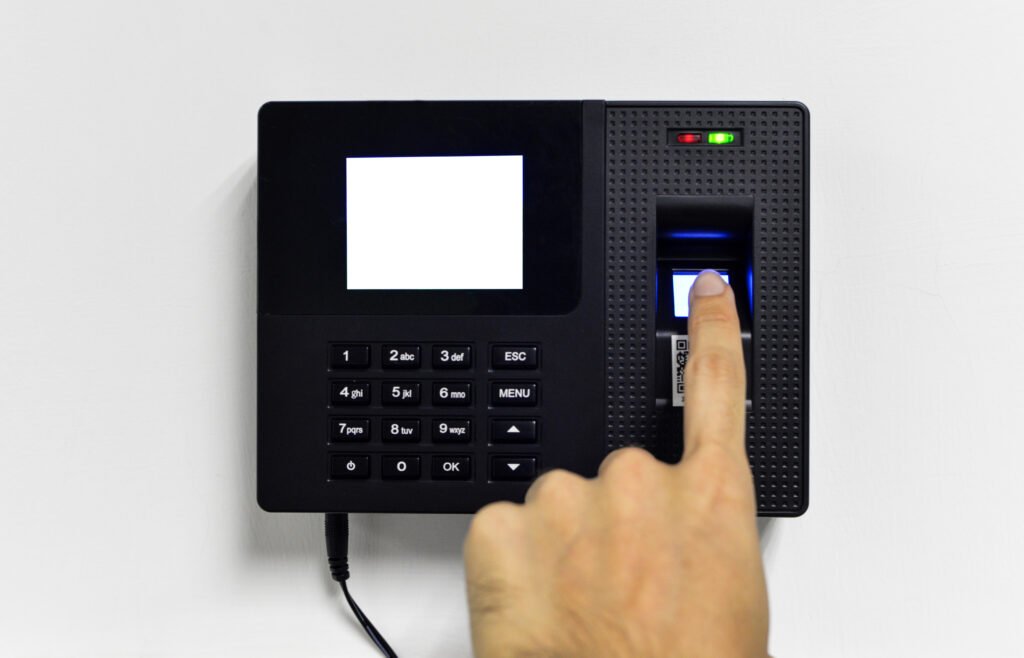
Choosing a time attendance device comes down to three questions: how many employees will clock in on it, which verification method suits the work (fingerprint, face or card), and how the records will reach HR, over the network or on a USB drive. Match the terminal’s capacity, connectivity and software to those answers, not the other way round.
This guide compares verification methods, sets out the published specifications of the ZKTeco and Hikvision models available through AZEIDK security and surveillance systems, and explains capacity sizing by headcount, networked versus standalone operation, mounting location and the mistakes that recur in offices, factories and schools.
Key takeaways
- Fingerprint suits most offices; face recognition is touchless and helps where workers’ fingers are worn or dirty; cards are fast but can be lent to a colleague.
- Size user capacity from headcount times fingerprints enrolled per person, and record capacity from daily punches times the days between downloads.
- Networked operation (TCP/IP or Wi-Fi) with software such as ZKBio Time suits multi-site organisations; standalone terminals with USB export suit small sites.
- The ZKTeco models covered here are rated 0 °C to 45 °C on their datasheets, so do not mount them at an entrance exposed to the sun.
- Ask for the datasheet of the exact model before approval, as specifications vary between versions and optional modules.
In this article
- Time attendance terminal or access control terminal?
- Fingerprint, face or card: which time attendance device fits your site?
- ZKTeco and Hikvision models from AZEIDK: specifications compared
- How do you size capacity by headcount?
- Networked or standalone?
- What should the attendance software do?
- Where should a fingerprint terminal be mounted?
- Common mistakes when procuring attendance terminals
- Frequently asked questions
- Conclusion
Time attendance terminal or access control terminal?
A time attendance terminal (often just called a “fingerprint machine” on Saudi sites) records when an employee arrives and leaves and turns it into a working-hours report. An access control terminal opens a door or gate for an authorised person. Many current devices do both: the ZKTeco F22 and SF300, for example, have outputs for an electric lock, door sensor and exit button.
This article focuses on attendance and payroll use: capacity, reports and data export. Locks, escape routes and fire alarm interfaces are covered in Access Control Technologies: Cards, Biometrics and Locks, and the brand overview is in ZKTeco in Saudi Arabia.
Fingerprint, face or card: which time attendance device fits your site?
No method wins everywhere. The choice depends on the type of work, headcount and how much buddy punching matters. The table summarises the practical trade-offs:
| Method | Strengths | Watch out for | Typical fit |
|---|---|---|---|
| Fingerprint | Tied to the person; familiar to staff | Cracked, dirty or wet fingers can fail to read; requires contact with the sensor | Offices, admin buildings, schools |
| Face | Touchless; unaffected by finger condition | Sensitive to strong backlight and to the standing distance set by the manufacturer | Factories, warehouses, workshops, busy entrances |
| Card (EM or IC/Mifare) | Fast and simple; works for visitors and temporary labour | Can be lent or lost, so it does not prove the person was there | Sites where identification without biometrics is enough |
| Combined (face + fingerprint, or fingerprint + card) | Fallback when one method fails; higher confidence in the record | More steps at the terminal; verification policy must be configured | Sites with a mixed workforce |
Fingerprint and face templates are sensitive personal data by nature. Review the data protection requirements that apply to your organisation with your adviser before enrolling staff, and decide who has access to the software.
ZKTeco and Hikvision models from AZEIDK: specifications compared
The values below are taken from the AZEIDK product pages, which cite the ZKTeco or Hikvision official product page or datasheet as their source. Confirm against the datasheet of the version actually supplied, as some features are optional:
| Model | Verification | Published capacity | Connectivity | Software / operation |
|---|---|---|---|---|
| ZKTeco UA400 | Fingerprint; ID/IC card optional | 3,000 fingerprints, 100,000 records | TCP/IP; USB optional | ZKBio Time.Net and ZKBio Time; ADMS optional |
| ZKTeco SF300 | Fingerprint; EM/IC card optional | 1,500 fingerprints, 5,000 cards (optional), 80,000 records | TCP/IP, USB host, Wiegand | Network or standalone; works with ZKBio CVAccess |
| ZKTeco F22 | Fingerprint; ID or Mifare card optional | 3,000 fingerprints, 5,000 cards (optional), 30,000 transactions | TCP/IP, Wi-Fi, USB host, RS232/RS485, Wiegand | Standalone or with third-party panels via Wiegand |
| ZKTeco MB10-VL | Visible-light face + fingerprint | 100 faces, 500 fingerprints, 50,000 transactions | TCP/IP, USB host | BioTime 8.0; simple door access |
| ZKTeco MB1000 | Specifications not yet published on the product page; request the datasheet before approval | |||
| Hikvision DS-K1A8503EF | Fingerprint (1:1 and 1:N) + EM card | 1,000 fingerprints, 1,000 cards, 100,000 events | TCP/IP 10/100 | Standalone; attendance reports exported by USB flash drive |
| Hikvision DS-K1T320EFWX | Face + fingerprint + EM card + PIN | 500 faces, 1,000 fingerprints, 1,000 cards, 100,000 events | 10/100 Ethernet and Wi-Fi | Built-in access controller |
Browse the full range on the time attendance systems page.
How do you size capacity by headcount?
The capacity on a datasheet is not the number of employees. Work out three figures:
- Template capacity: employees multiplied by fingerprints enrolled per person. Enrolling two fingers per employee is common practice, so one injured finger does not lock someone out, and it doubles the requirement.
- Record capacity: employees × punches per day × working days between each download to the software.
- Growth margin: allow for new hires and seasonal labour.
Worked example: 400 employees with two fingers each need 800 templates. A 1,000-fingerprint terminal fits today with little headroom; a 1,500 or 3,000 model leaves more. At four punches a day (in, out and a break) over 26 working days, that is 41,600 punches a month, so a 30,000-transaction terminal needs downloading more than once a month, while 100,000 records covers more than two months. On a network, records are pulled continuously and this figure matters less; on a standalone terminal it is decisive.
Note that face capacity on combined terminals is much lower than fingerprint capacity: 100 faces on the MB10-VL and 500 on the DS-K1T320EFWX. If face is the primary method, start the calculation there.
Networked or standalone?
Networked operation
The terminal connects over TCP/IP or Wi-Fi and the software receives punches as they happen. ZKTeco describes ZKBio Time as web-based attendance software that runs as a private cloud, connecting to push-enabled devices over Ethernet, Wi-Fi or cellular networks, with shift and schedule management, attendance reports and employee self-service through a mobile app. This suits multi-branch organisations and anyone who wants daily reports without visiting the device.
Standalone operation
The terminal stores records internally and attendance reports are taken off on a USB drive, as with the Hikvision DS-K1A8503EF, whose product page describes standalone operation and USB export. It suits shops and small offices without a server or a reliable network at the entrance, but someone must download the data regularly before memory fills.
Where the terminal shares the network with CCTV and other systems, coordinate the data point and power supply with the low current design from the start.
What should the attendance software do?
The terminal collects punches; the software turns them into hours and payroll. Before approval, check:
- Software compatibility with the model: UA400 with ZKBio Time, MB10-VL with BioTime 8.0, SF300 with ZKBio CVAccess, as listed on their pages.
- Support for rotating, night and flexible shifts if your organisation uses them.
- The export format your payroll or HR system accepts, tested on real data before full go-live.
- User roles: who can edit punches and who can only view, with an audit trail.
- Where the database and backups live, especially if the software runs on a single desktop PC.
Where should a fingerprint terminal be mounted?
Mount the terminal at the entrance staff actually use, in a covered and protected spot. The ZKTeco pages for the UA400, SF300, F22 and MB10-VL give an operating range of 0 °C to 45 °C, and the two Hikvision pages give -10 °C to 55 °C. An exposed entrance in a Saudi summer can exceed these values, so install inside the lobby or in a shaded position protected from dust and rain.
For face terminals, avoid facing a glass door or window that creates strong backlight, and respect the manufacturer’s recognition distance: 30 to 50 cm for the MB10-VL and 0.3 to 1.5 m for the DS-K1T320EFWX. Take mounting height from the model’s installation guide.
Power differs by model: 5 V for the DS-K1A8503EF and MB10-VL, 12 V for the SF300, F22 and DS-K1T320EFWX, so specify supplies and cabling on the drawings. Where a large shift changes at once, spread several terminals across entrances to avoid queues.
Common mistakes when procuring attendance terminals
- Choosing on price or looks before calculating template and record capacity.
- Mounting a terminal rated to 45 °C at an exposed outdoor entrance.
- Relying on standalone operation at a large site without a regular download schedule.
- Not testing the report export into payroll before launch, then finding the mismatch in the first month.
- Enrolling one finger per employee, then losing that person’s access when the finger is injured.
- Buying fingerprint-only terminals for a field workforce whose fingers are affected by the work, instead of face or multi-method devices.
Frequently asked questions
What is the best time attendance device for a small office?
A fingerprint terminal with USB export or simple network connection is usually enough, such as the UA400 or DS-K1A8503EF, once capacity is matched to headcount.
Is face recognition better than fingerprint?
Not always. Face is touchless and helps where fingers are affected by the work, but combined terminals hold fewer faces and are sensitive to backlight.
How many employees can a fingerprint terminal handle?
Divide template capacity by fingers enrolled per employee. A 3,000-fingerprint terminal holds 1,500 employees at two fingers each in theory; leave room for growth.
Can terminals at several branches report to one system?
Yes, when networked. ZKTeco states that ZKBio Time manages multiple devices connected over the network or cellular links from one system.
Can an attendance terminal also open the door?
Some can: the F22, SF300 and MB10-VL have lock, door sensor and exit button interfaces, and the DS-K1T320EFWX has a built-in access controller.
Conclusion
Selecting a time attendance terminal starts with headcount and type of work, then the verification method, then capacity, connectivity and software. The ZKTeco and Hikvision models available from AZEIDK cover fingerprint, face and card, networked or standalone. Checking the datasheet, mounting location and report export before purchase avoids costly changes after go-live.
Need attendance terminals for an office, factory or school? Send us your headcount, number of sites and preferred verification method, and we will propose suitable models with datasheets and a supply and installation scope. Talk to the AZEIDK team