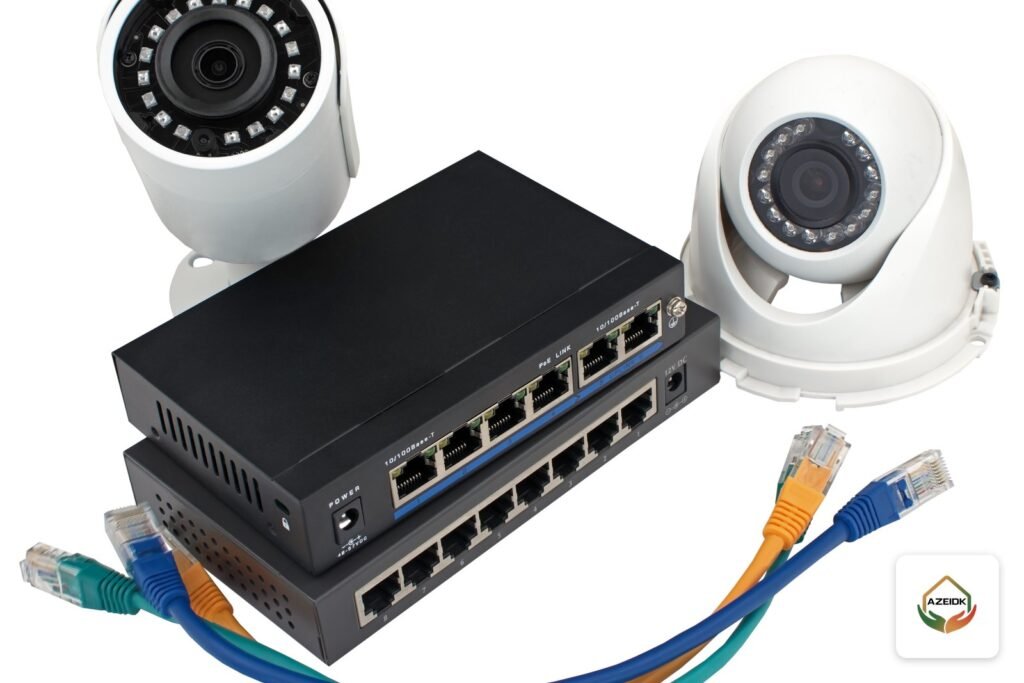
Yes, CCTV camera hacking is possible, but most cases need no special skill. They exploit weak setup: a short or reused password, outdated firmware, a recorder exposed to the internet through open ports, or a cloud account with no second login check. Each of these gaps can be closed with clear steps at home and in a facility.
This article takes a defensive view. It explains in general terms how cameras get compromised, then sets out hardening steps taken from the official guidance of Hikvision, Dahua and EZVIZ, with the legal frame in Saudi Arabia. To design a secure system from the start, see AZEIDK security and surveillance systems.
Key takeaways
- Most compromises start with a weak or leaked password, unpatched firmware, or a device exposed directly to the internet.
- Dahua’s hardening guide recommends running only the services you need, so UPnP stays off and P2P is disabled when not needed, plus HTTPS and an IP allowlist.
- A separate camera network (VLAN) stops an infected office PC from reaching the cameras.
- EZVIZ two-step verification sends a code when someone signs in from an untrusted phone.
In this article
- Can CCTV cameras really be hacked?
- How does CCTV camera hacking happen? The common gaps
- Same network and phone: where is the real risk?
- How to protect CCTV cameras from hacking
- Table: the gap and how to close it
- What the Hikvision, Dahua and EZVIZ guides say
- Home CCTV and business systems: what changes?
- Signs your cameras may be compromised, and what to do
- The legal frame in Saudi Arabia
- Frequently asked questions
- Conclusion
Can CCTV cameras really be hacked?
An IP camera and its recorder (NVR or DVR) are small computers with an operating system, a web interface and user accounts. Like any networked device, they can be abused if left with weak settings. The better question is how easy your own system is to compromise, and that depends far more on installation and configuration than on the brand.
The difference between a home and a facility is the impact. At home, privacy is hit directly. In a business, the recorder can become a way into the rest of the network.
How does CCTV camera hacking happen? The common gaps
We do not describe any attack method here, only the doors that are left open by mistake:
- Default or weak passwords: a short password, the same password on every device, or one admin account shared by everyone, including a former technician.
- Outdated firmware: manufacturers release updates that fix published vulnerabilities. A device never updated since installation stays exposed to them.
- Open ports and UPnP: forwarding recorder ports on the router, or letting UPnP open them automatically, makes the device visible to anyone scanning the internet.
- Cloud or app account takeover (P2P): if the app password is stolen, or reused from a leaked site, the attacker reaches the video without touching the device.
- Same-network access: cameras on the same flat network as office PCs or guest Wi-Fi can be reached from any infected or untrusted device on it.
- Physical access: a recorder in an open area, a camera that is easy to remove, or a reachable reset button.
Same network and phone: where is the real risk?
The first risk appears when cameras, staff devices and guests share one flat network, so the camera interface is open to anyone on the Wi-Fi. The second, through the phone, is usually about the app account rather than the handset: a weak password, an old phone still logged in, or a shared main account instead of a viewing permission for each person. For a safe mobile setup, see our guide to viewing CCTV on your phone with Hik-Connect and DMSS.
How to protect CCTV cameras from hacking
1. Strong passwords and one account per user
Use a different password for each recorder and account, never a name, phone number or sequence such as 123456. Dahua recommends 8 to 32 characters with at least two character types. A 2016 Hikvision technical bulletin states that device activation requires at least eight characters combining three or more of numbers, upper case, lower case and special characters. Then create an account for each user with only the rights they need: admin for the system owner, view-only for reception. Enable account lockout after failed logins, and change passwords when any technician or employee who knew them leaves.
2. Update firmware and apps
Download updates only from the manufacturer’s website or the device’s official online upgrade, and check for new releases regularly. This covers cameras, recorders, switches and viewing software. Schedule it with periodic maintenance visits after backing up the configuration.
3. Disable UPnP and unused services
Dahua’s guide notes that UPnP ships disabled and P2P ships enabled, and recommends a minimization principle: switch P2P off if you do not rely on it for remote access. Turn off any other service you do not use, such as FTP, SNMP or DDNS. Dahua also recommends changing default ports and disabling anonymous login, and the Hikvision bulletin describes changing default ports and requiring authentication on the RTSP video stream.
4. Put cameras on their own VLAN
Place cameras and the recorder on a separate virtual network (VLAN) from staff devices and guest Wi-Fi, and allow only the traffic that is needed between them. This needs a managed switch; see our guides to network switch types and PoE switches for CCTV. Dahua’s guide also mentions 802.1X port authentication to keep unauthorised devices off the private network.
5. Keep the recorder off the open internet
Do not forward recorder ports on the router to watch cameras remotely. Safer options are the manufacturer’s official app with a protected account, or a VPN that first connects you to the site network and then to the recorder.
6. Two-step verification on cloud accounts
Turn on two-step verification wherever the app offers it. In EZVIZ, for example, the app sends a code by email or SMS when someone signs in from a phone the account does not trust. Review the list of linked devices and remove old phones.
7. HTTPS and encryption
Enable HTTPS on the web interface so logins and commands are encrypted in transit. The Hikvision bulletin notes that the web interface can be secured with HTTPS to protect against interception. Dahua recommends HTTPS for all web access and audio/video transmission encryption where the device supports it.
8. IP allowlist and log review
Use an IP address filter so only the control-room PC and known devices can connect. Review the system log regularly for failed logins or changes nobody requested. Dahua also recommends NTP time sync so log timestamps are accurate.
9. Physical security
Keep the recorder and switches in a locked cabinet or a controlled network room, use vandal-resistant housings where cameras are within reach, and factory-reset any device previously used by someone else before adding it to your system.
Table: the gap and how to close it
| Gap | Defensive measure | Where it applies |
|---|---|---|
| Weak or shared password | Strong password per device, one least-privilege account per user, lockout after failed logins | Camera, recorder, app |
| Outdated firmware | Official updates during periodic maintenance | Cameras, NVR, switches, apps |
| Open ports and UPnP | Disable UPnP and remove port forwarding | Router and recorder |
| Unused services | Disable P2P, FTP, Telnet and others when not used | Device network settings |
| One flat network | Separate camera VLAN with defined rules | Managed switch and firewall |
| Stolen cloud account | Two-step verification, remove old linked phones | Mobile app |
| Unencrypted logins | HTTPS and stream encryption where available | Web interface |
| Unnoticed access | IP filter, log review, time sync | Recorder and VMS |
| Physical access | Locked cabinet, vandal-resistant housings | Equipment room and camera locations |
What the Hikvision, Dahua and EZVIZ guides say
These steps are not generic advice; they appear in the official guidance of the three brands whose cameras and recorders AZEIDK supplies in Saudi Arabia. Hikvision’s Factory Hardening Practices bulletin (v1.0, 2016) states that its devices have no default password and are activated with a user-set password, that Telnet is disabled by default, and that an illegal-login lock option blocks the device after repeated wrong attempts. As the bulletin is old, check current settings in the model manual and on Hikvision’s official site. Dahua’s Product Security Hardening Guide (V2.0) brings least privilege, disabled UPnP, network segmentation and physical protection together in one reference. EZVIZ’s support page explains two-step verification, which matters because EZVIZ cameras are usually managed through the app and cloud account. Setting names differ between models, so check the user manual for the model you installed.
Home CCTV and business systems: what changes?
At home the basics usually suffice: a strong password for each camera and the app account, two-step verification, regular or automatic updates, no port forwarding on the router, and a separate guest network if the router supports it. For home camera options, see our guide to home CCTV installation.
A business adds a separate VLAN, managed switches, a firewall between the camera network and the rest, named accounts for each operator, reviewed logs, VPN remote access and a recorder inside a locked network room. Plan this when choosing the CCTV recorder and designing the network, not after handover.
Signs your cameras may be compromised, and what to do
Look into it if you see an unknown user in the account list or online users, settings or passwords changed by nobody, repeated failed logins in the log, a PTZ camera moving without a command, or an app alert about a login from a device you do not recognise.
If in doubt, disconnect the recorder from the internet for now, change every password from a trusted device, remove unknown accounts and linked devices, update the firmware, close any open router ports and review the logs. If the device has clearly been tampered with, a factory reset and fresh setup is safer. Periodic CCTV maintenance should include these checks.
The legal frame in Saudi Arabia
Article 3 of the Saudi Anti-Cyber Crime Law criminalises acts including intercepting data sent through an information network or a computer without legal justification, unlawful access to threaten or blackmail a person, and invading privacy through misuse of camera-equipped mobile phones or similar devices.
On the device side, the National Cybersecurity Authority issued the Cybersecurity Guidelines for the Internet of Things, aimed at embedding cybersecurity principles in manufacturers’ products and services to reduce IoT risk. Facility obligations for camera installation, recording and retention are covered in our article on the Saudi security surveillance cameras law.
Frequently asked questions
Can CCTV cameras be hacked if they are not connected to the internet?
The risk is much lower but not zero. Someone on the same local network, or with physical access to the recorder, may still get in if passwords are weak. Strong passwords, network separation and physical security still matter.
Is CCTV camera hacking easier on the same network?
Yes, because the device is visible to everyone on that network. Put cameras on their own VLAN, keep them off guest Wi-Fi, and use strong passwords and an IP filter.
Can CCTV cameras be hacked through a phone?
The bigger risk is the app account, not the handset: a weak or reused password, a shared account, or an old phone still linked. Enable two-step verification and remove unused devices.
Are IP cameras more exposed than analogue cameras?
An IP camera is a network device with its own interface and accounts, so it needs more security setup. But DVRs for analogue cameras are networked too and need the same protection.
Is changing the password enough?
No. It is the first step. You also need firmware updates, closed ports with UPnP off, separate accounts with limited rights, and log review.
Conclusion
CCTV camera hacking usually relies on weak settings rather than complex exploits. Applying the measures above during installation is far easier than fixing things after an incident.
Want your camera system set up securely? Send us the number of cameras, the recorder type and how you view remotely, and we will propose a secure configuration for your existing system or a new design with Hikvision, Dahua or EZVIZ. Talk to the AZEIDK team
Related guides
- Clean Agent Fire Suppression for Equipment Rooms in Saudi Arabia
- Victaulic in Saudi Arabia: Fire Sprinklers by AZEIDK
- Fire Extinguishers in Makkah and Taif: Choosing Extinguishers for Hotels, Shops, Homes and Rest Houses and Preparing Them Before Peak Season
- SABER Certificate of Conformity for Fire Equipment: Steps and Documents