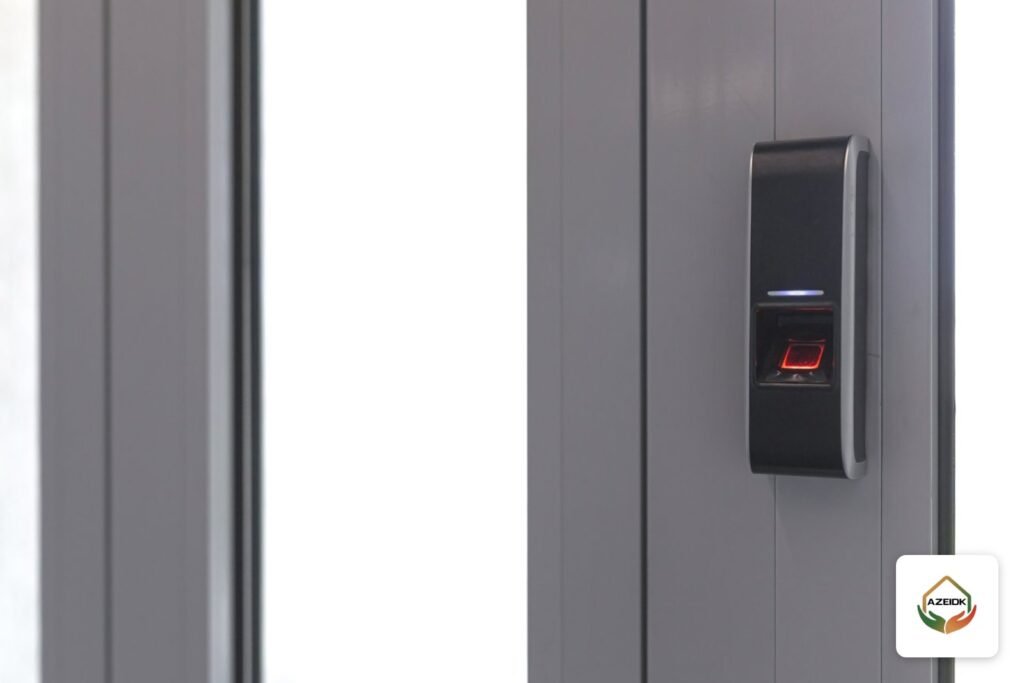
What is access control? An access control system decides who can open which door and when, then logs every attempt. A user presents a credential (card, fingerprint or face), the reader reads it, the controller checks it against the access rights, and the lock either releases or stays shut. The event goes into the log either way.
This page is the starting point for access control on the AZEIDK site: how it works, what each door needs, the main system types and the DAC, MAC, RBAC and ABAC models, with links to our detailed articles. AZEIDK supplies, installs and integrates these systems in Saudi Arabia as part of its security and surveillance solutions.
Key takeaways
- A controlled door usually needs a reader, an electric lock, an exit button, a door contact, a controller, a power supply with backup battery, and management software.
- Standalone units suit a few doors; networked systems suit buildings that need central management.
- The access model most used in buildings is role based access control (RBAC): rights are given to a group or role, and the person is added to it.
- NIST SP 800-162 defines ABAC as a decision based on attributes of the user, the resource, the operation and, in some cases, the environment.
- Releasing locks on fire alarm is a design decision checked against egress door requirements. It should not be left to software alone.
In this article
- Access control explained: what it is and how it works
- What are the components of a door access control system?
- What types of access control systems are there?
- What are the DAC, MAC, RBAC and ABAC access models?
- How does the reader connect to the controller?
- How does access control interface with fire alarm and egress doors?
- How do you define an access control scope for your building?
- Frequently asked questions
- Conclusion
Access control explained: what it is and how it works
Unlike a mechanical key, an electronic credential is tied to a named person, limited to set doors and hours, and can be cancelled from the software when lost.
Every entry follows five steps:
- Identify: the user presents a card, fingerprint, face or PIN.
- Read: the reader sends the credential number to the controller.
- Decide: the controller checks it against stored rights and schedules.
- Act: if granted, the lock relay releases the door for a few seconds.
- Log: the event (result, time, door, person) is stored in the software.
Credential types (cards, fingerprint, face, PIN) and how secure each one is are covered in access control technologies. The difference between 125 kHz and 13.56 MHz cards is in EM vs Mifare cards.
What are the components of a door access control system?
Access control is designed door by door, starting from a door schedule. The core access control system components are:
| Component | What it does | Design questions |
|---|---|---|
| Reader | Reads the card, fingerprint or face | Card type, one side or both sides of the door, indoor or outdoor mounting |
| Electric lock | Holds the door and releases on the controller’s command | Maglock or electric strike, door and frame type, behaviour on power loss |
| Exit button | Opens the door from inside without a card | Location, and whether a separate emergency release cuts lock power directly |
| Door contact | Tells the system whether the door is open or closed | Door-held-open and forced-door alarms |
| Controller | Stores access rights and makes the release decision | Doors, readers, inputs and outputs per unit |
| Power supply | Feeds locks and readers, with a backup battery | Total lock and reader current, and the required battery run time |
| Software | Enrols users, assigns rights, runs reports | Number of doors and users, links to time attendance and CCTV |
Example: the Hikvision DS-K2801 controller handles one door with one lock relay, takes two Wiegand readers for entry and exit, has one exit button input and one door contact input, and is managed over TCP/IP, according to its product page. Wiring, power supply sizing and fire alarm release are in access controller door wiring.
What types of access control systems are there?
“Types of access control systems” can mean the architecture or the access model. We start with architecture.
Standalone
The reader and the controller sit in one device at the door, programmed on the device itself or through a limited connection. Examples are the ZKTeco X100 and X101 and the Dahua ASI1212F standalone unit. It suits an office, store room or small server room, but each device is managed on its own. See standalone fingerprint and card door access.
Networked
A control panel in the equipment room or above the ceiling is wired to the readers, locks, exit buttons and door contacts, and every door is managed from central software. ZKTeco InBio and C3 panels come in one-door, two-door and four-door versions and communicate over TCP/IP and RS485. We compare them in ZKTeco InBio and C3 access control panels. Rights and reports are shared across all doors, and the release decision stays inside the protected panel.
Wireless and cloud
In a wireless access control system, the lock or reader connects to the system by radio instead of a cable run to every door. In a cloud system, the management software is hosted on an external server and used from a browser or phone. It helps in existing buildings that are hard to cable, or for several branches. Before choosing, settle lock power and battery life, door behaviour when the link drops, and where user data is stored.
| Item | Standalone | Networked | Wireless / cloud |
|---|---|---|---|
| Where the decision is made | Device at the door | Control panel | Wireless lock or hub, managed in the cloud |
| Management | Device by device | Central software | Browser or app |
| Cabling | Minimal | Cable from each door to the panel | Less, with reliance on batteries or the wireless network |
| Best for | One or two doors | Multi-door, multi-floor buildings | Existing buildings and scattered branches |
Standalone units, panels and ZKTeco software are compared in ZKTeco access control for buildings.
What are the DAC, MAC, RBAC and ABAC access models?
Definitions below follow the NIST glossary and the NIST RBAC project, in building terms:
| Model | Short definition | Building example |
|---|---|---|
| DAC (discretionary) | The owner of the resource decides who gets access and with what rights | A department head adds anyone they choose to the department door |
| MAC (mandatory) | A central authority enforces the policy; users and resource owners cannot change it | Only the security department sets access levels for sensitive zones |
| RBAC (role based) | All access goes through roles, and a role is a collection of permissions | A “maintenance technician” role opens electrical and plant rooms only |
| ABAC (attribute based) | The decision uses attributes of the user, resource and operation, and sometimes environmental conditions | A contractor’s staff enter the site on working days from 7 to 4 while their permit is valid |
The role based access control model was formalised at NIST and adopted as ANSI/INCITS 359-2004 in February 2004, then revised in 2012. Attribute based access control is described in NIST SP 800-162, published in January 2014 with updates to August 2019.
How do these models appear in access control software?
Building software calls it “access groups” or “access levels”: one group per role, linked to doors and a schedule, with people added to it. Schedules, holidays and card expiry add a touch of ABAC. Design the roles before entering names, keep them few, and review members regularly; piled-up individual exceptions weaken a system most.
How does the reader connect to the controller?
The most common reader interface is Wiegand, and the DS-K2801 supports W26 and W34 formats according to its product page. The alternative is OSDP, developed by the Security Industry Association (SIA) and approved as the international standard IEC 60839-11-5 in 2020. It adds two-way communication and supervised connections that flag reader faults, with continuous wiring monitoring against attacks. Name the interface in the specification and confirm it in the controller datasheet.
How does access control interface with fire alarm and egress doors?
A controlled door on an escape route must stay openable during a fire. The lock type (fail-safe or fail-secure) is therefore checked against the Saudi Fire Protection Code SBC 801 and the authority having jurisdiction, and a relay from the fire alarm panel should cut lock power directly instead of relying on a software command. We explain this in fail safe vs fail secure.
How do you define an access control scope for your building?
- Door schedule: each door, its type, escape route status, and readers on one or both sides.
- Roles: staff, technicians, visitors and contractors, with doors and hours for each.
- Credential: card, fingerprint or face, by area sensitivity and user numbers.
- Architecture: standalone, networked or wireless, by number and spread of doors.
- Interfaces: fire alarm, CCTV, time attendance and the building network.
- Installation and handover: test every door before acceptance, and hand over the user and role lists.
The steps from site survey to testing are in access control installation and commissioning, and the factors behind cost per door are in access control system cost per door. You can also browse the access control products AZEIDK supplies from Hikvision, Dahua and ZKTeco.
Frequently asked questions
What is an access control system in simple terms?
An electronic system that lets named people open named doors at set times, and logs every entry and every refused attempt.
What does a door access control system need for one door?
A reader, an electric lock, an exit button, a door contact, a controller or standalone unit, a power supply with backup battery, and management software where needed.
What is the difference between role based and attribute based access control?
In RBAC, rights go to a role and the person is added to it. In ABAC, the decision comes from attributes of the person, the place and the action, plus conditions such as time.
Does an access control system need its own power supply?
Yes, in most networked systems. It is sized from the total current of the locks and readers and fitted with a backup battery to keep the system running during a power cut.
When should I move from standalone to a networked system?
When the number of doors grows, or you need rights by group and schedule, one report for all doors, or a documented interface with the fire alarm system.
Conclusion
Start with the door schedule and the roles, not the device. Then choose the architecture and an access model that stays easy to manage after handover, and settle escape doors and the fire alarm interface at design stage.
Defining access control for a building or compound? Send us the number and type of doors, the escape routes and the credential you want, and we will propose the architecture and hardware from Hikvision, Dahua and ZKTeco, with datasheets. Talk to the AZEIDK team
Related guides
- FM-200 (HFC-227ea) System Components from Context Plus: Cylinders, Solenoids, Pressure Switches and Nozzles
- School and Educational Facility Fire Safety: A Practical Guide
- Mall Fire Alarm System: Atrium Detection, Voice Evacuation, Shop Interfaces and Smoke Control
- Magnetic Door Holder and Fire Alarm Release: Keeping Fire Doors Open the Right Way