Fire alarm zoning divides a building into areas so that the panel can tell the people responding where the fire is. A good zone plan sends security staff and Civil Defense crews to the right floor and room in seconds; a poor one sends them searching. This guide explains what a zone means in conventional and addressable systems, the zoning limits commonly applied in design, how zone count drives panel choice, and how zones are drawn, programmed and tested.
AZEIDK designs, supplies, installs and programs conventional and addressable systems as part of its fire alarm systems solution, with Context Plus panels among the brands it supplies in Saudi Arabia.
Key takeaways
- In a conventional system a zone is one circuit and the panel reports only “fire in zone X”; in an addressable system the zone is a logical grouping and each device also has its own location text.
- Commonly applied limits (BS 5839-1): one storey per zone unless the total floor area is under 300 m², no more than 2,000 m² per zone, and a search distance of no more than 60 m.
- Zones follow floor boundaries and fire areas in the approved design; a zone plan should be displayed at the panel.
What is a fire alarm zone?
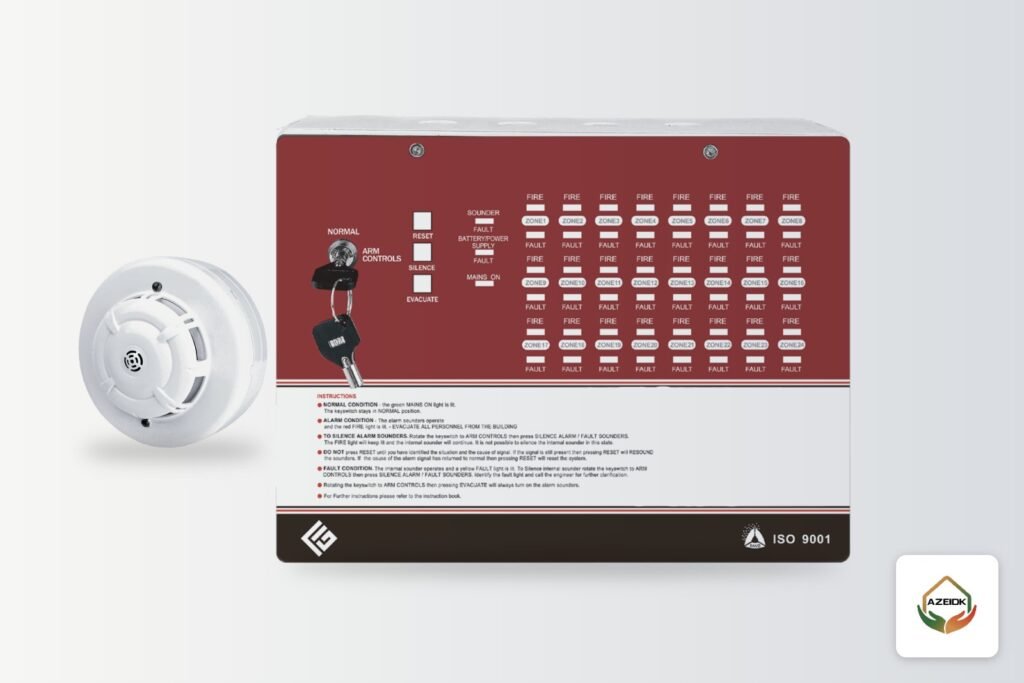
In a conventional system, a zone is one detection circuit. Every detector and call point on that circuit gives the panel the same message: fire in that zone. The zone is therefore the smallest location the panel can show, so how you draw zones decides how fast the fire is found. See fire alarm wiring diagram for how zone circuits leave the panel and end at the end-of-line device.
In an addressable system, every device has its own address and location text, and a zone becomes a logical grouping of devices shown on the panel indicators and in reports. Zones still matter: they drive the zone LEDs, reports and many cause and effect rules. See fire alarm panel programming.
How large can a zone be?
On Saudi projects the zoning is set by the approved design and the authority. Where the specification follows BS 5839-1, the zoning rules summarised in our BS 5839-1 vs NFPA 72 guide are:
| Rule | Limit |
|---|---|
| Floors per zone | One storey, unless the total floor area of the building is under 300 m² |
| Area per zone | No more than 2,000 m² |
| Search distance | No more than 60 m on the worst route within the zone |
| Stairwells and lift shafts | Separate zones |
| Short circuit isolators | One fault limited to 2,000 m² and a single storey; two simultaneous faults should not disable more than 10,000 m² |
The 2025 edition of BS 5839-1 also treats handing over without a zone plan as an unacceptable variation. For the Saudi code route, see SBC 801 in practice.
Zone count and panel choice
Count the zones from the drawings, then add spare zones for future fit-outs before you choose a conventional panel. Context Plus panel families supplied by AZEIDK, as published in our guides:
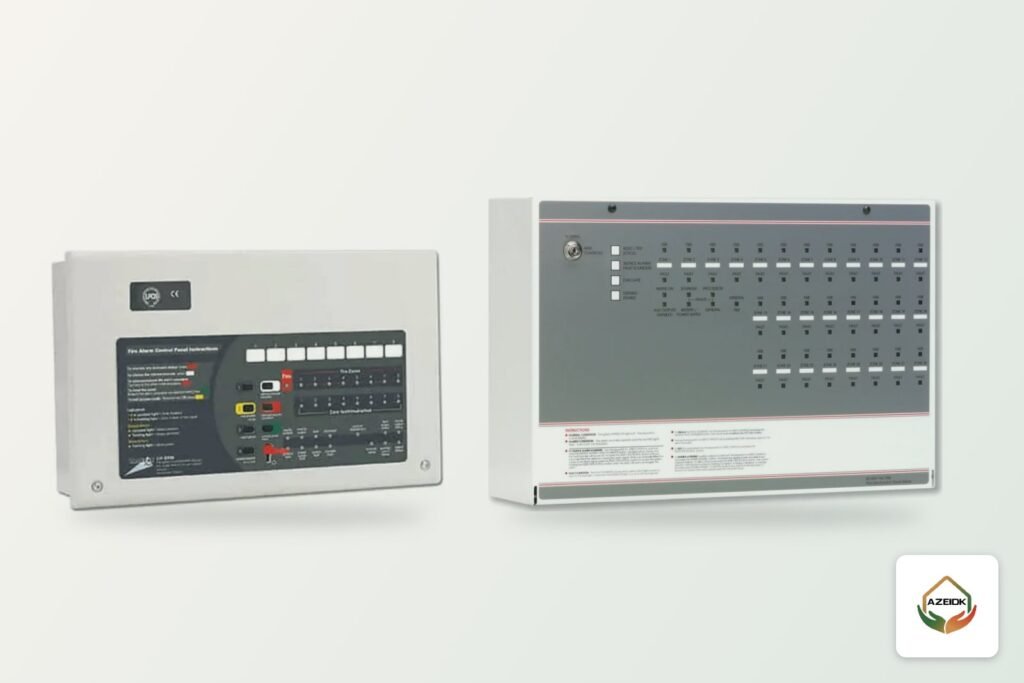
- FP conventional: non-expandable 1, 2, 4 and 8 zone units, a 4 zone panel expandable to 6 and an 8 zone panel expandable to 14, each with two sounder circuits. See Context Plus FP panels.
- CFP conventional: 2, 4 and 8 zone models. See CFP models and the CFP product page.
- MFP conventional: 16 to 28 zones for larger buildings. See MFP panel and the MFP product page.
- Addressable: FirePlus panels support up to 64 zones (32 zone LEDs plus an optional card for zones 33 to 64), and ZFP panels come with 40 zone indicators.
When zones keep growing, the question becomes conventional or addressable; a conventional circuit can also join an addressable loop through a zone monitor module, which handles up to 20 Series 65 conventional detectors as one address.
Drawing, programming and testing zones
- Drawings: the layout plans mark the zone boundaries, and the riser diagram summarises floors, zones, device counts and cable type. See fire alarm symbols on drawings.
- Zone names: location text follows one format a stranger to the building can read: building, floor, room or corridor, then device type.
- Cause and effect: zones often drive outputs such as sounders, lifts and HVAC; see the cause and effect matrix.
- Isolators: on addressable loops, isolators keep one short circuit from taking out more than one zone area; see loop isolators.
- Zone test: at least one device per zone, checking the indicators, printer and event log.
Common zoning mistakes
- One zone covering two floors in a building that is not small enough for it.
- Stairwells and lift shafts mixed into floor zones.
- No zone plan next to the panel at handover.
- Conventional zones over closed rooms with no remote indicators outside them, so the crew must open every door.
- No spare zones, so the first fit-out needs a new panel.
Frequently asked questions
Is a zone the same as a loop?
No. A loop is the wiring circuit that carries addressable devices; a zone is a location grouping. One loop can serve several zones, with isolators between them.
Does every floor need its own zone?
Under the BS 5839-1 rules above, yes, unless the building’s total floor area is under 300 m². Large floors are split further by the 2,000 m² and 60 m limits.
How many detectors can one conventional zone take?
It depends on the panel and detector data in the installation manual. For example, the Context Plus 55000-845IMC zone monitor handles up to 20 Series 65 detectors in one zone.
Can zones be changed after handover?
Yes, but it is a design change: drawings, zone plan, program and cause and effect are updated and the affected zones retested.
Planning the zones for a new building or a fit-out? Send AZEIDK your floor plans and the use of each area, and our team will propose a zone plan, a panel with spare capacity and the drawings for approval. Request a quote from AZEIDK
Related guides
- Outdoor Fire Alarm Sounder IP65: Weatherproof Context Plus Sounders and Beacons for Roofs, Car Parks and Yards
- Context Plus vs FG Fire Alarm Panels: Conventional, Addressable, Approvals and When to Choose Each
- Fire Alarm Companies in Dammam and Khobar: Choosing by Facility Type
- Fire Protection Check Valves Compared: AFC, Shurjoint and United Brass Works by Type, Size and Approval