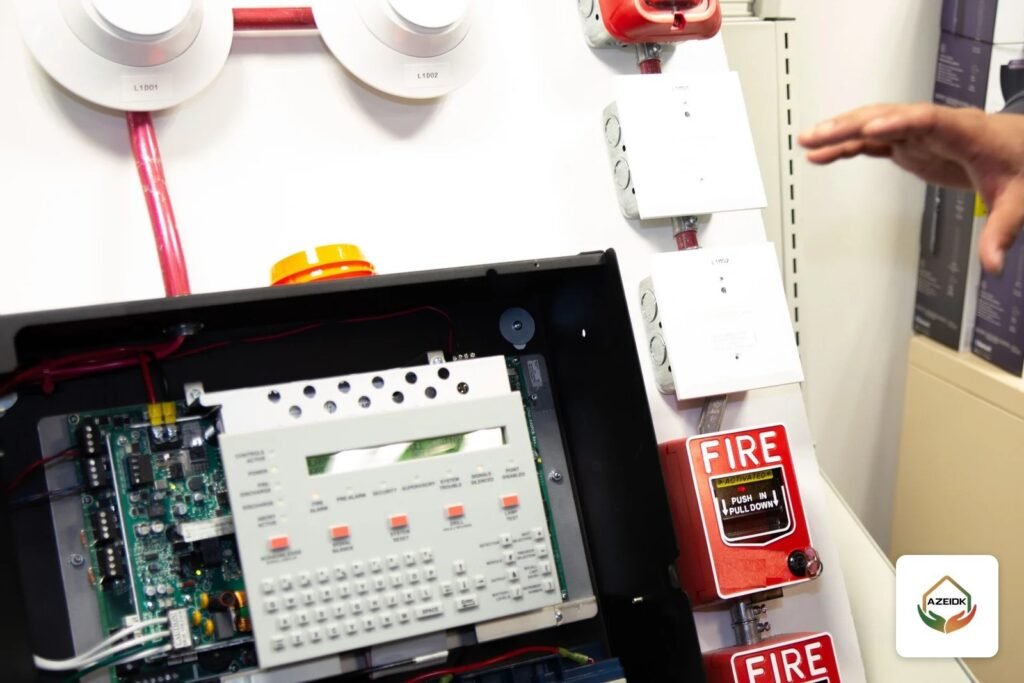
Fire alarm panel programming turns drawings and the cause and effect matrix into data inside an addressable panel: an address for every device, location text, zones, delays or verification where permitted, and outputs that act on lifts, HVAC, doors and voice evacuation. It ends with three things the owner keeps: the program file, the passwords, and a test report proving each line works as written.
This guide follows the work as it happens on site, whether the panel is new, replaced, or extended during a renovation. AZEIDK delivers this work through its programming and systems integration service, including panels installed by others, provided the programming software and panel access are available.
Key takeaways
- Programming starts from approved drawings, an address schedule and a final cause and effect matrix, not from the panel keypad.
- The address identifies the device to the panel; location text and zone names identify the place to the person standing at the panel during a fire.
- Alarm verification and delays are narrow tools with time limits in NFPA 72, and some need approval from the authority having jurisdiction.
- Every input and output is tested after programming; a device appearing on screen is not enough.
- The owner receives a copy of the site-specific software and the passwords or the means to obtain them, as NFPA 72 documentation rules describe.
- Any later program change triggers reacceptance testing and updated records.
In this article
- What does fire alarm panel programming involve?
- What do you need before programming starts?
- How are devices addressed and labelled?
- How should zones be set up in the panel?
- When are delays and alarm verification allowed?
- How are outputs to lifts, HVAC and doors configured?
- Which tools are used to program Context Plus panels?
- How do you test the program once it is loaded?
- What does the owner receive: program file and passwords?
- What is required after a program change?
- Common fire alarm programming mistakes
- Frequently asked questions
- Conclusion
What does fire alarm panel programming involve?
In an addressable system, each detector, manual call point and input/output module sits on a loop with its own numeric address. Programming gives that number meaning: device type, location text, zone, and the actions that follow when it operates.
Two things are worth separating. The operating logic itself, meaning which input drives which output, is defined in the cause and effect matrix, which we do not repeat here. This guide covers execution: entering the data, setting timers and outputs, then testing and handing over the result.
On the regulatory side, Saudi projects follow the Saudi Fire Code SBC 801. The 2024 edition of the Saudi Building Code has been mandatory since 30 June 2025, and Chapter 9 covers fire protection systems, including fire alarm and detection. The General Directorate of Civil Defense follows fire protection requirements throughout a building’s life, and facility licences are issued and renewed through the Salamah platform. NFPA 72 serves as a technical reference where the designer adopts it or the project documents call for it.
What do you need before programming starts?
Most programming errors come from incomplete inputs. Before opening the configuration tool, collect:
- Approved shop drawings showing device locations, loop numbers and routes, ideally as-built if installation is complete.
- An address schedule listing loop, address, type and location for every device, matching what is actually installed.
- The cause and effect matrix in its consultant-approved revision.
- An interface list covering lifts, air handling units, door locks, voice evacuation, fire pumps and the BMS, with the party responsible for each side.
- Datasheets and programming manuals for the panel and devices, and a configuration tool version that matches the panel firmware.
Design decisions such as devices per loop and isolator positions feed straight into programming; see our article on addressable fire alarm loop design.
How are devices addressed and labelled?
Assigning addresses
Addressing methods depend on the manufacturer and protocol. On Context Plus XPert bases, for example, the address is set by a card fitted in the base. Pre-addressed cards numbered 1 to 126 are available, as well as a blank card coded by removing tabs with the coding guide. Because the address stays with the base, replacing a detector does not require re-addressing.
The working rule: one address per device on a given loop, numbered along the cable route where practical so faults are easier to trace later.
Location text
Location text is what security staff or Civil Defense crews read on the panel display, so it follows a fixed format a stranger to the building can understand: building, floor, room or corridor, then device type. Use the names on the drawings and wayfinding signs, not the names the installation crew uses on site.
How should zones be set up in the panel?
In an addressable system a zone is a logical grouping of devices shown on the panel indicators and in reports. Zones usually follow floor boundaries and architectural fire areas as set by the approved design and the authority. Zone capacity depends on the panel: Context Plus FirePlus panels support up to 64 zones, with 32 zone LEDs and an optional card for zones 33 to 64, while ZFP panels come with 40 zone indicators.
| Programming item | What is entered | Data source | How it is verified |
|---|---|---|---|
| Address and device type | Loop, address, type | Address schedule | Compare devices found on the loop with the schedule |
| Location text | Building, floor, room | Approved drawings | Walk test, reading the text at each device |
| Zone | Zone number and name | Approved design | Operate one device per zone and check the indicator |
| Delay and verification | Devices covered and time | Specification and AHJ approval | Time the actual alarm response |
| Outputs | Module and required action | Cause and effect matrix | Confirm the other system responds, not just the relay |
| Access levels | Passwords and permissions | Agreement with the owner | Try each level and hand over in writing |
When are delays and alarm verification allowed?
This is the most sensitive part of programming, because a wrong delay slows evacuation. NFPA 72 offers two main tools:
- Alarm verification: the panel resets the detector and waits for the signal to be confirmed before declaring an alarm. NFPA 72 (2016 edition, 23.8.5.4.1, as cited by EC&M) limits the delay to 60 seconds or less without human intervention, and it cannot be combined with cross-zoning.
- Positive alarm sequence: according to the same source, the signal must be acknowledged at the panel within 15 seconds, after which trained staff have 180 seconds to investigate and reset; otherwise notification starts automatically, and it also starts at once if a second device operates. Its use requires AHJ approval.
In practice these options are applied to specific detectors in locations known for nuisance alarms, recorded on the drawings and in the matrix, and never enabled panel-wide. Manual call points are deliberate actions and go straight to alarm. The consultant should check the adopted NFPA 72 edition and Civil Defense requirements before any time value is approved.
How are outputs to lifts, HVAC and doors configured?
Outputs carry out the matrix through loop input/output modules or panel relays. The Context Plus SA4700-102IMC, for example, has one monitored input, one relay output and a built-in isolator, with a configurable input mode, and is used for releasing door locks and shutting down equipment.
For each output the programmer sets whether it acts immediately or after a delay, whether it latches until reset, and whether it responds to silence. Silencing sounders should not restart air handling units or return lifts to service. For lift recall, NFPA 72 (21.3) works together with ASME A17.1, and the alternate floor is programmed for when the operated detector is in the main recall lobby. Inputs from other systems, such as waterflow switches or fire pump signals, are programmed with the correct type (alarm, supervisory or trouble) so operators read them correctly. Our guide to connecting a sprinkler system to the fire alarm panel explains Context Plus switch monitors for flow switches and valve supervision.
The scope of signals exchanged with the building management system is covered in BMS and fire alarm integration.
Which tools are used to program Context Plus panels?
FirePlus addressable panels (1 to 6 loops, up to 126 devices per loop, XP95 and Discovery protocols) can be programmed from the front panel or with ConfigManager Plus software, including cause and effect programming. For XFP panels, the XFP507 PC programming kit uploads and downloads site data; it includes the software on a USB drive and a 2 m programming cable, and runs on Windows. When XFP panels are networked (up to 8 panels on a two-wire RS485 network up to 1 km), remote fires and faults appear on the local panel with the point description, so a consistent location text format across panels matters.
For panel selection and device compatibility, see the Context Plus fire alarm application guide.
How do you test the program once it is loaded?
- Loop reconciliation: device count and types found on each loop match the address schedule, with no duplicate or missing addresses.
- Walk test: operate every device in place and check the text shown on the panel against the real location.
- Zone test: at least one device per zone, checking indicators, printer and event log.
- Timer test: measure programmed verification and delay times with a stopwatch.
- End-to-end output test: the air handling unit actually stops, the lift returns to the right floor, the lock releases.
- Records: every step goes into a test report signed by the installer and the consultant.
What does the owner receive: program file and passwords?
The NFPA 72 software documentation requirements (section 7.5.7 in the NFPA revision documents for the 2022 edition; check the numbering in the edition adopted for the project) state that, for software-based systems, the owner receives a copy of the site-specific software, together with the user passcode and the programming password or instructions for obtaining it, so any qualified programmer can access and modify it later. A copy is also kept on site in nonvolatile, non-erasable, non-rewritable memory.
The handover file therefore contains the final program file with date and version, the address and text schedule, access levels and passwords, and the test report. On panels with several access levels, the user level (view, silence, reset) is kept separate from the programming level. An owner without this file stays tied to the original installer for every change.
What is required after a program change?
Adding devices in a fit-out, changing a floor’s use or replacing a panel all change the program. Manufacturer guidance, such as Johnson Controls’ Simplex instructions citing NFPA 72, states that reacceptance testing after a software change covers 100% of affected functions plus at least 10% of initiating devices not directly affected, up to 50 devices, after which the record of completion is updated. NFPA 72 revision documents also state that a remote change requires a qualified person on the premises to verify testing. The new file is saved under a new revision number and the matrix is updated.
Common fire alarm programming mistakes
- Programming from design drawings rather than what was installed, producing wrong location text.
- Enabling alarm verification on every detector to hide nuisance alarms caused by design.
- Testing the relay without checking the other system responds, so the output operates but HVAC keeps running.
- Tying critical outputs to silence, so equipment restarts before the panel is reset.
- Handing over without the program file or passwords, or with an old copy that no longer matches the panel.
Frequently asked questions
Can you program a panel installed by another contractor?
Yes, if compatible programming software and panel access are available. Obtain the current program file before making any change.
How long can alarm verification delay an alarm?
NFPA 72 (2016 edition, as cited by EC&M) limits it to 60 seconds or less, applied only to selected detectors and as the project specification and authority approve.
Does replacing a detector require reprogramming?
Not always. Where the address is held in the base, as with XPert bases, it stays when a like-for-like detector is fitted, but the new device is still tested.
How is programming different from the cause and effect matrix?
The matrix defines the logic on paper; programming implements it in the panel through addresses, text, timers and outputs, and testing proves they match.
Conclusion
Fire alarm panel programming is as much documentation as it is technical work: approved inputs, addresses that match the installation, location text a stranger can read, timers limited to what the reference allows, and outputs tested through to the other system. What remains after handover is the program file, the passwords and the test report, and they are what make later changes possible without starting over.
New panel or fit-out that needs programming? Send us the drawings, address schedule and matrix, and we will review the programming, interface and testing scope with you, along with the handover file. Talk to the AZEIDK team
Related guides
- UL or EN 54 for Fire Alarm Devices: How the Two Approvals Differ, What Saudi Consultants Ask For, and Why Not to Mix Them
- Context Plus FP Conventional Fire Alarm Panels: Choosing Zone Count and Applications
- Mall and Commercial Building Fire Safety: Engineering Guide
- Gas Suppression Release Sequence: Context Plus EP203 Panel, Hold and Abort Buttons and Release Call Points