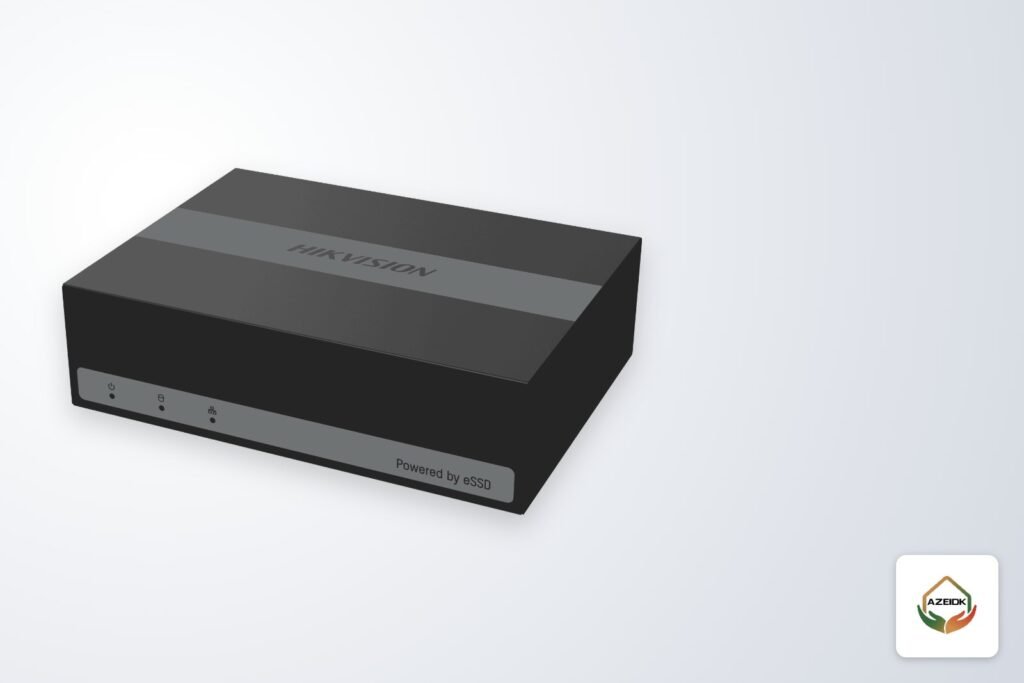
A Hikvision DVR with four channels is the usual choice for a small shop, villa or office running analog cameras on coax. AZEIDK supplies two eDVR models: the DS-E04HQHI-B and the DS-E04HGHI-E. Both record to built-in eSSD storage instead of a hard drive; they differ in maximum resolution, signal support and capacity.
For camera types, resolution, night vision and storage, see our CCTV cameras guide for Saudi Arabia.
This guide covers each unit’s specs, compatible cameras, how to estimate recording days and when an NVR makes more sense, within our security and surveillance solutions.
Key points
- Both are 4-channel analog (BNC) recorders with one extra IP channel.
- The DS-E04HQHI-B accepts HDTVI up to 5 MP at 20 fps and AHD/HDCVI up to 4 MP, records up to 4MP Lite and has a 512 GB eSSD (480 GB usable).
- The DS-E04HGHI-E records up to 1080p Lite, its IP channel takes up to 1080p, and eSSD capacity is confirmed with the quotation.
- Neither product page lists SATA drive bays; recording is on the built-in eSSD.
- Both support H.265 Pro, HDMI and VGA at 1080p, and run on 12 V DC, 1 A.
What is a Hikvision eDVR?
A DVR takes analog cameras over coax and records them digitally. Hikvision’s HD analog line is Turbo HD, based on HDTVI, and many of its recorders also accept AHD, HDCVI and legacy CVBS. The eDVR series replaces the hard drive with internal eSSD storage: no spinning parts, a compact 1U case and low consumption, no more than 5.4 W with eSSD for the DS-E04HQHI-B per its product page. The trade-off is fixed capacity that cannot be expanded with a drive.
This type is useful when refreshing an old system: the coax already run in the walls stays, and only the recorder and cameras are replaced with higher-resolution Turbo HD units. Our CCTV system upgrade guide covers the options, including IP over the same coax.
DS-E04HQHI-B vs DS-E04HGHI-E
| Item | DS-E04HQHI-B | DS-E04HGHI-E |
|---|---|---|
| Analog channels | 4 × BNC: HDTVI, AHD, HDCVI, CVBS | 4 × BNC |
| Max input | HDTVI 5 MP @ 20 fps and 3K @ 20 fps; AHD/HDCVI 4 MP @ 30 fps | Check the datasheet |
| Max recording resolution | 4MP Lite | 1080p Lite |
| IP channel | 1, up to 6 MP | 1, up to 1080p |
| Storage | Built-in 512 GB eSSD (480 GB usable) | Built-in eSSD, capacity per quotation |
| Compression | H.265 Pro / H.265 | H.265 Pro / H.265 |
| Video output | HDMI and VGA, simultaneous, up to 1920 × 1080 | HDMI and VGA up to 1920 × 1080 |
| Audio | 4 inputs over coax, output via HDMI | 4 inputs over coax, output via HDMI |
| Smart detection | Motion Detection 2.0 with human/vehicle classification | Check the datasheet |
| Network and power | RJ45 10/100; 12 V DC, 1 A | RJ45 10/100; 12 V DC, 1 A |
| Operating temperature | -10 °C to 45 °C | -10 °C to 45 °C |
The AZEIDK page for the DS-E04HGHI-E notes that its specs come from the datasheet of a sister model, the DS-E04HGHI-XE, so we confirm the delivered version’s specs in the quotation.
Which Hikvision DVR should you choose?
Choose the DS-E04HQHI-B for Turbo HD cameras above 2 MP, for human/vehicle classification to cut false alerts, or to add one high-resolution IP camera, for example at an entrance.
Choose the DS-E04HGHI-E for 2 MP (1080p) or lower cameras where simple, low-cost recording for a small shop or store is the goal.
Beyond four cameras, or for a completely new system, an IP system with an NVR is usually the better route. See CCTV recorder: NVR or DVR and IP vs analog CCTV.
Compatible cameras
Hikvision analog models usually start with DS-2CE; IP models start with DS-2CD. Turbo HD cameras available from AZEIDK include the DS-2CE76K0T-LPFS (3K indoor turret with mic), the DS-2CE70DF0T-LMFS (2 MP ColorVu turret with mic), the DS-2CE72KF3T-L (3 MP turret) and the DS-2CE18D0T-LFS (2 MP bullet with audio).
Check three things: camera resolution is within what the recorder accepts; cameras with built-in mics carry audio over coax to the four audio inputs; and the camera stays within the recorder’s input limit. The datasheet of the sister model DS-E04HGHI-XE lists analog input up to 1080p, so the DS-E04HGHI-E suits 2 MP cameras; a 3 or 5 MP camera needs its output set to 1080p, if it offers that mode, and the pairing should be tested before supply.
How many days does a Hikvision DVR record on eSSD?
Neither product page gives a fixed number of days, because usage depends on resolution, frame rate, bitrate and scene activity. The estimate is simple: GB per day = bitrate in Mbps ÷ 8 × 86,400 ÷ 1,000.
| Worked example (assumed) | Daily use, 4 cameras | Approx. days on 480 GB |
|---|---|---|
| 0.5 Mbps average per camera | about 21.6 GB | about 22 days |
| 1 Mbps average per camera | about 43.2 GB | about 11 days |
These are illustrations, not manufacturer figures. Motion-only recording, lower frame rates and H.265 Pro extend the days. If your facility has a required retention period, work it out first (see CCTV recording retention) and then pick the recorder.
Installation and first setup
- Connect each coax run to a BNC input and power cameras from a central supply or individual adapters; see our CCTV power supply guide.
- Set the admin user and a strong password at first boot and update firmware.
- Enable the recording schedule and motion detection per channel, with zones away from trees and roads.
- Link to the phone with Hik-Connect, as in viewing CCTV on your phone.
- Test retrieving and exporting a clip to USB before handover.
Common issues after installation
| Symptom | Usual cause | Check first |
|---|---|---|
| No Video on a channel | Camera power lost or a damaged BNC connector | Voltage at the camera and the connector |
| Black-and-white or lined image in daytime | Signal type mismatch or poor cable | Channel signal setting and coax quality |
| Recording stopped | Storage full with overwrite disabled | Enable overwrite of the oldest footage |
| Phone viewing drops | Router change or internet outage | Hik-Connect status in network settings |
For on-screen error messages see CCTV recorder error messages. Put the recorder and camera power supply on a small UPS, and install it ventilated and out of visitors’ reach: whoever reaches the recorder reaches the footage.
FAQ
Does the Hikvision DS-E04HQHI-B need a hard drive?
No. It has a built-in 512 GB eSSD (480 GB usable) and its page lists no SATA bays.
What is the difference between the DS-E04HQHI-B and DS-E04HGHI-E?
The HQHI-B records up to 4MP Lite, accepts HDTVI up to 5 MP and an IP camera up to 6 MP. The HGHI-E records up to 1080p Lite with an IP channel up to 1080p.
Can I add an IP camera to a Hikvision DVR?
Yes, one IP channel on each model: up to 6 MP on the HQHI-B and 1080p on the HGHI-E.
Does a Hikvision DVR work with Dahua analog cameras?
The DS-E04HQHI-B lists HDCVI input, but test before approval, since audio and coax control may not work across brands.
How do I view a Hikvision DVR on my phone?
Use Hik-Connect after connecting the DVR to the router and enabling the service in network settings, with a strong password.
When should I choose an NVR instead?
For new systems, more than four cameras, higher resolution and analytics, or runs better served by a data network than coax.
Have analog cameras and need the right recorder? Send us your current camera models and required retention, and we will recommend a DVR or an upgrade path to IP, with datasheets. Contact the AZEIDK team
Related guides
- NFPA 704 Diamond (nfpa diamond): What the Colours and Numbers Mean and Where It Goes in a Facility
- Fire Alarm NAC Booster Power Supply: When You Need One and How to Size It
- AFC OS&Y Gate Valves: Types and Valve Position Supervision in Saudi Projects
- Fire Sprinkler Pressure Gauges and Fire Pump Pressure Switches: Selecting WIKA 111.10SP, AGF 7500 and PSM-520