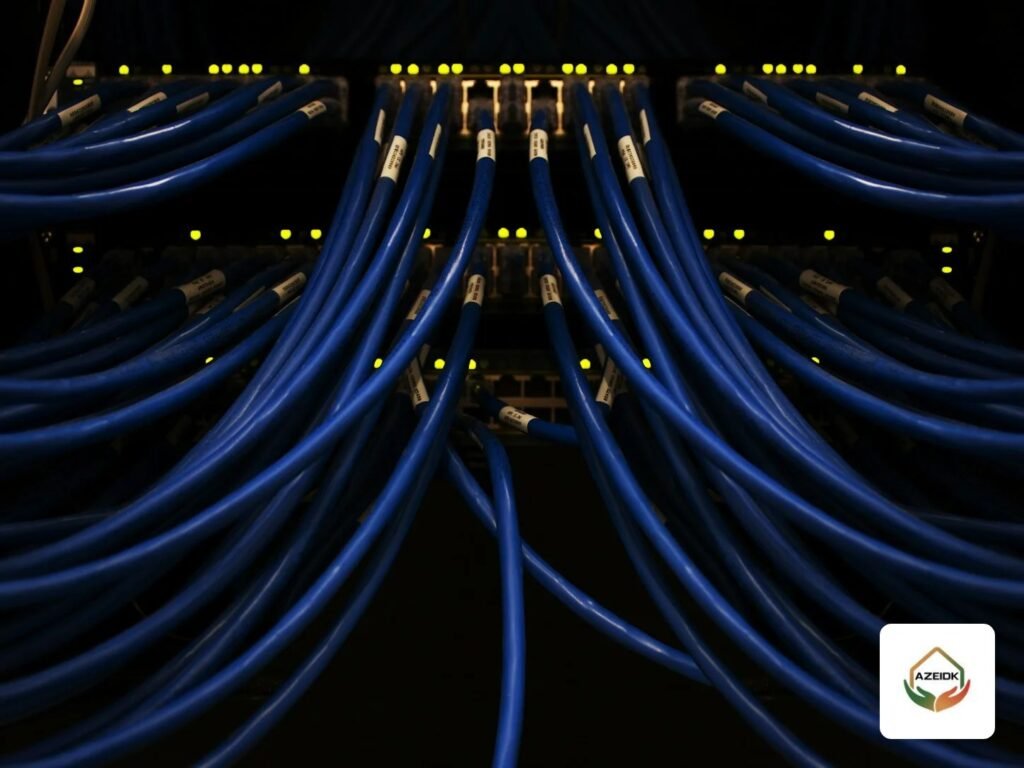
Network installation (structured cabling) for offices means building an organised cabled infrastructure: Cat6 or Cat6A copper to the data points, optical fibre between floors or buildings, and network cabinets (racks) with patch panels, followed by testing and documenting every point. The right company provides a clear design and scope and hands over test results for every link.
This guide focuses on choosing a network installation company and the scope to ask for in its offer, not on explaining the standards in detail; that is covered in Structured Cabling and Network Systems: Standards and Testing. At the end is a neutral alphabetical table of Saudi companies whose official websites list network installation or structured cabling services.
Key takeaways
- Count the data points per employee and per system (cameras, printers, wireless access points, IP phones) before asking for offers.
- Choose Cat6 or Cat6A by the speed you need and the route lengths, and fibre for links between floors and buildings and for long distances.
- Ask the offer to state: cable, outlets and panels of one category, cabinets and accessories, labelling, certification testing and as-built drawings.
- Do not accept the network without a test report for every link and a labelling schedule matching the panels and drawing.
- The table is alphabetical, not a ranking, and reflects what each company published on its website on 6 November 2026.
In this article
- What does office network installation include?
- What is the difference between Cat6, Cat6A and fibre?
- How are network cabinets (racks) prepared?
- How is the network tested and certified before handover?
- How do you choose a network installation company?
- How was the list compiled?
- Which companies offer network installation in Saudi Arabia?
- What are common network installation mistakes?
- Frequently asked questions
- Summary
What does office network installation include?
An office network has two parts. The passive part is the fixed infrastructure: cables, wall outlets, patch panels, cable managers, cabinets, containment and supports. The active part is the equipment: switches, routers and wireless access points. Network installation usually means the first part, but it sets the performance of the second for years; a switch can be replaced in a day, while cable inside the false ceiling and walls is hard to replace.
In modern offices the network serves not only staff devices but also CCTV cameras, time attendance terminals, access control and IP telephony. So every system that will connect to the network is listed from the start and coordinated with the client’s IT team. Integration of these systems is explained in Smart Buildings: How Low Current Systems Integrate. For the IP telephony equipment itself, our guide to IP PBX and IP phone brands in Saudi Arabia covers Yeastar, Grandstream, Fanvil, Avaya and Alcatel-Lucent.
What is the difference between Cat6, Cat6A and fibre?
The table is a general comparison of common use; final values come from the product datasheet and the standard the designer adopts.
| Medium | Common office use | Length | Installation notes |
|---|---|---|---|
| Cat6 (usually UTP) | Staff data points, printers and network cameras | Copper channel up to about 100 m (permanent link up to 90 m plus cords) | Suits 1 Gb/s; 10 Gb/s support is limited to shorter distances |
| Cat6A (UTP or shielded) | Modern wireless access points, server rooms and projects planning higher speeds | Up to 100 m channel | Larger diameter needs more space in containment and cabinets, and outlets of the same category |
| Single-mode and multimode fibre | Backbone between the main network room and floor cabinets or between buildings | Much longer distances than copper, depending on type and speed | Needs splicing or pre-terminated connectors and optical loss testing |
The practical rule: do not mix categories in one link; Cat6A cable with a Cat6 outlet performs as Cat6 only. The standards commonly cited in specifications are the American ANSI/TIA-568 series and the international ISO/IEC 11801, and the designer decides which one the project adopts.
How are network cabinets (racks) prepared?
The cabinet is the consolidation point where cables terminate on patch panels and switches are mounted. Its size is set in rack units (U) by the number of panels and devices, with room to expand. Small offices can use a wall-mount cabinet, while larger buildings use floor-standing cabinets in a dedicated network room.
AZ-Link products shown on the AZEIDK website include wall-mount network cabinets in 4U, 6U, 9U and 12U sizes, Cat6 UTP network cable in 305 m boxes with 23 AWG conductors, Cat6 UTP plugs, Cat6 patch cords and power distribution units. In every case ask for the datasheet of each component and make sure cable, outlets and panels are of the same category. What also matters in a cabinet: ventilation, cabinet earthing, horizontal and vertical cable management, a separate protected power feed and clear labelling of every port.
How is the network tested and certified before handover?
A simple continuity tester proves the wires are connected, but not the performance. Specifications therefore usually require certification testing of every copper link with a dedicated field tester, which measures wire map, length, loss and crosstalk between pairs and gives a pass or fail result against the limits of the specified category. Fibre is tested by measuring optical loss on every strand, and an OTDR test may be required to locate splices and faults on long routes.
Ask for the test results to be handed over as a file for every link, together with a labelling schedule matching the panels and the as-built drawing. These documents are what any maintenance or expansion company will need later.
How do you choose a network installation company?
- Survey before pricing: a serious company surveys routes, false ceilings and the network room before quoting.
- Written scope with quantities: number of points, cable category, number and size of cabinets, fibre and strand count, and containment.
- Products: brand and model of every component, with datasheets.
- Testing method: certification testing of every link with results handed over, not just a continuity check.
- Coordination: with the electrical contractor and the false-ceiling contractor, and separation from power cables.
- Handover: as-built drawings, labelling schedule and passwords for any active equipment.
- After handover: does the company offer support or maintenance, and what is the response time?
If the project combines MEP works, fire systems and low current, see MEP, Fire Safety and Low Current Integration.
How was the list compiled?
The review covered Saudi companies whose official websites explicitly list network installation or structured cabling services, with a headquarters, branch or service city. They are listed alphabetically by Latin name, and the information is as each company published it on 6 November 2026. Inclusion does not mean any business relationship with AZEIDK, and many other companies were not covered by this review.
Which companies offer network installation in Saudi Arabia?
| Company | Category | What it lists about networks on its website | City as stated on the website | Official website |
|---|---|---|---|---|
| Automated Buildings Company (شركة المباني الآلية) | System integrator, contractor | Structured cabling and infrastructure, wired and wireless LAN, fibre optics and IP telephony | Riyadh | abc.sa |
| AZEIDK Group · AZEIDK | Supplier, contractor, maintenance | Active and passive networks, cabling and data points, network cabinets and patch panels, fibre where needed, and testing of network points | Branches and showrooms in several cities | azeidk.com · azeidkgroup.com |
| CDPS (Commercial Digital Protection Systems) | System integrator, maintenance | Structured cabling and networks within infrastructure, alongside surveillance and access control | Makkah | cdps.com.sa |
| ECOLOR Technologies | IT solutions provider | Cat6, Cat6A and fibre cabling, racks and patch panels, testing every point and documenting the network | Riyadh | ecolor.com.sa |
| Eagle Tech | Security systems integrator | Fibre, CAT6 cabling and WiFi Mesh, alongside cameras and security systems | Jeddah and Makkah | eagletech.sa |
| GBS (Global Business Solutions) | Network and IT solutions provider | Optical networks for data centres and backbone links, supported by structured copper cabling where needed | Riyadh and Khobar | gbs.com.sa |
| Zorins Technologies | IT solutions provider | Cat6, Cat6A and fibre cabling, cabinets, link testing and certification with documented results | Riyadh, with a Khobar branch | zorinstechnologies.sa |
What are common network installation mistakes?
- Running network cable next to power cables in the same route without separation.
- Exceeding the allowed copper link length to reach a distant point instead of adding a floor cabinet.
- Bending the cable sharply or pulling it too hard, which harms performance without visible damage.
- A cabinet with no room to expand, no ventilation or no port labels.
- Accepting the network with a continuity check only, without a certification report.
- Forgetting camera points and ceiling access points when counting data points.
Frequently asked questions
Should a new office use Cat6 or Cat6A?
Cat6 is usually enough for staff points at 1 Gb/s; Cat6A is preferred for modern wireless access points, server rooms or when planning 10 Gb/s over the full distance.
When do I need fibre?
For links between the main network room and floor cabinets or between buildings, or when the distance exceeds copper limits.
What is the difference between a continuity check and certification testing?
A continuity check only proves connection; certification testing measures link performance against category limits and gives a report for every link.
What documents should I receive at the end of the project?
Test reports for every link, the labelling schedule, as-built drawings and datasheets for the products used.
Can the camera network run on the office network?
Physically yes, but logical separation between camera and security traffic and the user network is preferred, according to the facility’s IT policy.
Summary
Successful office network installation starts with counting points and systems, choosing the right category, cabinets with room to expand, and documented certification testing of every link. The table is a starting point for finding a company, not a substitute for comparing scope, products and testing method in each offer.
Fitting out a new office or expanding an existing network? AZEIDK’s network and communication systems team provides the survey, point count, supply, cabling, cabinets and network point testing. Request a survey or quotation