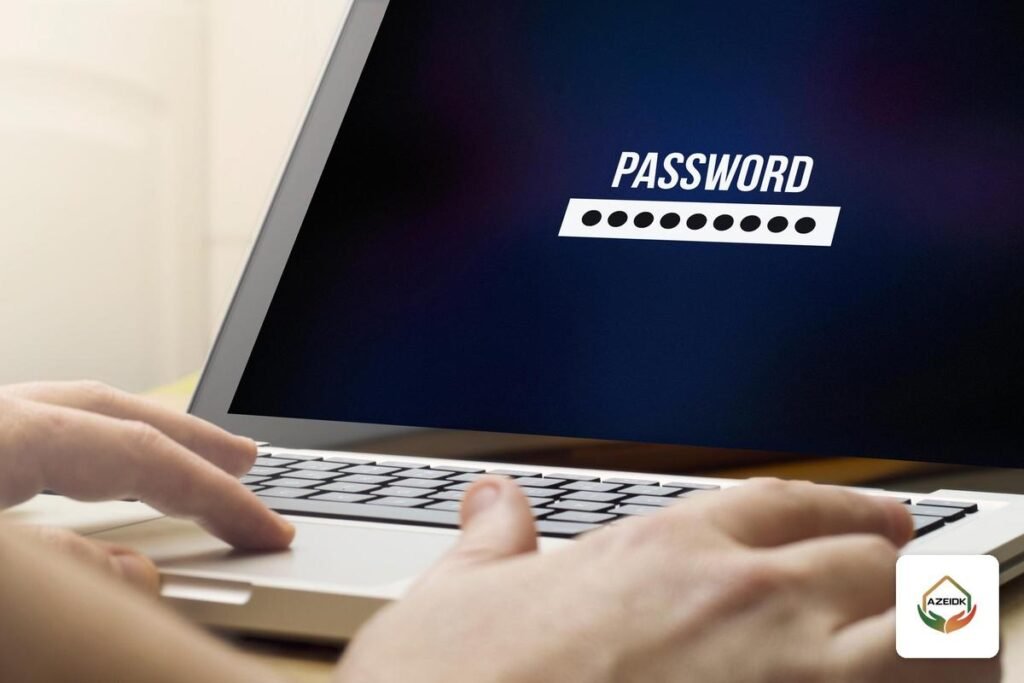
Forgot your CCTV password? The safe fix is to recover the recorder (DVR/NVR) password with the manufacturer’s official methods: the Hik-Connect app, the SADP tool, a GUID file or security questions on Hikvision devices, and a QR code with a reserved email on Dahua devices. Each needs access to the recorder and some setup done in advance, so they are built for the owner only.
Key takeaways
- The recorder password and the app account password are recovered differently.
- Hikvision: Hik-Connect, reserved email, or SADP (GUID file, security questions or a support request).
- Dahua: QR code scanned with DMSS plus a code sent to the reserved email, or security questions on the local screen.
- Most methods only work if they were set up in advance: a reserved email, a GUID file or security questions.
- Unofficial “password unlock” services are a security risk. Proper recovery always goes through proof that you own the device.
In this article
- Forgot your CCTV password: what have you actually lost?
- Why official methods require device access and proof of ownership
- Recovering a Hikvision recorder password the official way
- Forgot your Dahua DVR password: the approved methods
- Comparing CCTV password recovery methods
- Is there a Hikvision or Dahua CCTV default password?
- Getting control of your CCTV after the installer has gone
- When do you need a CCTV technician?
- Common mistakes when the password is forgotten
- Frequently asked questions
- Summary
Forgot your CCTV password: what have you actually lost?
“I forgot the password” can mean four different things, each with a different fix.
| What did you forget? | Where it is used | How to fix it |
|---|---|---|
| Recorder admin password | Logging in to the DVR/NVR from the monitor, a browser or PC software | The manufacturer’s official recovery methods (the subject of this article) |
| Camera password (IP camera) | The NVR’s connection to each network camera | Usually reset from the recorder or the manufacturer’s tool, if the model supports it |
| App account password | Signing in to Hik-Connect or DMSS on the phone | The “forgot password” option inside the app, using the phone number or email on the account |
| Sub-user password | A staff member or guard with viewing rights | The admin resets it from the user list. No manufacturer step needed |
If cameras stopped showing after a password change, read common CCTV camera faults and how to fix them first: “No Video” can come from an old password saved in the recorder.
Why official methods require device access and proof of ownership
The recorder holds footage of your entrances. If its password were easy to get around, anyone on site or on the network could watch or delete recordings. So recovery needs one of three things: physical access to the recorder, an email the owner registered earlier, or a file or answers prepared at activation.
Without these, the official route is manufacturer support or its authorized distributor. Hikvision’s US notice says authorized support staff issue a reset code after verifying the user, so have the invoice, serial number and proof of site ownership ready.
Services offering to “unlock any recorder” without checking ownership are a real security risk: whoever opens your device without proof can open anyone’s, and may leave changes you never learn about.
Recovering a Hikvision recorder password the official way
Available methods depend on the model and firmware. Select “Forgot Password” on the login screen and the recorder shows what it supports.
Through the Hik-Connect app
The steps for DVRs and NVRs, per Hikvision’s official guide:
- On the login screen, choose password recovery, then Hik-Connect verification. A QR code appears on the recorder’s local screen.
- In the Hik-Connect app, open the device password reset page under Basic Tool or under Me.
- Scan the QR code on the screen. The app shows a verification code.
- Enter the code on the recorder, then create and confirm a new password.
Through the reserved email
If the owner registered a reserved email for the admin account, scan the QR code on the local screen with the app. A verification code is sent to that email and entered in the verification window on the recorder. Hikvision notes that the code is valid for 48 hours, and that rebooting the device or changing the reserved email cancels it.
Through the SADP tool: GUID file, security questions or a support request
SADP is a Hikvision utility that finds active devices on the same subnet as your PC and lets you activate them and edit network settings. Its manual lists four reset modes:
- GUID mode: import the GUID file exported when the device was activated. Hikvision explains that the file belongs to one device, works once, and becomes invalid if the admin password was changed after it was exported.
- Security question mode: answer the questions chosen during activation.
- Import file: export a request file from the device and send it to Hikvision technical engineers, then import the key file they return.
- Input key: photograph the device QR code and send it to support, then enter the 8-character key you receive.
Some models can also apply the new password to connected IP cameras.
Forgot your Dahua DVR password: the approved methods
Dahua’s official document on recorder initialization and password reset covers the admin account only:
- QR code with reserved email: scan the reset QR code on the device with the DMSS or Easy4ip app. A security code is sent to the email registered earlier, and you enter it to set a new admin password.
- Security questions: answer the questions set in advance. This method is available only on the local screen of the NVR or DVR.
Dahua calls registering the email “recommended”, not mandatory, so many owners discover too late that the easiest method is unavailable. If no email was registered and no security questions were set, the route is official support through the authorized distributor, with proof of ownership.
For both brands and available models, see the AZEIDK security and surveillance systems page.
Comparing CCTV password recovery methods
| Method | Brand | What must be prepared in advance | Where it is done |
|---|---|---|---|
| Hik-Connect app and QR code | Hikvision | Hik-Connect app on a phone and a device that supports the feature | In front of the recorder screen |
| Reserved email | Hikvision | Email registered for the admin account and firmware that supports self-service reset | In front of the recorder screen; code valid 48 hours |
| GUID file | Hikvision | File exported at activation, with no password change since | SADP on the local network, or the local screen |
| Security questions | Hikvision and Dahua | Questions and answers set at activation or initialization | SADP or local screen (Dahua: local screen only) |
| QR code with DMSS and email | Dahua | Email registered at initialization | In front of the recorder screen |
| Request through technical support | Hikvision and Dahua | Purchase invoice, serial number and proof of ownership | Official support or authorized distributor |
Is there a Hikvision or Dahua CCTV default password?
Current Hikvision and Dahua devices have no usable “CCTV default password”. A Hikvision device must be activated with a password the user creates, and a Dahua device must be initialized with a strong password of 8 to 32 characters combining at least two types of letters, numbers and symbols.
Default-password hunting wastes time and is the path attackers use against exposed systems; see our news item on thousands of Dahua devices compromised through weak passwords.
Getting control of your CCTV after the installer has gone
A common case: the installer registered everything under his own details and is no longer reachable. Full control must pass to you. Make the installer hand over:
- The admin password, to be changed after handover.
- A reserved email in the owner’s name, not the technician’s.
- A GUID file, or security questions whose answers the owner knows, on Hikvision devices.
- A Hik-Connect or DMSS account owned by the owner, with devices shared to others at limited permission levels.
- Camera IP addresses, serial numbers and firmware versions.
Sharing viewing with staff without the admin password is covered in connecting CCTV to your phone with Hik-Connect and DMSS.
When do you need a CCTV technician?
If one of the official methods is available to you, do it yourself. A technician helps in these cases:
- No recovery method was set up and a support request must be prepared.
- The recovery worked, but the IP cameras now show offline because their passwords differ from the recorder’s.
- A large or multi-site system needs devices re-added to the app and PC software.
- You want firmware, security settings and open router ports reviewed afterwards.
AZEIDK provides CCTV maintenance under its annual maintenance contracts, and what periodic checks and fault repair cover is explained in CCTV and security system maintenance. AZEIDK holds ISO 9001, ISO 14001 and ISO 45001 certificates with a scope that includes CCTV and access control. A responsible technician uses official methods only and asks for proof of ownership before starting.
Common mistakes when the password is forgotten
- Jumping to a factory reset: you may lose settings, camera addresses and schedules.
- Repeated random attempts: many devices lock the account for a while after a number of wrong attempts, which only delays you.
- Rebooting while waiting for the email code: on Hikvision this cancels the verification code and you start again.
- Using an “unlock” shop that skips proof of ownership: you cannot know what was changed or who keeps access.
- Setting a new password without preparing a recovery method: you may face the same problem again in a few months.
Frequently asked questions
I forgot my CCTV password. Will I lose the recordings when I recover it?
No. Official methods change the admin password only. A factory reset is what can erase settings.
Can I recover the recorder password remotely from my phone?
The documented Hikvision and Dahua methods rely on a QR code shown on the recorder’s local screen, and SADP works on the same local network. Being in front of the device or on its network is essential.
I forgot my Dahua DVR password and never registered an email. What now?
Use the security questions on the local screen if set. Otherwise contact official support or the authorized distributor with the invoice and serial number.
What is the Hikvision CCTV default password?
Current Hikvision devices do not ship with a usable default password. They are activated with a password the user creates at first start-up, on the device or through SADP.
Are shop “password unlock” services safe?
Not if they skip proof of ownership or the official method. They put your system and others’ at risk.
How do I stop this happening again?
Register a reserved email in your name, set security questions, export a GUID file on Hikvision, and store the password safely.
Summary
A forgotten recorder password usually has an official fix if you are the owner and can reach the device. Identify what you forgot, then use the method you prepared. If none exists, go to official support with proof of ownership.
Locked out of your CCTV, or took over a system from a previous installer with no handover data? Send us the recorder model and the number of cameras, and we will arrange a technical visit using official methods only, with a documented handover. Talk to the AZEIDK team
Related guides
- CCTV Camera Hacking: How to Protect Your System with Passwords, Updates, Network Separation and Secure Remote Access
- CCTV Camera Price in Saudi Arabia (KSA): What Drives CCTV System Cost for Facilities and How to Compare Installation Quotes
- SASO Technical Regulation for Fire-Fighting Equipment: Scope, Standards and Supplier Duties
- Migrating an Analog PBX to IP: What to Keep and How to Switch Without Downtime