
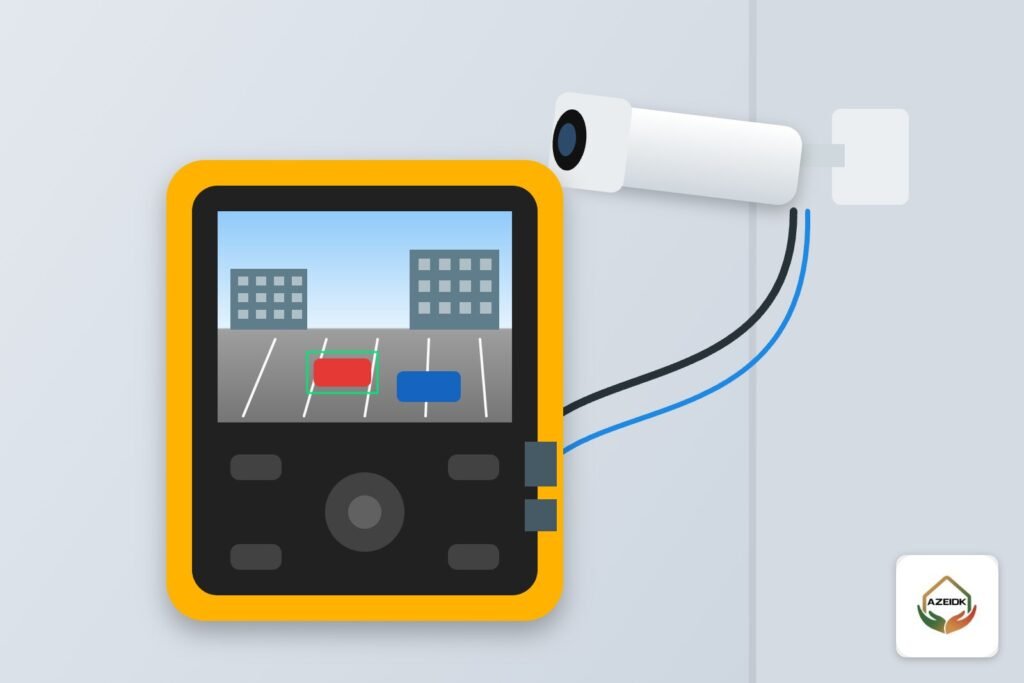
A CCTV camera tester is a handheld monitor a technician takes to the camera position to see its live image before climbing down the ladder, confirm that power or PoE is reaching it, find its IP address and check the cable. Its main value is separating the possibilities: is the problem in the camera, the cable, the switch or the recorder? This guide explains, in general terms, what a CCTV camera tester does, how technicians use one during installation, commissioning and fault finding, when a laptop is enough instead, and what drives the price. It ties directly into CCTV fault diagnosis under corrective maintenance and technical support.
Key takeaways
- The tester shows the camera image on site, so aim and focus are set before the job is closed.
- It checks whether PoE or 12 V reaches the cable end, and many models can power the camera from their own battery.
- It discovers the camera’s IP address and checks the network cable wiring.
- Functions vary by model; the manufacturer’s manual is the reference.
- A tester saves time but does not replace a full system test from the recorder at handover.
In this article
- What is a CCTV camera tester, and what types are there?
- CCTV camera tester functions
- Checking PoE with a tester: what figures to compare
- How technicians use a tester during installation and commissioning
- How a CCTV tester shortens fault finding
- Hikvision CCTV tester: what is different?
- When does a technician need a tester, and when is a laptop enough?
- What drives the price of a CCTV tester?
- The tester within a CCTV maintenance contract
- Frequently asked questions
- Summary
What is a CCTV camera tester, and what types are there?
A CCTV tester is a small battery-powered screen with connection ports that plugs straight into the camera where it is mounted, instead of walking back to the equipment room each time. Testers on the market generally fall into three groups:
| Type | Connects through | Suits |
|---|---|---|
| Analog/HD tester | BNC port for coax | DVR systems and HD cameras on coax |
| IP camera tester | RJ45 network port, sometimes Wi-Fi | NVR systems and PoE switches |
| Combined tester | Both ports plus extra functions | Technicians who work on both system types |
If your work mixes old and new systems, a combined unit is practical; if it is all IP, an IP tester is enough. The difference between the two system types is covered in IP vs analog CCTV cameras.
CCTV camera tester functions
Product names differ, but these functions recur across tester catalogues:
| Function | What it checks | When it helps |
|---|---|---|
| Live view | The camera image on the tester screen | Setting angle, focus and lens at the mounting point |
| PoE output | Powering an IP camera from the tester battery | Testing the camera alone, away from switch and cable |
| PoE measurement | Whether PoE voltage from the switch reaches the cable end | A dead camera: port, cable or camera? |
| 12 V output | Temporarily powering an analog or IP camera | Checking the camera before the permanent supply is fitted |
| IP discovery | Finding devices and their addresses on the network | An address that was changed, or one clashing with another device |
| Cable test | Network cable wire map, and on some models length | A damaged cable or a connector terminated in the wrong order |
| PTZ control | Pan, tilt and zoom | Setting presets on PTZ cameras |
Not every tester has every function. Before relying on one, check the model’s manual on the manufacturer’s site, especially which PoE standard it supports and its maximum output.
Checking PoE with a tester: what figures to compare
When a tester measures PoE or powers a camera, compare the result with the IEEE 802.3 standards and the camera datasheet:
| Standard | Power at the switch port | Power available at the camera | Voltage at the switch |
|---|---|---|---|
| 802.3af | 15.4 W | 12.95 W | 44–57 V |
| 802.3at | 30 W | 25.5 W | 50–57 V |
| 802.3bt Type 3 | 60 W | 51 W | 50–57 V |
| 802.3bt Type 4 | 90 W | 71.3 W | 52–57 V |
Example: the Hikvision DS-2CD2123G2-IS datasheet lists 802.3af Class 3 PoE at up to 7.5 W, over a 36 to 57 V range. If the tester reads less than that at the cable end, the fault is in the port or cable, not the camera. A tester that only outputs 802.3af power will not start higher-power cameras such as PTZs; test those on their own supply. Sizing the switch budget for all cameras is a separate topic, covered in PoE switches for CCTV.
How technicians use a tester during installation and commissioning
During installation, the technician takes the tester to each camera after mounting it, sees the image and sets aim and focus from the ladder, instead of phoning a colleague in front of the recorder screen. On large sites such as warehouses, car parks and perimeters, that saves a lot of time.
Before handover, the tester checks each point on its own: PoE present, the camera responding at the correct address, the cable sound. Commissioning itself, however, tests the whole system: recording on the recorder, retention, night vision, user rights and remote viewing. Those tests form part of our testing, commissioning and handover service, with results logged per camera. The full installation sequence is in our CCTV installation guide.
How a CCTV tester shortens fault finding
A camera fault can sit in four places: the camera, the cable, the switch port or power supply, or the recorder. A tester lets the technician work from the camera end step by step:
| Symptom | Tester step | What the result means |
|---|---|---|
| No Video on the recorder | Connect the camera straight to the tester and power it from the battery | Image appears: camera is fine; fault is in cable, port or settings |
| Camera completely dead | Measure PoE at the cable end by the camera | No voltage: port or cable. Voltage present: camera |
| Network Abnormal or IP conflict | Find the camera’s real address on the network | Address changed or duplicated; correct it in the camera or recorder |
| Image dropping in and out | Run a cable wire map | Bad termination or broken core to re-terminate or replace |
Error messages and their causes are explained in common CCTV camera faults. The point here is that a tester turns diagnosis from trial and swap into an ordered check that finds the faulty part before anything is replaced.
Hikvision CCTV tester: what is different?
Many people search for a “CCTV tester Hikvision”. A general tester usually shows IP camera video through ONVIF or through the manufacturer protocols its model supports, so check the supported camera list in the tester manual. With Hikvision cameras, watch two things: a new camera may need activation and a password, per the manufacturer’s instructions, before it shows video on any device, and ONVIF may need enabling with its own user in the camera settings if the tester relies on it. On a PC, Hikvision’s SADP tool discovers camera addresses on the network and covers that part of a tester’s job.
When does a technician need a tester, and when is a laptop enough?
- A tester suits high or remote cameras far from the equipment room, aiming many cameras, and powering a camera before the switch or supply is ready.
- A laptop is enough for work in the equipment room: changing addresses and settings, updating firmware from the manufacturer’s site and reviewing recordings.
- Both on large handovers, with one technician at the cameras and another at the recorder.
What drives the price of a CCTV tester?
We do not quote prices because they vary by model and supplier, but the factors are clear:
- Supported camera types: IP only, or IP plus analog formats (such as TVI, CVI, AHD and CVBS).
- The PoE standard and maximum power the tester outputs, and whether it measures switch PoE.
- Screen size and resolution, and battery capacity.
- Network functions: address discovery, cable wire map and length.
- Manufacturer firmware updates and support for new camera models.
The tester within a CCTV maintenance contract
Under a CCTV maintenance contract, technicians use the tester on scheduled visits and fault calls to pin down the failed part quickly, which shows in the repair times written into the contract. CCTV maintenance sits in a separate low current and CCTV contract, distinct from the fire, alarm and safety systems maintenance contract. See CCTV and security system maintenance for what such a contract covers, and the low current maintenance contract for how the clauses are written.
Frequently asked questions
What does a CCTV camera tester do?
It shows the camera image on site, checks PoE or 12 V, finds the IP address and tests the cable, so the technician can tell whether the fault is in the camera, cable, switch or recorder.
Does a tester work with Hikvision and Dahua cameras?
Most testers show IP cameras through ONVIF or the manufacturer protocols their model supports. Check the tester’s supported list, and make sure the camera is activated and ONVIF is set up if needed.
Can a tester power a PoE camera without a switch?
Yes, on models that output PoE from their battery, provided the power is enough for the camera. High-power PTZ cameras are usually tested on their own supply.
How much does a CCTV tester cost?
It depends on supported camera types, PoE standard, screen size, network functions and cable testing. Compare models on the functions you actually need.
Does a tester replace commissioning tests?
No. The tester checks each camera and its point; commissioning tests the whole system, including recording, retention, night vision, user rights and remote viewing.
What is the difference between a tester and SADP?
SADP is Hikvision PC software that discovers Hikvision devices and their addresses on the network. A tester is a handheld device that shows video and checks power and cabling at the camera.
Summary
A CCTV camera tester is a diagnostic and set-up tool, not a substitute for testing the system. It shows the image at the camera, checks PoE, power and cabling, and finds addresses, which shortens installation and fault finding. Pick a model by the camera types you work on and the PoE level you need, and always follow the manufacturer’s manual.
Cameras down, or a new system that needs commissioning and handover? Send us the camera count, system type and symptoms, and our team will define the checks needed under maintenance or commissioning. Contact the AZEIDK team
AZEIDK provides CCTV camera installation, supply and maintenance for homes and facilities in Saudi Arabia.
Related guides
- Fulfillment Center Fire Protection: High-Rack Sprinklers, CCTV at Sorting Points and Staff Turnstiles
- General Contracting and MEP Works in Fire Projects: Scope and Coordination
- Risks of Deferred Fire System Maintenance and How to Manage Them
- Souq Fire Safety: Extinguishers, Wireless Alarms and Shared CCTV for Adjoining Shops