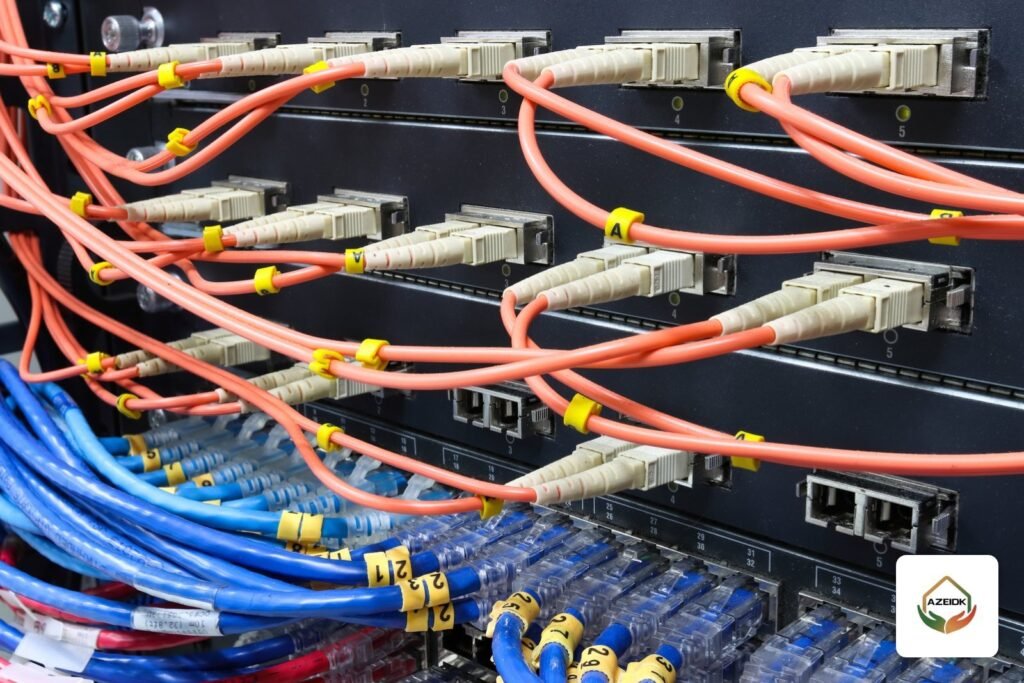
Corning fiber optic cable is used to link buildings, network rooms and data rooms, because fiber carries data much further than copper and is immune to electrical interference. Four decisions shape any fiber design: indoor or outdoor cable, single-mode or multimode fiber, fiber count, and the patch panels where the fibers terminate. This guide explains Corning’s main product families as its official literature describes them, and where they fit in network and CCTV projects under AZEIDK network and communication systems. AZEIDK supplies Corning fiber optic cabling in Saudi Arabia.
Key takeaways
- Outdoor cable between buildings differs from in-building cable in jacket, water blocking and installation method.
- Corning ALTOS is an outdoor, gel-free loose tube family from 6 to 432 single-mode fibers, per its family specification.
- FREEDM One is an indoor/outdoor tight-buffered family from 2 to 24 fibers that enters the building without a transition splice.
- Corning EDGE8 is a preterminated fiber system designed for data centers.
- AZEIDK supplies Corning fiber cabling in Saudi Arabia, with the families quoted per project. The Corning item currently listed on the AZEIDK site is the Everon V500U Cat 6A copper jack.
In this article
- When do you need fiber instead of copper?
- Single-mode or multimode?
- Corning fiber optic cable families for buildings
- Fiber patch panels (ODF) and cabinet management
- Fiber for CCTV: how is the link designed?
- Common mistakes in fiber optic cable projects
- What drives the cost of a fiber project?
- Frequently asked questions
- Conclusion
When do you need fiber instead of copper?
Copper cable (Cat6 or Cat6A) is fine within a floor, from the switch to the device. Once a run is longer than copper allows, or the link is between two buildings, or between the main network room and floor rooms in a tower, fiber becomes the practical answer. It also helps where electrical interference is heavy, such as factories and generator rooms, because fiber carries no electrical signal.
In CCTV projects, fiber appears when cameras are spread across a large site: separate warehouses, long perimeter fences or open car parks. A fiber cable runs from the control room to a switch in each zone, and nearby cameras connect to that switch over copper with PoE. This is usually what people mean by “CCTV fiber optic”; for the cameras themselves see our CCTV installation guide, and for coax vs Cat6 vs fiber for cameras see CCTV camera cable.
Single-mode or multimode?
Settle the fiber type before choosing a family. As a general rule, single-mode (e.g. OS2) is for links between buildings and long runs, and multimode (e.g. OM3, OM4) is for short links inside a building or data room. A common site mistake is buying cable of one type and SFP modules of another, and the link will not come up, so state the fiber type in both the bill of quantities and the switch order. Fiber grades, connectors, link testing and loss budgets are covered in our article on fiber optic backbone in buildings, so we do not repeat them here.
Corning fiber optic cable families for buildings
ALTOS: outdoor cable between buildings
Corning describes the ALTOS Loose Tube Gel-Free family as cables for outdoor and limited indoor backbone use, in duct or lashed aerial installations. Loose tubes isolate fibers from installation and environmental stresses, and water blocking uses swellable materials instead of gel, so technicians have no gel to clean before splicing. The cable is all-dielectric, needing no bonding or grounding, and the specification lists 6 to 432 OS2 single-mode fibers.
FREEDM One: from outside into the building
FREEDM One Tight-Buffered Riser cables are indoor/outdoor designs with 900 µm buffered fibers, a UV-resistant flame-retardant jacket and a riser (OFNR) rating. As the specification notes, they enter the building without a transition splice between outdoor and indoor cable, and fiber counts run from 2 to 24. That suits short links from one building to a nearby network room.
EDGE8: preterminated fiber for data centers
Corning presents EDGE8 Solutions as preterminated optical cabling for data centers, built on a Base-8 design. The company notes that technology road maps point to 40, 100 and 400G relying on 2-fiber or 8-fiber connectivity. It belongs in large server rooms more than in typical commercial buildings.
Everon: the copper side of the network
Alongside fiber, Corning has the Everon copper family. The item on the AZEIDK Corning brand page is the Everon V500U unshielded Cat 6A jack (part XF500006457), a tool-less jack tested for PoE to IEEE 802.3bt up to 90 W per its datasheet, which supports high-power Wi-Fi access points and cameras.
| Family | Type | Environment | Per the Corning specification |
|---|---|---|---|
| ALTOS Loose Tube Gel-Free | Gel-free loose tube cable | Outdoor and limited indoor, duct or lashed aerial | 6 to 432 OS2 fibers, all-dielectric |
| FREEDM One Riser | Tight-buffered cable, 900 µm fibers | Indoor/outdoor | 2 to 24 fibers, OFNR, no transition splice at building entry |
| EDGE8 | Preterminated fiber | Data centers | Base-8 design |
| Everon V500U | Unshielded Cat 6A copper jack | Network outlets | Tool-less termination, PoE up to 90 W |
Fiber patch panels (ODF) and cabinet management
Cable alone is not enough. Every fiber link ends in an optical distribution frame (ODF) or patch panel inside the network cabinet, with patch cords running to the switch. Check these points at design stage:
- Port count: match the fibers in use plus spares, because unterminated fibers are hard to use later.
- Connector type: must match the SFP ports and patch cords, and should be written into the BOQ.
- Space in the cabinet: panels take rack units and need cable management, which drives cabinet size.
- Route protection: outdoor cable goes in suitable ducts, indoor cable on routes separate from power cables.
Fiber for CCTV: how is the link designed?
On large sites, split the site into zones, each with a small cabinet holding a PoE switch with an SFP port for fiber. A fiber cable runs from the control room to each cabinet, or passes through them as a ring if the owner wants a backup path. Within the zone, cameras connect to the switch over copper, and the power load is calculated as in our guide to PoE power budget for CCTV switches. Count cameras and bandwidth per zone, then choose the fiber count with spare capacity: adding fibers after installation is far harder than pulling them on day one.
Common mistakes in fiber optic cable projects
- Running outdoor cable a long way inside the building: outdoor cable is not necessarily designed for in-building routes; either splice to indoor cable near the entry point or use an indoor/outdoor family such as FREEDM One.
- Bending the cable too tightly: cable specifications typically state a minimum bend radius, and exceeding it during pulling or in cabinets degrades the signal.
- No labelling of fibers and panels: a year later nobody knows which fiber goes to which building, so ask for clear labels and a link schedule in the handover file.
- No spare capacity: a cable with exactly today’s fiber count means a new cable at the first expansion.
What drives the cost of a fiber project?
We do not quote prices because every project differs, but the drivers are clear: route length and installation method (underground ducts or in-building), cable type and fiber count, the number of ODF panels, connectors and SFP modules, splicing and cabinet work, and whether a backup route is needed. Ask for the cable family and fiber type to be named in the quotation, with the official specification attached for each item.
Frequently asked questions
What is the difference between indoor and outdoor fiber optic cable?
Outdoor cable is built for ducts or aerial runs with water and UV protection, such as ALTOS. Indoor cable is lighter and flame-retardant for in-building routes. Families such as FREEDM One cover both.
Do I need fiber for CCTV?
On large sites, yes, to link the control room to switches in distant zones. Within each zone, cameras stay on copper with PoE.
How many fibers do I need?
Add up the links you need today, then add spares for growth and a backup route. Pulling extra fibers at the start costs less than a new cable later.
Does AZEIDK supply Corning products?
Yes. AZEIDK supplies Corning fiber optic cabling in Saudi Arabia, quoted per project. The Corning item listed on the site today is the Everon V500U jack.
What is an ODF?
An optical distribution frame: the panel inside the network cabinet where cable fibers terminate and patch cords run to the switches.
Conclusion
Fiber selection starts with the route: outdoor or indoor, then fiber type and count, then patch panels and matching SFP modules. Fix these in the BOQ by cable family and fiber type, and you avoid the most common site mistakes.
Planning to link buildings or a large CCTV site with fiber? Send your layout and cabinet locations, and the AZEIDK team will help you choose the cable, panels and switches and deliver them as part of your low current systems. Talk to the AZEIDK team
Related guides
- AFFF Foam Concentrate Shelf Life: Storage, Annual Testing and Replacement
- Intercom for Villas and Apartment Buildings in Saudi Arabia: Audio, Video, IP and Mobile App (Hikvision and Dahua)
- SFFECO Fire Hose Cabinet SF 300 and Automatic Hose Reel: When to Choose Them
- CCTV Installation in Saudi Arabia: Step by Step from Survey to Handover