Home CCTV installation follows one of two paths: standalone Wi-Fi cameras that record to a memory card or the cloud, suited to flats and a few cameras, or a wired system with network cameras and a recorder (NVR), suited to villas and coverage of walls and parking. The choice depends on the number of points, Wi-Fi strength, retention period and backup power.
This guide focuses on the home: how to choose between the two paths, where to place cameras in a flat or villa, and what any installation offer should include, with examples of Hikvision, Dahua and EZVIZ models listed on the AZEIDK website. For the general installation steps in all facilities, see CCTV Installation in Saudi Arabia: Step by Step from Survey to Handover.
Key points
- Standalone Wi-Fi cameras are quicker to install and suit flats, but depend on signal strength at each point.
- A wired system with PoE cameras and an NVR is more reliable for villas, walls and parking.
- Define each camera’s purpose before choosing a model: general view or a face at the door.
- Respect privacy: point cameras at your own property and avoid private rooms and neighbours’ homes.
- Judge installation offers by the equipment, cabling, programming and warranty they include, not the camera count.
In this article
- What is the difference between Wi-Fi cameras and a wired system for home CCTV installation?
- Where should cameras go in a flat and a villa?
- Which Hikvision, Dahua and EZVIZ models suit homes?
- How do you handle internet and power cuts?
- How do you protect your privacy and other people’s?
- How do you read home CCTV installation offers?
- Should you install the cameras yourself or use a technician or company?
- What are the common mistakes with home cameras?
- Frequently asked questions
- Conclusion
What is the difference between Wi-Fi cameras and a wired system for home CCTV installation?
| Item | Standalone Wi-Fi cameras | Wired PoE system with NVR |
|---|---|---|
| Connection | Home Wi-Fi network | A network cable to each camera carrying data and power |
| Recording | Memory card in the camera or a cloud subscription | Hard disk in the recorder for all cameras |
| Installation | Quick; needs a power point near the camera | Needs cable and conduit runs; suits new builds or renovation |
| Reliability | Affected by weak signal and distance from the router | More stable; does not depend on Wi-Fi strength |
| Best for | Flats, one or two indoor cameras, tenants | Villas, walls, parking and larger camera counts |
The two can be combined, for example a wired system for the walls and entrance plus an indoor Wi-Fi camera to keep an eye on children. For a deeper comparison of technologies, see IP vs analogue CCTV cameras.
Where should cameras go in a flat and a villa?
In a flat
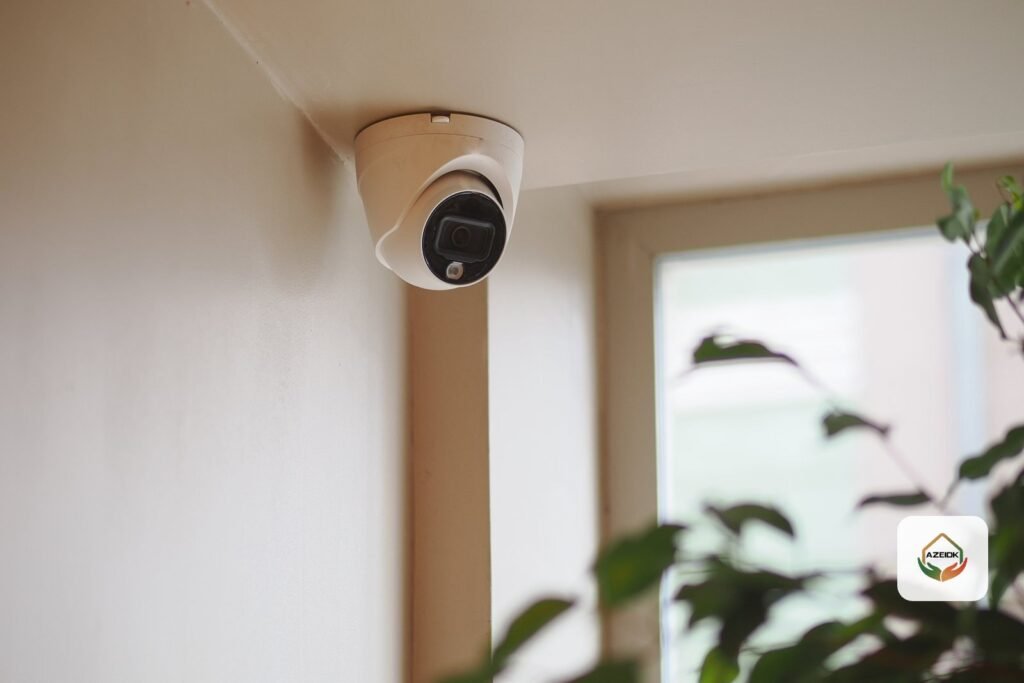
- An indoor camera facing the flat’s front door from inside.
- An indoor camera in the living room if needed to watch children or elderly relatives, with the option to switch it off when the family is home.
- A camera outside the door in a shared corridor needs the building management’s or owner’s approval, because it films a shared area.
In a villa
- The main gate and pedestrian entrance, at an angle and distance that show faces.
- The car park and garage entrance.
- Walls, rear corners and courtyards not visible from inside.
- The roof or side entrances if they can be reached from outside.
- The recorder itself in a hidden, secure place, not by the entrance.
How to set each camera’s angle and distance for its purpose is explained in CCTV camera placement and coverage.
Which Hikvision, Dahua and EZVIZ models suit homes?
These are examples of models listed on the AZEIDK website, with specifications as stated on their product pages. Always check the datasheet before buying, as some models come in several versions.
| Model | Type | Key points on the product page | Suggested home use |
|---|---|---|---|
| EZVIZ C6TC | Indoor, Wi-Fi, pan-tilt | 1080p, 340° pan and 90° tilt, two-way talk, night vision up to 10 m, microSD up to 128 GB | Living room or children’s room in a flat |
| EZVIZ H3 2K | Outdoor fixed, Wi-Fi | 2304×1296, IP67, night vision up to 30 m with colour via spotlights, human and vehicle detection | Villa entrance or parking where Wi-Fi is strong |
| EZVIZ C8C 4K | Outdoor pan-tilt, Wi-Fi | 4K, IP65, 350° pan and 80° tilt, auto tracking, microSD up to 512 GB | A courtyard or wide yard needing moving coverage |
| EZVIZ H9C | Outdoor dual-lens, Wi-Fi | A fixed lens plus a pan-tilt lens that follows people, night vision up to 30 m, microSD up to 512 GB | Villa entrance with general and detailed views together |
| Dahua IPC-PT2849DC1-SW-PV | Outdoor pan-tilt, Wi-Fi | 3840×2160, IP66, four warm lights up to 30 m, microphone and speaker, operation from −30 to +55 °C | A yard or roof needing colour images at night |
| Hikvision DS-2CD2T46G2-2I/4I | Outdoor fixed, PoE network | 4 MP, IP67, infrared up to 60 m or 80 m by version, PoE powered | Walls and gate in a wired system |
| Hikvision DS-7608NXI-K1(B) | Network video recorder (NVR) | 8 channels, a version with eight PoE ports, one disk up to 10 TB | The core of a villa’s wired system with up to 8 cameras |
| Hikvision DS-3E1309P-EI | PoE switch | 8 PoE ports, one gigabit uplink, 110 W total budget | When the NVR has no PoE ports |
For more on EZVIZ cameras for homes and shops, see EZVIZ cameras for shops and homes.
How do you handle internet and power cuts?
Mobile viewing needs internet at home, but recording to a memory card or NVR usually continues if the internet drops. A power cut, however, stops the cameras, router and recorder together. Ask about a backup power unit (UPS) for the recorder, switch and router, and decide the run time you need.
With Wi-Fi cameras, test the signal strength at each camera location before installing, especially in villas with thick concrete walls or distant boundary walls. If the signal is weak, the answer is an extra access point or a wired camera, not a higher-resolution camera.
How do you protect your privacy and other people’s?
- Point cameras at your own property and avoid filming neighbours’ homes or windows.
- Do not place cameras in bedrooms, bathrooms or domestic workers’ rooms.
- Some models support audio; decide whether you really need it and disable it if not.
- Change the default password, enable two-step verification in the app if available, and do not share the administrator account.
- Update camera and recorder firmware when the manufacturer releases updates.
Cameras in covered facilities are subject to a specific law explained in The Security Surveillance Cameras Law: obligations for facilities. If part of the home is used for a business, check what applies to it.
How do you read home CCTV installation offers?
Advertised CCTV installation offers vary widely in what they include, so do not compare them by camera count or price alone. Make sure the offer states:
- The brand and model of every camera and recorder, not just “4K camera”.
- Hard disk or memory card capacity and the expected retention for your number of cameras.
- The cable length and type included, and protective conduit for outdoor runs.
- The switch or PoE ports, and backup power if included.
- Mobile app setup for family members and training on retrieving recordings.
- The warranty period on equipment and installation, and who visits in case of a fault.
If an offer does not state these items, ask for them in writing before accepting. To calculate retention accurately, see CCTV storage and bandwidth calculation.
Should you install the cameras yourself or use a technician or company?
A single indoor Wi-Fi camera can usually be installed and linked to the app by following the user manual. Outdoor cameras on walls and gates, and wired systems with a recorder, are better left to a technician or company, because they need protected outdoor cabling, secure mounting at height, angle and distance adjustment, and programming of the recorder and app for every family member. In every case, ask to receive the administrator password and to test retrieving a recording in your presence before the visit ends. To compare technician and company options in a specific city, see CCTV company in Riyadh and CCTV Installation Companies in Jeddah.
What are the common mistakes with home cameras?
- Installing an outdoor Wi-Fi camera far from the router, then losing recording constantly.
- A gate camera mounted so high that faces do not show.
- Placing the recorder by the entrance where it is easy to take.
- Leaving the default password or sharing one account across the whole family.
- Not testing retrieval of an old recording until after an incident.
Frequently asked questions
How many cameras does a villa need?
It depends on the entrances, walls and parking. Start by listing the points that must be seen, then choose a camera with the right angle for each, rather than fixing the number in advance.
Do Wi-Fi cameras record without internet?
Cameras that record to a memory card usually keep recording locally, but mobile viewing and cloud storage need internet.
Can home CCTV installation in Jeddah be done without breaking walls?
Wi-Fi cameras usually need only a power point, and outdoor cables can be run in conduit or surface trunking depending on the building.
Do I need a cloud subscription?
Not necessarily. A memory card or NVR is enough for local recording; a cloud subscription is an optional extra that keeps a copy outside the home, as offered by the manufacturer.
Conclusion
Home CCTV installation starts with listing the points that must be seen, then choosing between standalone Wi-Fi cameras and a wired system with a recorder, calculating storage and backup power, respecting privacy, and reading offers by what they include rather than the camera count.
Want to install CCTV at home? AZEIDK lists Hikvision, Dahua and EZVIZ cameras and has a security systems showroom in Jeddah (Khalid bin Al-Walid Street) as well as showrooms in other cities. The security and surveillance systems team can help you choose models and provide an installation quotation. Request a consultation or quotation
Related guides
- Fire Protection and Safety Companies in Jeddah: A Practical Selection Guide
- Fire Alarm Panel Faults (Fault Messages): What Each Message Means, What the Technician Checks and When to Call Maintenance
- Jockey Pumps: Sizing and Start/Stop Pressure Settings
- Ajax Wireless Intrusion Alarm Systems: Components and Applications