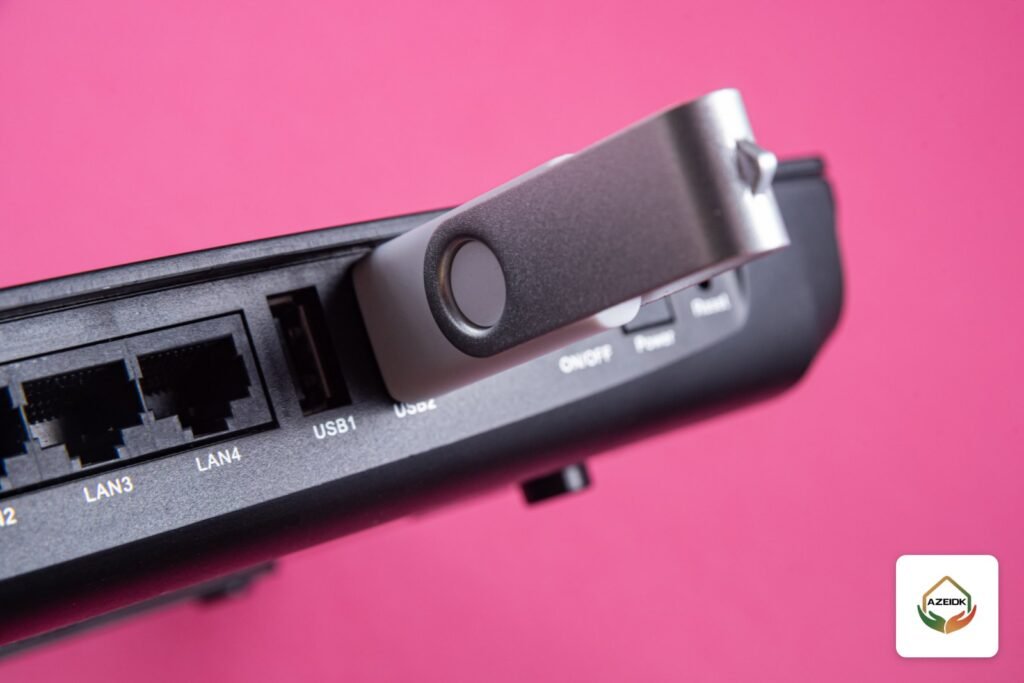
A business router, which some manufacturers call a VPN gateway, connects the office network to the internet and to other branches. It balances traffic across more than one internet line, builds secure VPN tunnels between sites and, on some models, powers devices over PoE and manages Wi-Fi access points. It differs from an ISP’s home router in WAN ports, VPN performance and central management.
The structured cabling and network products AZEIDK supplies are listed under network systems.
This guide sets out how to choose a business router and compares four options available from AZEIDK under active network systems and network and communication systems: Cisco ISR 1000, Huawei NetEngine AR6100, TP-Link Omada ER707-M2 and Ruijie Reyee RG-EG310GH-P-E.
Key points
- A business router handles internet access, VPN tunnels between branches and multiple WAN lines, which a switch does not do.
- Main criteria: number of WAN ports, IPsec VPN performance, SD-WAN support, 4G/5G backup and the type of management.
- Cisco ISR 1000 and Huawei AR6100 suit headquarters and branches needing SD-WAN and modular expansion.
- TP-Link ER707-M2 and Ruijie EG310GH-P-E suit offices, clinics and shops with simple cloud management.
- Datasheet figures are measured under the manufacturer’s test conditions and are best used to compare models.
Business router vs switch vs ISP router
A switch connects devices inside the building; see network switch types. A router connects your network to other networks: the internet, branches and data centres. An ISP router is usually enough for a home or small shop, but a company with two or more internet lines, branches that need secure links or hundreds of users needs a business router that handles these functions and can be monitored centrally.
How to choose a business router: six criteria
- Number and type of WAN ports: will you run two lines from different providers with automatic failover? Is the line fibre on SFP or copper?
- VPN performance: IPsec throughput and the number of tunnels or branches supported.
- SD-WAN: to manage links between many branches and pick the best path automatically.
- Backup link: a 4G or 5G module or a USB dongle if the main line fails.
- LAN and PoE ports: in small offices a router with PoE ports can replace a separate switch.
- Management: simple cloud management from an app, or enterprise management on a full operating system.
Business routers available from AZEIDK compared
From AZEIDK product pages, based on each manufacturer’s official datasheet:
| Model | WAN ports | VPN performance | Backup link | Management |
|---|---|---|---|---|
| Cisco ISR 1000 | 2 x Gigabit (copper/fibre combo on C1131) | SD-WAN IPsec 650 to 850 Mbps by model | Pluggable LTE or 5G on specific models | Cisco IOS XE or SD-WAN |
| Huawei AR6100 | AR6121E: 2 x combo plus 1 x 10GE SFP+ | IPsec up to 2 Gbps (IMIX) | 5G through add-on modules | SD-WAN, IPsec, expansion cards |
| TP-Link ER707-M2 | 2 x 2.5G plus five Gigabit ports configurable as WAN/LAN | IPsec up to 673.3 Mbps, 100 tunnels | USB LTE dongle | Omada SDN platform |
| Ruijie EG310GH-P-E | Up to 4 WAN out of 10 Gigabit ports | IPsec up to 230 Mbps, up to 64 branches | Through multiple WAN lines | Ruijie Cloud and Reyee app |
Which router for which site?
Cisco ISR 1000: branches and SD-WAN
The ISR 1000 combines two Gigabit WAN ports with an 8-port Gigabit LAN switch and optional PoE. The C1131-8PW adds built-in Wi-Fi 6, and specific models accept LTE or 5G modules. The product page lists branch and showroom routing and SD-WAN edge for retail chains and bank branches among its uses.
Huawei NetEngine AR6100: mid-size headquarters with room to grow
A modular router with interface card slots, 3800 Mbps IPv4 forwarding (IMIX) and 5G through add-on modules. It suits headquarters and branches that expect to add interfaces later.
TP-Link Omada ER707-M2: multiple internet lines
Two 2.5G ports and several ports configurable as WAN or LAN, with IPsec, SSL, WireGuard, OpenVPN, PPTP and L2TP, managed through Omada with the Omada OC300 / OC200 controller. It suits offices, clinics and retail branches that want automatic failover between two lines.
Ruijie Reyee RG-EG310GH-P-E: router, PoE switch and controller in one
Ten Gigabit ports, eight with PoE and a 110 W total budget; it acts as a controller for up to 128 Reyee devices, and the product page recommends it for about 350 concurrent users. It suits small hotels, cafes and offices that want one box for internet and Wi-Fi. For comparing the Ruijie and Omada ecosystems see Ruijie vs TP-Link Omada.
Linking branches and low-current systems over VPN
VPN tunnels between branches carry more than office data: they also link CCTV to a central control room and connect IP PBX systems between sites. Estimate the expected tunnel load before choosing the router. See multi-branch CCTV monitoring, and for separating systems on the network see ELV network design with VLANs.
Network equipment imported into the Kingdom needs a conformity certificate through SABER; details are in conformity certificates for network and telecom devices. For routers specifically, see our news on SASO 3114 becoming mandatory from 1 November 2026.
Frequently asked questions
What is the difference between a router and a switch?
A switch connects devices within the same network; a router connects the network to the internet and branches and handles VPN and multiple WAN lines.
Do I need a business router if my ISP gave me one?
Usually yes if you have more than one internet line, branches that need secure links, or many users and systems.
What is multi-WAN?
Running more than one internet line on the same router to balance load or fail over automatically when one line drops.
How many branches does the Ruijie EG310GH-P-E support over VPN?
Up to 64 branches for IPsec, L2TP and PPTP according to the product page.
Does the Cisco ISR 1000 support 4G or 5G?
Yes on specific models with pluggable LTE or 5G modules, such as the C1161X-8PLTEP.
What is SD-WAN?
A way to manage links between many branches centrally and choose the data path automatically across available lines; the Cisco ISR 1000, Huawei AR6100 and Ruijie EG310GH-P-E support it.
Summary
Choosing a business router starts with the number of lines, branches and users. For headquarters and many branches with SD-WAN, look at the Cisco ISR 1000 and Huawei AR6100. For offices, clinics and shops with simple cloud management, the TP-Link ER707-M2 or Ruijie EG310GH-P-E. In every case, match VPN performance and WAN ports to the real need.
Related reading: Patch Panel Guide, HPE Aruba Instant On Switches in Saudi Arabia and Cat6 vs Cat6A.
Planning to connect your office or branches? Send us the number of branches, users and available internet lines, and the AZEIDK team will propose a suitable router with datasheets. Contact AZEIDK
Related guides
- AFC Fire Protection Butterfly Valves: Grooved BFG-300/301 or Wafer BFW-300, and When to Choose One Over an OS&Y Valve
- Smart Buildings: How Low Current Systems Integrate in One Building
- AFC OS&Y Gate Valves: Types and Valve Position Supervision in Saudi Projects
- Falcon Gold vs SFFECO Fire Hose Reel Cabinets: Material, Doors, Mounting and Reel Compared