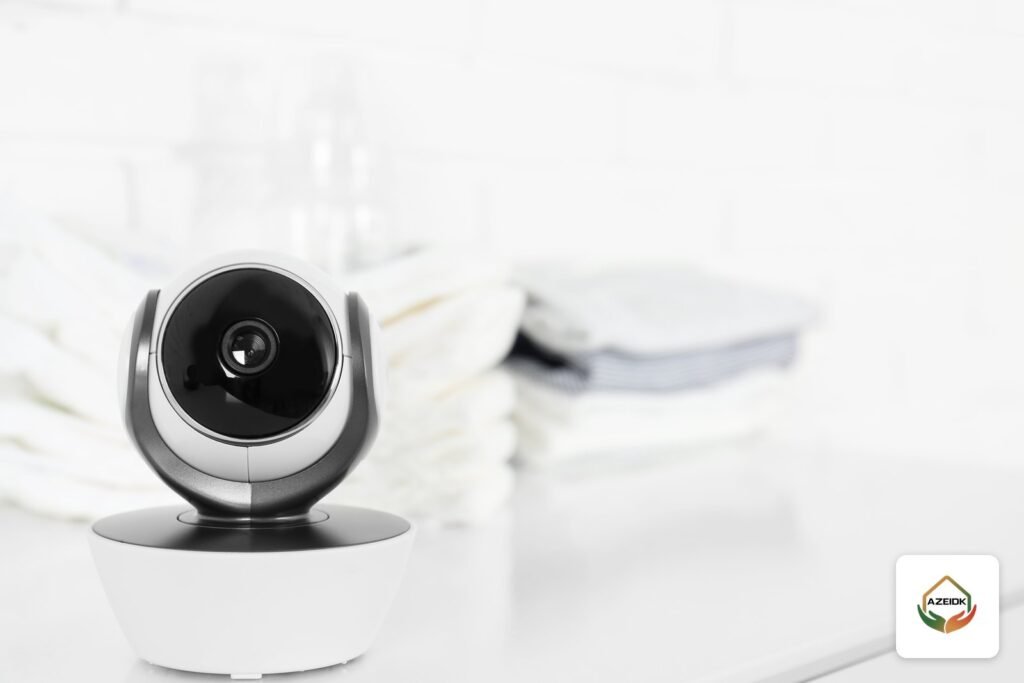
An indoor CCTV camera comes in three practical shapes: a small fixed cube that sits on a shelf or wall bracket, a ceiling dome for offices and corridors, and a pan-tilt camera that turns to cover a whole room. The right choice depends on the space, how you record (memory card, recorder or cloud), whether you need two-way audio and a privacy mode, and whether the camera connects over Wi-Fi or a PoE network cable.
This guide covers cameras inside homes and offices, including cameras used to keep an eye on children. Outdoor cameras, weatherproofing and IP ratings have their own outdoor CCTV camera guide. AZEIDK supplies EZVIZ, Hikvision and Dahua cameras and designs and installs them as part of its security and surveillance systems; the available models are listed under CCTV cameras and recorders.
Key takeaways
- Cube for a single room or shelf, dome for office ceilings and corridors, pan-tilt to cover a full room from one point.
- Most home Wi-Fi cameras have two-way audio built in; a network dome may need an external microphone and speaker on its audio ports.
- A memory card suits one or two cameras, an NVR suits offices and larger systems, and cloud storage is a paid subscription whose availability varies by market.
- Privacy mode switches the camera off; a privacy mask hides a fixed part of the image.
- The Saudi Law on the Use of Security Surveillance Cameras bans cameras in toilets, changing rooms and other listed places and does not cover cameras individuals install inside their own homes, but privacy is still protected by other laws.
In this article
- Indoor CCTV camera types: cube, dome and pan-tilt
- Two-way audio: when do you need it?
- Choosing a camera to watch a baby or young child
- Storage: SD card, NVR or cloud?
- Wi-Fi or PoE for an indoor camera?
- Indoor CCTV camera models available from AZEIDK
- Where to place an indoor camera
- Privacy and the law in Saudi Arabia
- Frequently asked questions
- Conclusion
Indoor CCTV camera types: cube, dome and pan-tilt
Start with the form factor. It decides how the camera is mounted, what it sees and how visible it is to people in the room.
Cube camera
A small camera that stands on a shelf or desk or mounts on a wall bracket, covering one wide fixed view. Example from the AZEIDK range: the EZVIZ C1C-B, with 1080p video, a 2.8 mm lens with a 108° diagonal view, night vision up to 12 m, two-way talk and a Sleep Mode that pauses recording and notifications from the app (EZVIZ datasheet).
Dome camera
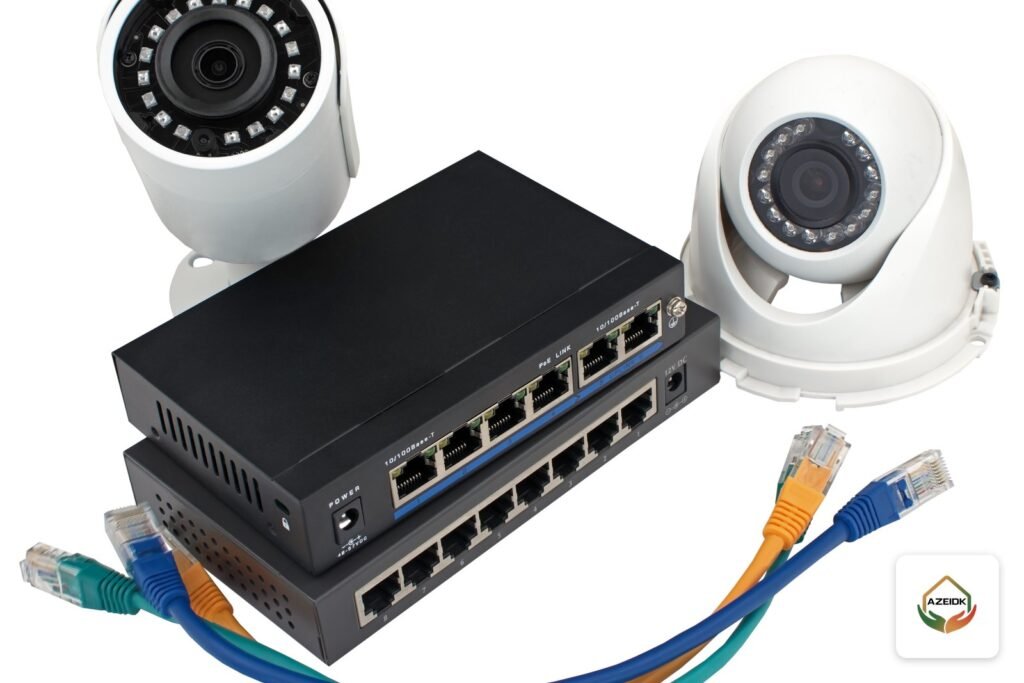
Mounted on the ceiling, out of reach and less obtrusive, which is why it is the usual choice for offices, receptions and corridors. Example: the Hikvision DS-2CD2123G2-IS, a 2 MP network dome with a 2.8 or 4 mm lens, IR up to 30 m, 120 dB WDR, IP67 and IK10 ratings and 802.3af PoE. The -S version adds one audio input, one audio output and one alarm input and output, so audio needs an external microphone and speaker.
Pan-tilt camera
It pans and tilts on command from the app, or automatically to follow motion, so one unit can replace two in a living room or open-plan office. Examples are the EZVIZ C6TC (340° pan, 90° tilt) and the Hikvision DS-2CFWQ3 (2K, 2304 × 1296, pan 0° to 345°). These home units are not the same as professional PTZ cameras with long optical zoom, which are covered in our PTZ camera guide.
A fourth option combines both: the EZVIZ TY7 Dual 2K+ has a fixed 2.8 mm wide lens for the full scene and a 6 mm pan-tilt lens that turns to follow a person entering the wide view, each at 2560 × 1440. From Dahua, the Micro-size series includes small HDCVI cameras in cube and dome shapes, and the Wireless series includes the Hero line of indoor Wi-Fi cameras.
| Form factor | Mounting | Best for | Watch out for |
|---|---|---|---|
| Cube | Shelf or wall | Single room, small reception, child’s room | Easy to move or tamper with |
| Dome | Ceiling | Offices, corridors, receptions | Fixed view; usually needs a cable run |
| Pan-tilt | Shelf or ceiling | Living room, open office, a moving toddler | Only sees where it is pointing at that moment |
| Dual lens (fixed + PT) | Shelf or wall | Spaces that need the overview and detail together | Two streams use more storage |
Two-way audio: when do you need it?
Two-way audio means the camera has a microphone and a speaker, so you can hear the room and talk through your phone. It helps to calm a child, answer a worker in a small store room or warn someone who has entered an area they should not. All the home models above (C1C-B, C6TC, TY1, TY7 and DS-2CFWQ3) list two-way audio in their datasheets, and the TY7 adds a touch button that lets family members call you.
Recording audio in offices and facilities is a regulatory question before it is a technical one (see CCTV camera with audio), so enable it only where you need it.
Choosing a camera to watch a baby or young child
There is no single best camera for every home. A good camera for a child’s room meets these criteria:
- IR night vision that works without room lights: 10 m on the C6TC and TY1, 12 m on the C1C-B.
- Two-way audio so you can hear and reassure the child from another room.
- Useful alerts: motion detection, and on the TY7 loud noise detection for sudden sound changes. EZVIZ does not list a dedicated cry detection, so do not rely on one.
- A privacy option for when a parent is in the room: the physical lens shutter on the C6TC, Sleep Mode on the C1C-B, TY1 and TY7, and one-tap privacy mode on the DS-2CFWQ3.
- Local storage on a card, so monitoring continues through short internet outages.
Mount the camera and its power cable well out of the child’s reach, and never treat a camera as a substitute for an adult. It is a monitoring tool, not a medical device for breathing or sleep.
Storage: SD card, NVR or cloud?
| Option | Suits | Advantage | Limitation |
|---|---|---|---|
| microSD card in the camera | Home or office with one or two cameras | No extra hardware | If the camera is stolen, so is the footage; card size is capped (see the model table below) |
| Network video recorder (NVR) | Offices and villas with more cameras | Central recording on a hard drive, one place to manage all cameras | Needs a secure location and network cabling |
| Cloud (EZVIZ Cloud or CloudPlay) | Anyone who wants an off-site copy | Footage survives camera theft | Paid subscription; EZVIZ notes availability varies by market |
In offices, record to an NVR and keep a card as backup where the camera supports it. The DS-2CD2123G2-IS, for example, takes a card up to 256 GB and supports ANR, which records to the card during a network outage and back-fills the recorder afterwards. For channels and hard drives see the CCTV recorder guide.
Wi-Fi or PoE for an indoor camera?
A Wi-Fi camera is easier to install because it needs no network cable, but it still needs a nearby power point (5 V adapters on the EZVIZ and Hikvision home models) and depends on router signal and walls. Most home cameras use 2.4 GHz only, including the DS-2CFWQ3 despite its Wi-Fi 6 support, while the TY7 supports both 2.4 and 5 GHz. The TY1 and TY7 also have an RJ45 port for a wired connection when the signal is weak.
A PoE camera takes data and power over one network cable, so it stays stable and is unaffected by interference. It is the better choice for offices and ceiling cameras. More on Wi-Fi in the Wi-Fi CCTV camera guide, and on switch power in PoE switches for CCTV.
Indoor CCTV camera models available from AZEIDK
Specifications below are from each manufacturer’s official datasheet. The order is not a ranking.
| Model | Form | Resolution | Connection | Privacy | Local storage |
|---|---|---|---|---|---|
| EZVIZ C1C-B | Cube | 1080p | Wi-Fi 2.4 GHz | Sleep Mode | microSD up to 256 GB |
| EZVIZ C6TC | Pan-tilt | 1080p | Wi-Fi 2.4 GHz | Physical lens shutter | microSD up to 128 GB |
| EZVIZ TY1 | Pan-tilt | 1080p | Wi-Fi 2.4 GHz + RJ45 | Sleep Mode | microSD up to 256 GB |
| EZVIZ TY7 Dual 2K+ | Dual lens | 2560 × 1440 per lens | Wi-Fi 2.4/5 GHz + RJ45 | Sleep Mode | microSD up to 512 GB |
| Hikvision DS-2CFWQ3 | Pan-tilt | 2304 × 1296 | Wi-Fi 6, 2.4 GHz | One-tap privacy mode, 4 masks | Not stated in datasheet |
| Hikvision DS-2CD2123G2-IS | Dome | 1920 × 1080 | PoE or 12 VDC | Privacy mask | microSD up to 256 GB |
For EZVIZ use cases see EZVIZ cameras for shops and homes, and for what drives the cost of a full system see CCTV system cost factors.
Where to place an indoor camera
- Entrances and corridors first: everyone passes them, so fewer cameras cover more.
- Do not face windows: backlight turns faces into silhouettes; if there is no alternative, choose a camera with WDR.
- Height: domes on the ceiling or high on the wall, cube cameras on a high shelf children cannot reach.
- Wi-Fi: test signal strength at the mounting point before fixing the camera.
- Offices: cover reception, the safe and the network room, and aim away from staff screens and keyboards.
For full home layouts see home CCTV installation.
Privacy and the law in Saudi Arabia
The Law on the Use of Security Surveillance Cameras was issued by Royal Decree No. M/34 dated 7/3/1444 AH (3 October 2022); the official text is published by the Bureau of Experts at the Council of Ministers. According to the summary on Saudipedia, the law bans security cameras in places that include operating rooms, medical examination, inpatient and physiotherapy rooms, changing rooms and toilets; bans transferring or publishing recordings except with the approval of the Ministry of Interior or the Presidency of State Security, a court order or a request from the competent investigating authority; and does not apply to cameras inside private residential units and compounds. Obligations for covered facilities are explained in Saudi security surveillance cameras law.
Being outside that law does not make everything allowed at home. The Anti-Cyber Crime Law (Article 3) lists invading private life by misusing camera-equipped mobile phones or similar devices as an offence. The Personal Data Protection Law excludes processing for purely personal or family use as long as the data is not published or disclosed to others; cameras in an office or facility go beyond that, so review those obligations with your legal adviser. In practice: no cameras in domestic workers’ bedrooms or in bathrooms, tell people who live or work in the space that cameras are installed, and never share footage.
Frequently asked questions
What is the best indoor CCTV camera for a home?
The one that fits the space: a cube for one room, pan-tilt for a large living area, a dome for the ceiling. Then compare night vision, two-way audio, privacy mode, card capacity and cloud support on the datasheet.
Which indoor camera type suits offices?
Usually PoE network domes recording to an NVR, because they sit on the ceiling and record centrally. Add a pan-tilt camera for open areas if needed.
Does an indoor camera record when the internet is down?
A camera with a microSD card keeps recording locally while it has power, but remote viewing, alerts and cloud upload stop until the connection returns.
Can I put a camera at home to watch a domestic worker?
The surveillance cameras law does not cover cameras inside private homes, but invading privacy is an offence under the Anti-Cyber Crime Law. Keep cameras in shared areas and tell the worker they are there.
How many days does a 256 GB card hold?
It depends on resolution, compression (H.264 or H.265) and continuous versus motion recording. Use our storage calculation method to estimate it for your camera.
Conclusion
Choose the form factor for the space first, then the recording method, audio and connection, and keep private spaces and footage private.
Fitting indoor cameras at home or in the office? Tell us the number of rooms, the type of space and how you want to record, and we will propose suitable EZVIZ, Hikvision and Dahua models with datasheets and installation. Talk to the AZEIDK team
Related guides
- WATEX Fire Pumps: The Complete Guide to WATEX Pumps in Saudi Arabia (Models, Approvals, Capacities)
- Fire Alarm Input/Output Modules: Interfacing Lifts, HVAC, Door Locks and Fire Pumps with Context Plus and Bosch Models
- Selecting TYCO Sprinklers for Projects: Models by Application
- Automatic Ceiling Fire Extinguishers and CO2 Extinguishers for Electrical and Server Rooms: SFFECO SFM and CD