
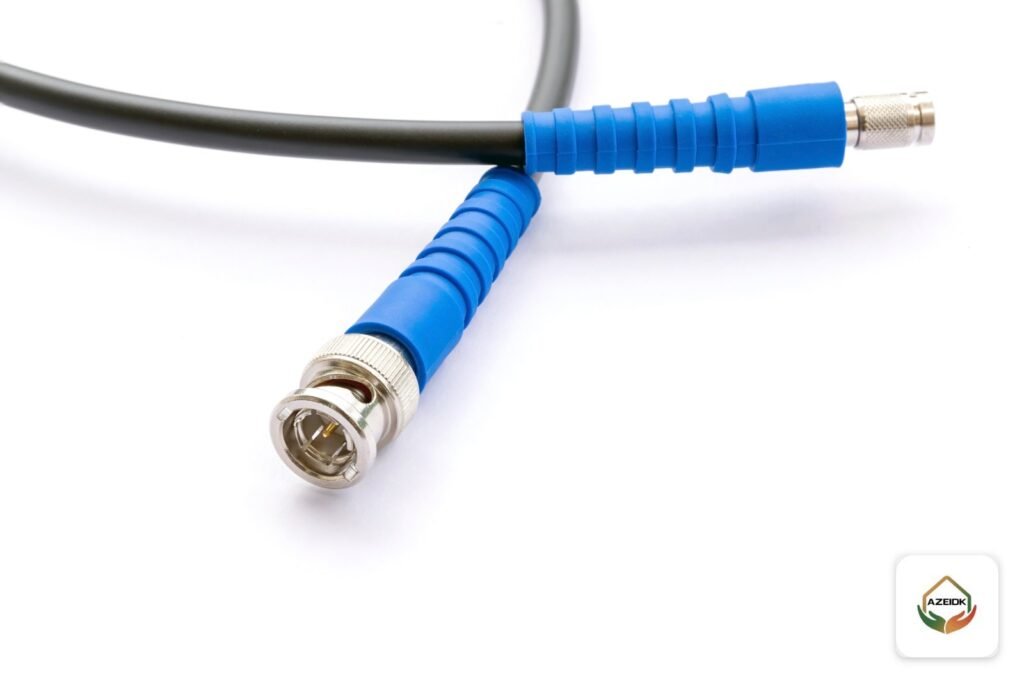
A CCTV balun, a BNC connector and an RJ45 plug are the three small parts that join cable to camera and recorder. BNC terminates coaxial cable on analog HD cameras, a video balun carries that analog signal over network cable instead of coax, and RJ45 connects IP cameras. The right connector follows the camera and cable type, and most intermittent-picture faults start at a badly made or wet connection. This guide explains when to use each connector, how a balun is wired, where connections usually fail, and the accessories checklist for a tidy installation. AZEIDK supplies cameras and recorders and installs them as part of its security and surveillance systems.
Key takeaways
- BNC is for coax (RG59 or RG6) on analog HD cameras and DVRs, with 75 ohm impedance.
- A balun converts 75 ohm coax to a 100 ohm twisted pair; they are used in pairs, one at the camera and one at the DVR.
- RJ45 is for IP cameras, with the same colour scheme at both ends, and carries video and power with PoE.
- Balun distances are set by the manufacturer and fall as camera resolution rises.
- Water, poor termination and reversed polarity cause most connector failures.
In this article
- Which CCTV cable connectors are used, and where?
- BNC connector for CCTV: types and termination
- How does a CCTV balun work?
- CCTV balun wiring diagram
- RJ45 for IP cameras and Ethernet over coax
- Where do CCTV connections usually fail?
- CCTV camera accessories list for installation
- Which connector suits your project?
- Frequently asked questions
- Conclusion
Which CCTV cable connectors are used, and where?
| Connector | Cable | System | Usual weak point |
|---|---|---|---|
| BNC connector | RG59 or RG6 coax | Analog HD (TVI, CVI, AHD) with DVR | Loose fit on the centre pin or braid touching it |
| Video balun | Cat5e or Cat6 | Analog HD over network cable | Reversed pair polarity or a balun not rated for the resolution |
| RJ45 plug | Cat5e or Cat6 | IP cameras with PoE switch or NVR | Wrong colour order or water in an outdoor joint |
| DC power jack | Power pair (siamese cable) | Analog cameras and non-PoE IP cameras | Reversed polarity or a loose terminal |
| Ethernet-over-coax extender | Existing coax | Moving analog sites to IP without recabling | Exceeding the manufacturer’s distance or speed |
The cable itself and its limits are covered in CCTV cable: coax RG59 or Cat6; this article is about the end that joins the cable to the device.
BNC connector for CCTV: types and termination
BNC is the standard video connector for coaxial cable. The product page for the Hikvision DS-E04HQHI-B DVR lists four BNC inputs accepting HDTVI, AHD, HDCVI and CVBS. Three fixing methods are common on the market:
- Crimp: fixed with a crimp tool matched to the cable size.
- Compression: fixed with a dedicated compression tool for that connector.
- Twist-on: screwed on by hand without a tool; check it is tight after fitting.
Whatever the type, match the connector to the cable (RG59 or RG6), strip to the dimensions the connector maker gives, and make sure no braid strand touches the centre conductor. With siamese cable, separate the power pair from the coax before terminating and connect it to the DC jack with the correct polarity.
How does a CCTV balun work?
Coax is unbalanced at 75 ohm; a twisted pair in network cable is balanced at 100 ohm. The balun bridges the two. Hikvision’s official datasheet for one of its passive baluns lists a male BNC at 75 ohm, a push-terminal for the pair at 100 ohm, Cat5e/Cat6 cable, HD-TVI, HD-CVI, AHD and CVBS signals, video and audio on the same pair, and built-in surge protection. Dahua’s official page for a passive HDCVI balun notes that it needs no power supply.
| Resolution | Hikvision balun, TVI (non-PoC) | Hikvision balun, TVI with PoC | Dahua balun, HDCVI |
|---|---|---|---|
| 720p | 350 m | 150 m | 400 m |
| 1080p | 250 m | 150 m | 250 m |
| 4 MP | 200 m | 150 m | 200 m |
| 4K | 150 m | 150 m | 200 m |
These are reference figures from the manufacturers’ documents on Cat5e or Cat6, and Hikvision notes that real distance depends on site conditions and cable. Design with a margin below the published figure and choose a balun that supports the camera’s resolution and format.
CCTV balun wiring diagram
- At the camera: plug the balun’s BNC into the camera’s video output.
- Connect one pair of the network cable to the balun terminals, noting which wire is positive and which is negative.
- At the recorder: a second balun takes the same pair with the same polarity, and its BNC goes into the DVR input.
- Power: a passive balun does not carry camera power, so plan power with a local supply or separate conductors as the manufacturer instructs, except in PoC systems supported by both balun and recorder.
- Check the picture on the monitor at full resolution before closing the junction boxes.
Reversed polarity at one end is a classic cause of a washed-out or intermittent picture. Baluns are often used when upgrading an existing site or when network cable is already in place; that option is compared with the alternatives in upgrading an old CCTV system.
RJ45 for IP cameras and Ethernet over coax
An IP camera needs only an RJ45 connection, and some come with a short pigtail ending in a female socket and a weatherproof cover. The basics: the same colour scheme (T568A or T568B) at both ends, a tight weatherproof cover on outdoor joints, and fixed cabling terminated on a patch panel at the rack with a patch cord to the switch. Because PoE carries power on the cable pairs, one loose conductor can cut power to the camera.
Where a building has existing coax and the goal is IP cameras, there are devices that carry Ethernet and PoE over that coax, such as the UTEPO UTP7301EPoC Ethernet extender. Its product page lists up to 500 m on coax, up to 100 Mbps and IEEE 802.3af/at support. It works as a pair: one unit at the camera and one at the switch.
Where do CCTV connections usually fail?
| Symptom | Likely connector cause | Fix |
|---|---|---|
| No Video, or picture drops in and out | Loose BNC or braid touching the centre pin | Re-terminate with the correct tool and test the cable |
| Faded picture or rolling lines | Reversed balun polarity or cable next to power cables | Correct polarity and separate the route from power |
| IP camera keeps rebooting | Loose RJ45 conductor or PoE budget exceeded | Re-terminate and check available power |
| Fault after rain or washing | Water in an outdoor joint | Weatherproof junction box, joint cover and a drip loop |
| Camera fails at night | 12 V drop when IR switches on | Review the power supply and power conductor size |
For faults not related to connectors, see common CCTV faults.
CCTV camera accessories list for installation
- BNC connectors, two per analog camera plus spares, and DC jacks for power.
- Balun pairs if video runs on network cable.
- RJ45 plugs and covers, or keystone outlets and a patch panel.
- Factory patch cords between patch panel, switch and recorder.
- Junction boxes behind outdoor cameras to protect joints from water and sun.
- Conduit, cable supports and glands where cables enter boxes.
- A power supply sized for the analog or non-PoE cameras.
- A PoE switch where needed; the Hikvision DS-3E1309P-EI lists 6 kV surge protection.
- A wall-mounted cabinet for recorder, switch and patch panel, as in our network cabinet sizing guide and AZ-Link cabinets.
- Cable labels at both ends, a cable tester and a UPS for central equipment.
The mains circuit, sockets and breakers for the cabinet and power supplies are work for a qualified electrician and are not part of the CCTV technician’s scope.
Which connector suits your project?
| Situation | Suitable solution |
|---|---|
| New project with IP cameras | Cat6, RJ45, patch panel and PoE switch |
| Existing analog system with sound coax | New BNCs, or an Ethernet-over-coax extender when moving to IP |
| Analog cameras with network cable already installed | A balun pair per camera, with power planned separately |
| Distance beyond balun or copper documentation | Review transmission alternatives with the designer before supply |
AZEIDK supplies cameras, recorders and accessories through its technical supply service, and the installation sequence is set out in CCTV installation steps.
Frequently asked questions
What is a balun in CCTV?
A small adapter that carries an analog camera’s video over one pair of a network cable instead of coax. One goes at the camera and one at the recorder.
Does a balun work with IP cameras?
No. Baluns are for analog signals. IP cameras connect directly with network cable and RJ45.
How far can a CCTV video balun transmit?
The manufacturer sets it, and it falls as resolution rises: for example 250 m at 1080p and 200 m at 4 MP in Hikvision and Dahua documents on Cat5e or Cat6.
Which BNC connector is best for outdoor cameras?
One matched to the cable size and fitted with the correct tool, inside a weatherproof junction box, with the picture tested and the connector checked before the box is closed.
What are the essential CCTV accessories?
Connectors, junction boxes, a power supply or PoE switch, patch panel and patch cords, a cabinet, cable labels and a UPS.
Why do lines appear in the picture after fitting baluns?
Usually reversed pair polarity at one end, cable running beside power cables, or a balun not rated for the camera’s resolution.
Conclusion
CCTV connectors come in three families: BNC for coax, the balun for analog over network cable, and RJ45 for IP cameras. Choose by camera and cable, stay within manufacturer distances and keep polarity consistent, protect every outdoor joint from water, and prepare the accessories list before installation starts.
Need a complete supply list for a CCTV system? Send the camera count, type and distances, and our team will prepare the equipment and accessories list and the installation scope. Talk to the AZEIDK team
Related guides
- Mall and Commercial Building Fire Safety: Engineering Guide
- ELV Shop Drawings for CCTV, Networks and Access Control: Coordination with Electrical and Interiors
- Fire Sprinkler Hydrostatic Testing Before Handover: Pressure, Duration and Records
- Context Plus Reflective Beam Detectors: Installation, Alignment and Testing