Access control for data centers means every person passes several layers of verification before reaching the servers: the site gate, the building entrance, a mantrap in front of the data hall, and finally the cabinet or rack. Each layer uses multi-factor authentication, anti-passback and an access log that can be audited and matched to CCTV footage. This article walks through those layers in practical terms and links to AZEIDK low current systems.
Key takeaways
- A data center is protected in successive layers, each narrower than the last and needing a higher level of authorisation.
- A mantrap is two interlocked doors: the second will not open until the first has closed.
- Multi-factor authentication combines something you have (a card), something you know (a PIN) and something you are (a fingerprint or face).
- Anti-passback stops the same card being used to enter twice without exiting.
- Access logs lose their value unless device clocks are synchronised and events are linked to CCTV recordings.
In this article
- What are the layers of access control for data centers?
- What is a mantrap in a data center and how does it work?
- Multi-factor authentication: is a card enough at the data hall door?
- What is anti-passback and why does it matter in a data center?
- Access logs for audit: what should you record and how should you keep it?
- How does access control integrate with the fire alarm and exit doors?
- What drives the cost of a data center access control system?
- Frequently asked questions
- Conclusion
What are the layers of access control for data centers?
The basic idea is that reaching a server never depends on a single door. An intruder or unauthorised person has to get past several layers, and each one records the attempt. This layered approach is standard in data center infrastructure standards such as ANSI/TIA-942-C, published in 2024, which covers physical security among its requirements.
| Layer | Typical means | Verification level | Who gets through |
|---|---|---|---|
| Site perimeter | Vehicle gate, parking barriers, licence plate cameras | Vehicle or visitor pass | Staff and pre-registered visitors |
| Building entrance | Turnstiles with face recognition or card | Usually one factor | Anyone holding a valid card |
| Data hall | Mantrap with two readers | Two or more factors | Authorised technicians and operators only |
| Cabinet or cage | Electronic lock on the cabinet or cage door | Card or PIN tied to the customer | The cabinet owner’s technicians |
The outer layer and turnstiles are covered in more depth in our access gates and turnstiles guide.
What is a mantrap in a data center and how does it work?
A mantrap is a small space between two doors. A person enters through the first door after verification, it closes behind them, and the system will not open the second door until the first is shut and a new verification is made. This function is called interlock, and it is programmed in the access control panel that manages both doors.
The aim is to stop two people passing on one card, stop doors being propped open, and give the camera a clear view of each person between the doors. Some projects add sensors that detect more than one person inside, depending on the risk level and the project specification.
At design stage, check three points:
- Exit direction: how people leave in normal operation, and whether they verify on the way out too.
- Emergency mode: what both doors do on a fire alarm or power loss (covered below).
- Entrapment: an emergency button or intercom in case a door fails while someone is inside.
Multi-factor authentication: is a card enough at the data hall door?
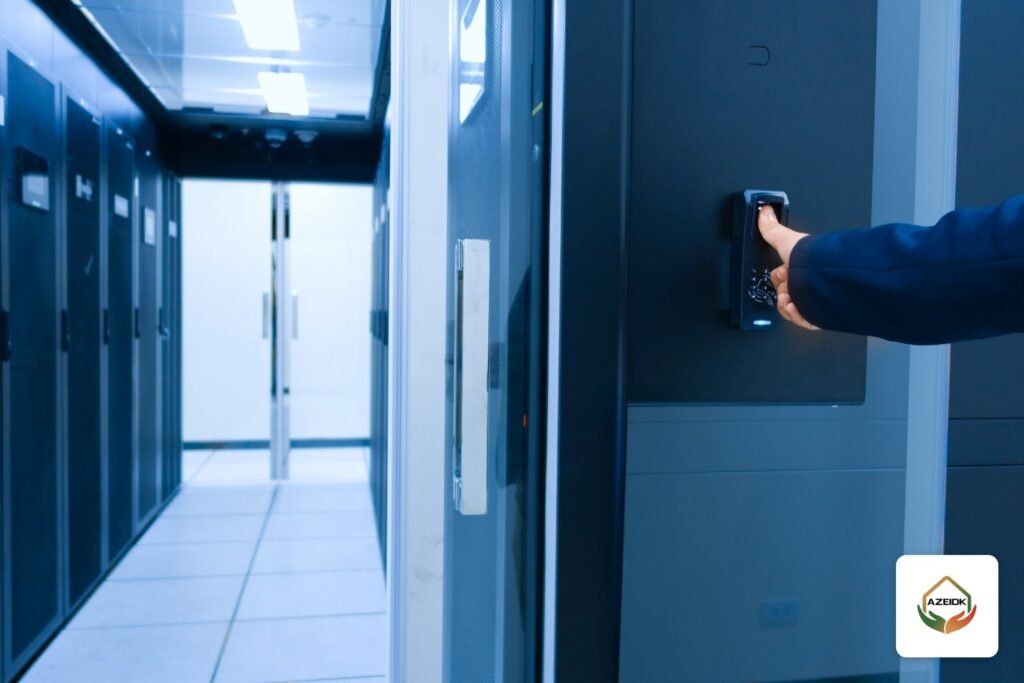
A card on its own is a single factor. It can be lost, lent or, with some older technologies, cloned. Data halls therefore usually rely on two or more factors:
- Card + PIN: simple and relatively low cost, but PINs can be observed.
- Card + fingerprint or face: ties the card to its real holder, and is the most common choice in front of server halls.
- Face + PIN: suits sites that want fewer cards in circulation.
Products AZEIDK supplies for this layer include the Dahua ASI1212F standalone access controller, the Dahua ASR2101A card reader and the Hikvision DS-K2801 access controller. Choose the model after checking the datasheet for supported verification modes, user capacity and event log capacity.
What is anti-passback and why does it matter in a data center?
Anti-passback means the system knows whether a cardholder is inside or outside an area. If someone enters and then passes their card back to a colleague through the glass, the system refuses the second entry because no exit was recorded. This needs a reader on the entry side and a reader on the exit side.
Anti-passback alone does not stop tailgating, where one person walks in behind another without presenting a card. Tailgating is handled by the mantrap, by turnstiles that let only one person through, and by cameras watching the entrance. These measures work together; none replaces the others.
Multi-door projects use networked access control panels that manage several doors and zones from one software platform. AZEIDK supplies ZKTeco networked panels from the InBio and C3 series. The model and door count are set from the layout, and the datasheet of the chosen model should be checked to confirm it supports anti-passback and interlock as required.
Access logs for audit: what should you record and how should you keep it?
In a data center it is not enough to block entry. The system must also prove later who entered and when. An internal auditor, a regulator or the customer who owns the servers may ask for a report on one person’s access, or on everyone who entered a given hall over a given period.
In Saudi Arabia, the Essential Cybersecurity Controls (ECC-2:2024) issued by the National Cybersecurity Authority include a physical security subdomain (2-14) covering the protection of information and technology assets from unauthorised physical access. Organisations subject to these controls should refer to the text and to their internal policies to decide what is logged and for how long.
In practice, a good log contains:
- The person’s identity, the door or zone, date and time, and the result (granted or denied) with the reason for denial.
- Door events: door held open, door forced, reader or panel fault.
- Permission changes: who added a user or changed their rights, and when.
For the log to stand up as evidence, set the clocks of access panels, cameras and video recorders to a single time source, and link access events to the camera covering each door. Size the recording storage for the required period from the start; we explain how in CCTV NVR storage and bandwidth calculation.
How does access control integrate with the fire alarm and exit doors?
Door locks in a data center directly affect safe evacuation. Doors on an exit route must open for egress when needed, so access control panels are interfaced with the fire alarm system to release the locks identified in the design when an alarm occurs.
The lock type decides how a door behaves on power loss: a magnetic lock normally releases when power is lost (fail-safe), while some electric locks stay locked (fail-secure). The decision balances security against the egress requirements of the Saudi Building Code adopted for the project, and is reviewed with the consultant as part of Civil Defense approval requirements.
Watch gas-protected rooms inside the data center as well. The room door must stay closed during discharge to hold the agent concentration, yet anyone inside must still be able to get out. Coordinating suppression with access control is part of designing special fire suppression systems.
What drives the cost of a data center access control system?
- Number of doors, zones and mantraps.
- Number of authentication factors per layer and device type (card, fingerprint, face).
- Lock and door type, and whether existing doors need modification.
- Number of users, event volume and log retention period.
- Integration with CCTV, fire alarm, suppression and building management software.
- Cabling, containment routes and backup power.
Design, programming and interfacing fall under programming and systems integration, and cameras under security and surveillance systems.
Frequently asked questions
What is a mantrap?
A small space between two interlocked doors, where the second opens only after the first has closed and a new verification is made. It is used in front of data halls to stop more than one person passing on one card.
What is the difference between anti-passback and tailgating?
Anti-passback stops the same card entering twice without an exit. Tailgating is someone walking in behind another person without a card, and is handled by mantraps, turnstiles and cameras.
Is fingerprint better than face recognition for data centers?
Both are biometric factors. Face recognition is faster and touch-free, while fingerprint readers are widespread and usually cost less. What matters most is combining either one with another factor such as a card or PIN.
How long should access logs be kept?
That is set by the organisation’s policy, the regulations it is subject to and its customer contracts. Fix the period before design so storage can be sized for it.
Do data center doors open on a fire alarm?
Doors on exit routes are interfaced with the alarm and release as per the approved design. Doors to gas-protected rooms need special coordination between keeping the door closed and letting occupants out.
Which standard covers data center infrastructure?
ANSI/TIA-942-C, published in 2024, is one of the best-known data center infrastructure standards and covers physical security among its requirements.
Conclusion
Access control for data centers is a system of layers, not a single door: site gate, building entrance, mantrap, then cabinet. Multi-factor authentication ties access rights to the right person, anti-passback and mantraps close the gaps of shared cards and tailgating, and logs synchronised with CCTV make every entry auditable. Plan all of it together with evacuation and the fire alarm from day one.
Planning access control for a data center or server room? AZEIDK designs the layers, supplies and programs the devices, and links them to CCTV and the fire alarm. Talk to the AZEIDK team
Related guides
- CCTV Camera Placement & Coverage
- Panoramic and Multi-Lens CCTV Cameras: When One Camera Can Replace Several in Car Parks, Yards and Warehouses (Dahua and EZVIZ)
- Manual Call Points and Audible and Visual Notification Appliances in Fire Alarm Systems
- AFC Swing Check Valves: Flanged A-3150 or Grooved A-3500, and Where to Install