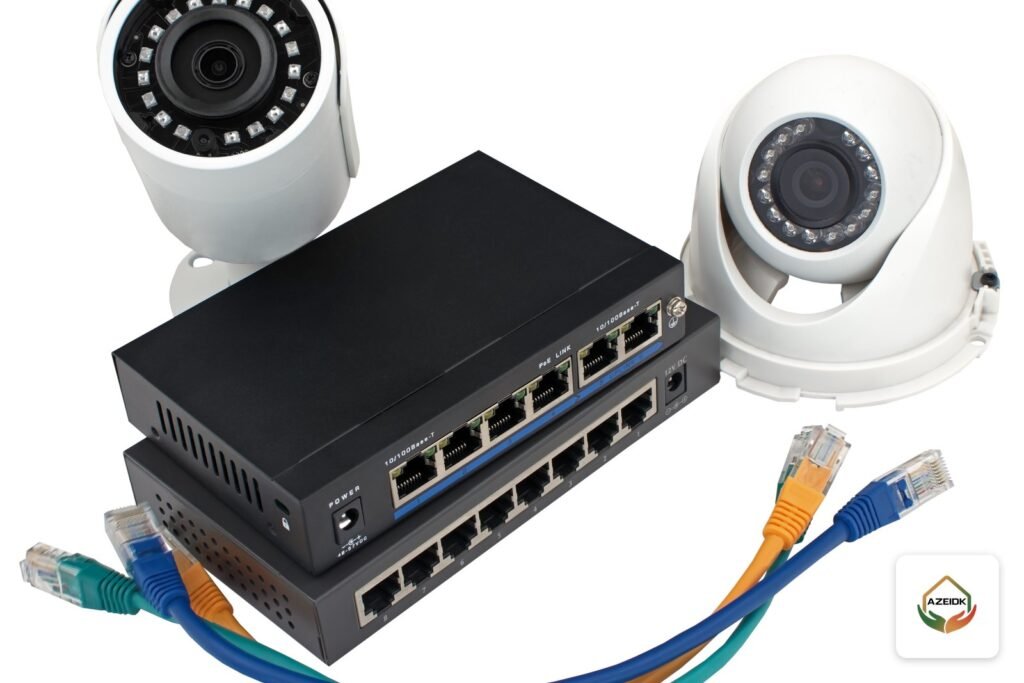
Yes, CCTV cameras without internet keep recording around the clock. Recording happens on site: on the hard disk inside the recorder (NVR or DVR) or on a memory card inside the camera. Internet is only needed to watch from your phone off site, to receive instant alerts and to use cloud storage. Power is the one thing the system cannot do without, and an outage stops everything unless there is a UPS.
Below: what works offline, three ways to record using models from AZEIDK security and surveillance systems, power-cut protection, and when internet is a must.
Key takeaways
- Recording, live view, playback and USB export all work on site with no internet.
- Internet is needed for remote viewing on a phone, motion push alerts, cloud storage and automatic time sync.
- Offline storage options: a recorder hard disk, recorder built-in storage, or a microSD card in the camera.
- A “wireless” camera still needs permanent power and a local network, even when the site has no internet.
- A UPS on the recorder and the PoE ports or switch keeps recording alive in a power cut.
In this article
- Do CCTV cameras without internet really work?
- What works without internet, and what stops?
- Offline recording options: hard disk, built-in storage or memory card?
- Wireless and offline: can you have both?
- How do you view cameras without internet?
- When do CCTV cameras need internet?
- Power cuts: the real threat to recording
- How many days does an offline system keep footage?
- Common mistakes with offline systems
- Frequently asked questions
- Conclusion
Do CCTV cameras without internet really work?
A CCTV system has two paths. The local path runs from camera to recorder, which writes to its disk and shows video on a monitor; it never touches the internet. The external path runs from the recorder through the router to the manufacturer’s servers and on to your phone app.
When the internet drops, only the second path stops. The app shows the recorder as “offline”, but it is still recording on site, and the outage period can be played back once the connection returns.
What works without internet, and what stops?
| Function | Without internet | Note |
|---|---|---|
| Continuous or motion recording | Works | On the recorder hard disk or the camera card |
| Live view on a monitor | Works | Through the recorder’s HDMI or VGA output |
| Playback and search by time | Works | Using the monitor and mouse connected to the recorder |
| Export a clip to a USB stick | Works | From the recorder playback menu |
| Viewing from a PC on the same network | Works | Local network only |
| Viewing on a phone off site | Stops | Needs a permanent internet connection on site |
| Motion push alerts | Stop | Events are still logged locally and searchable later |
| Cloud storage | Stops | Needs a subscription and stable upload speed |
| Automatic clock sync (NTP) | Stops | Set the time manually and check it regularly |
The last row is often forgotten. On an isolated system, set the recorder clock by hand at commissioning and check it regularly: footage with the wrong time stamp is harder to search and carries less weight with the authorities.
Offline recording options: hard disk, built-in storage or memory card?
1. NVR or DVR with a hard disk
The standard choice for shops, warehouses and buildings. One example is the Hikvision DS-7608NXI-K1/8P (B): 8 IP channels, 80 Mbps incoming bandwidth, one SATA bay for a hard disk up to 10 TB, 4K HDMI output and eight PoE ports with a total budget of up to 75 W, according to the product page. Built-in PoE means one cable carries video and power to each camera. Channel count and disk selection are covered in our guide to choosing a CCTV recorder (NVR or DVR).
2. Recorder with built-in storage (eSSD)
Some small DVRs replace the hard disk with built-in solid-state storage. The Hikvision DS-E04HQHI-B, for example, takes four analog cameras plus one IP channel, has 512 GB of built-in eSSD (480 GB usable) and draws no more than 5.4 W with the eSSD, per the product page. It suits a small shop or office, and its low draw is easy to back up with a small UPS. The DS-E04HGHI-E is a 4-channel eDVR with one IP channel; its storage capacity is confirmed with the quotation.
3. microSD card inside the camera
Many IP cameras have a card slot and can record on their own. The Hikvision DS-2CD2087G2-L(U) 8 MP camera accepts a card up to 512 GB, and the DS-2CD2123G2-I(S) accepts up to 256 GB and supports ANR, according to their product pages. With ANR (Automatic Network Replenishment), the camera saves to its card when the link to the recorder drops, and the recorder pulls back the missing footage when the link returns, if the recorder supports it and it is enabled, as Hikvision’s technical documentation explains. The card backs up the recorder; it does not replace it.
| Model (from AZEIDK product pages) | Type | Offline storage | Power |
|---|---|---|---|
| Hikvision DS-7608NXI-K1/8P (B) | 8-channel NVR | SATA hard disk up to 10 TB | 48 VDC; total PoE up to 75 W |
| Hikvision DS-E04HQHI-B | 4-channel DVR | Built-in 512 GB eSSD | 12 VDC, up to 5.4 W |
| Hikvision DS-2CD2087G2-L(U) | 8 MP IP bullet camera | microSD up to 512 GB | PoE up to 7.5 W or 12 VDC |
| Hikvision DS-2CD2123G2-I(S) | 2 MP IP dome camera | microSD up to 256 GB with ANR | PoE up to 7.5 W or 12 VDC |
| Dahua IPC-PT2849DC1-SW-PV | 8 MP outdoor Wi-Fi pan-tilt camera | microSD up to 512 GB | 12 VDC, 1 A |
| EZVIZ H6c | 1080p indoor Wi-Fi pan-tilt camera | microSD up to 256 GB | 5 VDC, up to 5 W |
Wireless and offline: can you have both?
A “wireless camera” is usually a Wi-Fi camera, and Wi-Fi only removes the data cable. It still needs permanent power and a router or access point for a local network, even if that router has no internet.
A camera such as the EZVIZ H6c or the Dahua IPC-PT2849DC1-SW-PV records to its card without internet; first setup is normally done through the phone app, so arrange a temporary connection on installation day and check the user manual. If the site has no mains power either, such as a farm or a remote rest house, the answer is battery or solar cameras with a 4G SIM, covered in our article on solar and battery CCTV cameras.
How do you view cameras without internet?
- Monitor on the recorder: the simplest option. A TV or PC monitor on the HDMI or VGA output, with a mouse to control live view and playback.
- PC on the same network: video software on a PC on the recorder’s local network shows live video and recordings.
Both work on site only. To watch the shop from home, the shop needs internet.
When do CCTV cameras need internet?
You need internet on site for remote live viewing on your phone, instant motion or person alerts, or an off-site cloud copy of footage in case the recorder is stolen.
Internet can be added later: connect the recorder to a router (fixed line or data SIM) and enable its cloud service. Setting up Hik-Connect and DMSS and securing user accounts is covered in our guide to viewing CCTV on your phone.
Facilities covered by the Saudi Security Surveillance Cameras Law are a different case. High and medium sensitivity entities must connect their systems to operations rooms under the decision approving the implementing regulations, published in the Umm Al-Qura Gazette, as explained in our article on the Saudi CCTV law and facility obligations. Check your classification before designing an isolated system.
Power cuts: the real threat to recording
An offline system is unaffected by internet outages, but it stops completely when the power goes. Some intruders start by switching off the main breaker.
What should the UPS feed?
- The recorder itself, including its hard disk.
- The PoE ports on the recorder, or the PoE switch feeding the cameras. A recorder with no cameras records nothing.
- Analog camera power supplies, if separate.
A rough sizing example
Take the DS-7608NXI-K1/8P (B) with eight PoE cameras. The recorder’s PoE budget is 75 W maximum, and the recorder itself draws up to 10 W without a hard disk and with PoE off, per the product page. That is about 85 W before the hard disk and monitor. Size the UPS on that figure with a margin and take runtime from the UPS maker’s table. A DS-E04HQHI-B (5.4 W maximum) needs a far smaller UPS.
How many days does an offline system keep footage?
Retention depends on disk or card capacity, resolution, compression and schedule, not on the internet. When full, the system overwrites the oldest footage if overwrite is on. Motion-only recording lasts longer but can miss the start of an event without pre-record time. For sizing, see our guide to CCTV storage and bandwidth calculation.
Common mistakes with offline systems
- Judging recording from the app: “offline” does not mean recording stopped. Check the recorder monitor.
- Leaving the clock unset: with no internet, the clock does not sync, and footage carries the wrong date.
- Never checking the hard disk: a failed disk means days with no recording. Check disk status regularly.
- Recorder in an exposed spot: if the recorder is stolen, all footage goes with it. Lock it in a cabinet away from the entrance.
- UPS on the recorder only: without power to the PoE ports or camera supplies, the recorder records black screens.
- Keeping the default password: anyone who reaches the monitor on site can delete footage.
Frequently asked questions
Do CCTV cameras record if the internet goes down?
Yes. Footage is stored on site; only remote viewing and alerts stop until the connection returns.
Can I run CCTV without internet and without a phone?
Yes, with a wired recorder: connect a monitor to HDMI or VGA and use a mouse. Home Wi-Fi cameras usually need the app for first setup.
What is the best way to record CCTV without internet?
For shops and facilities, a hard-disk recorder plus a UPS; for a few cameras, a recorder with built-in storage. Camera cards work best as backup.
Do wireless CCTV cameras work without power?
No, unless they are battery or solar cameras. A standard Wi-Fi camera needs a mains socket at all times; Wi-Fi only removes the data cable.
Can I view the recordings on my phone once the internet is back?
Yes, if the system was already linked to the app. The outage period is stored locally and can be played back.
Can internet be added later to an offline system?
Yes. Connect the recorder to a router with internet and enable its cloud service, with no change to the cameras or the recorder.
Conclusion
CCTV cameras do not need internet to record; they need on-site storage and reliable power. Size the recorder and storage for your cameras and retention, protect the recorder and PoE ports with a UPS, set the clock by hand, and add internet when remote viewing or your facility classification requires it.
Is your site offline, or is the connection unreliable? Send us the number of cameras and the retention period you need, and we will propose the recorder, storage and power protection from the models we supply. Talk to the AZEIDK team
Related guides
- Fire Pump Price in Saudi Arabia: What Drives the Cost and How to Request a Quotation
- Worker Accommodation Safety Requirements: Balady and Civil Defense Rules for Collective Housing in Saudi Arabia
- Fire Extinguisher Cabinet (Fire Extinguisher Box): Types, Sizes and Where It Is Used
- Common Civil Defense Inspection Notes on Fire Alarm and Fire Fighting Systems, and How to Fix Them Before Resubmission