Yeastar PBX (the P-Series) is an IP phone system that comes in three editions: an appliance installed on your site, a software edition that runs on your own server or cloud, and a cloud edition. Model choice starts with the number of extensions and concurrent calls: the P520 supports up to 20 users, the P550 up to 50, the P560 up to 200 and the P570 up to 500. Companies that do not want hardware on site look at the cloud or software edition.
Key takeaways
- The Yeastar P-Series is offered as an Appliance, Software and Cloud edition, according to Yeastar’s official website.
- The four appliance models differ in users, concurrent calls, analog ports, E1 ports and 3G/4G ports.
- The Standard plan is appliance-only. Enterprise and Ultimate are available on the appliance, software and cloud editions.
- Yeastar states that the software edition handles up to 10,000 users and 1,000 concurrent calls.
- AZEIDK supplies Yeastar PBX systems in Saudi Arabia as part of its network and communication systems.
In this article
- What is the Yeastar P-Series PBX?
- Yeastar P-Series models by number of extensions
- How to choose the right Yeastar PBX model
- Yeastar cloud PBX: when to choose the cloud or software edition
- Comparison of Yeastar editions
- Who is the Yeastar PBX right for in Saudi companies?
- What drives the cost of a Yeastar PBX?
- How AZEIDK supports Yeastar PBX projects
- Frequently asked questions
- Conclusion
What is the Yeastar P-Series PBX?
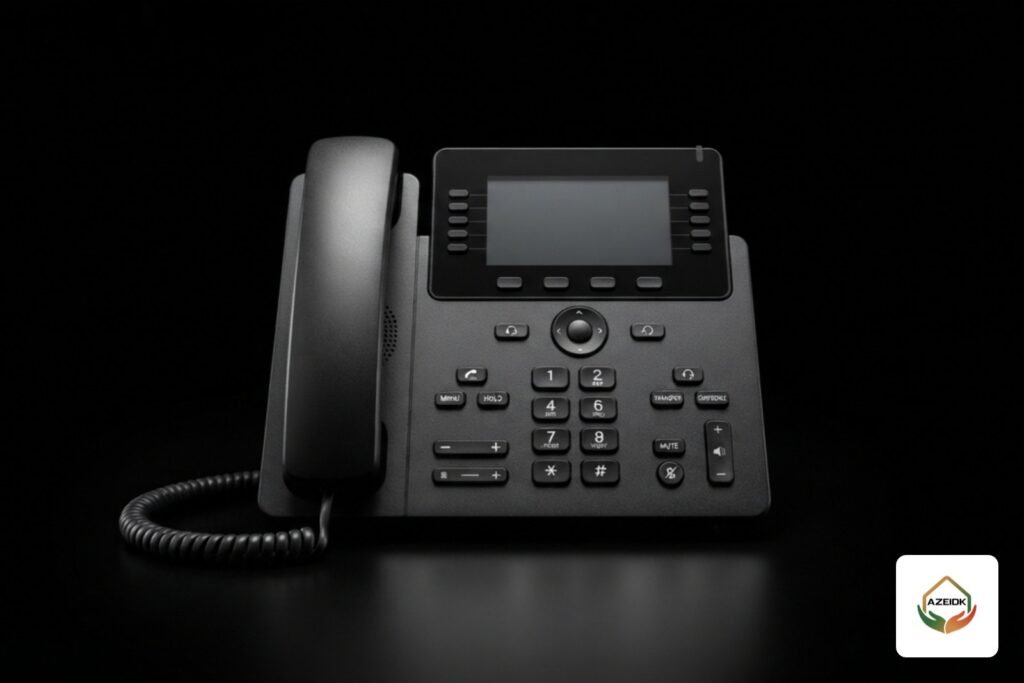
Yeastar is a manufacturer of IP telephony systems, and the P-Series is its current PBX platform. Extensions run over the same data network (IP) as your computers. A desk phone plugs into the network and registers to the PBX, and staff can use the Linkus app on a mobile phone, a computer or a web browser as their office extension from anywhere.
Yeastar offers the same platform in three ways:
- Appliance Edition: an on-premises IP PBX installed in the building’s network room.
- Software Edition: installed on a company-owned server, on a virtual platform such as VMware, Hyper-V, KVM or Proxmox, or on cloud servers such as AWS, Microsoft Azure or Google Cloud.
- Cloud Edition: either hosted and fully managed by Yeastar, or run by a service provider on its own cloud infrastructure (BYOI, bring your own infrastructure).
So “Yeastar PBX” is not a single box. It is a family that shares one interface and feature set, and differs in where it runs and how far it scales.
Yeastar P-Series models by number of extensions
The table below is taken from Yeastar’s appliance edition page. Where two user figures are shown, the first is the base capacity and the second is the maximum after expansion.
| Model | Users (base / max) | Concurrent calls | FXS ports | FXO/BRI ports | 3G/4G ports | E1/T1/J1 ports |
|---|---|---|---|---|---|---|
| P520 | 20 | 10 | 4 | 4 | 1 | None |
| P550 | 50 | 25 | 8 | 8 | 4 | None |
| P560 | 100 / 200 | 30 / 60 | 8 | 8 | 4 | 1 |
| P570 | 300 / 500 | 60 / 120 | 16 | 16 | 6 | 2 |
Yeastar notes that the P560 takes one expansion board and the P570 takes two, and that each DSP module adds 100 VoIP users and 30 concurrent calls. It also says P520 availability depends on regional sales policy, and that the P520 does not support the API or hotel PMS integration.
On the AZEIDK website, all four models are listed under IP telephone systems and on the Yeastar brand page.
How to choose the right Yeastar PBX model
A common mistake is sizing the PBX on headcount alone. A proper sizing covers four points.
1. Current and future extensions
Count everyone who needs an extension: offices, reception, meeting rooms, gates, and staff who will use Linkus on their mobile. Then add expected growth. If you have 45 extensions today and expect 70, the P550 will be too small and the P560 is the better fit.
2. Concurrent calls
Concurrent calls are the number of calls, internal or external, that can be live at the same moment. A service company with a small call center needs a higher ratio than an engineering office whose staff rarely call out. This figure also sets how many channels you order from the carrier. There is no point ordering more channels than the PBX can carry.
3. Type of external lines
Analog landlines need FXO ports. A digital E1 line points you to the P560 or above. SIP lines from a carrier need no physical port and are configured in the PBX as a SIP trunk. According to Yeastar’s administrator guide, the P-Series supports three SIP trunk types: a Register Trunk (username and password), a Peer Trunk (authenticated by IP address and port) and an Account Trunk (for connecting other devices to the PBX).
4. Legacy analog devices
Fax machines, old gate phones and some lift phones need FXS ports. Count them before ordering, because they are a common reason to move up a model.
Yeastar cloud PBX: when to choose the cloud or software edition
A cloud PBX runs outside your building, and phones and apps connect to it over the internet. Yeastar offers two cloud options: a hosted service fully managed by Yeastar, or a multi-instance platform that a service provider runs on its own cloud. Yeastar describes cloud billing as subscription-based and does not publish prices on the page.
The software edition suits organisations that want full control over where their data sits, because it runs on their own server or on a cloud they choose. Yeastar states that it handles up to 10,000 users and 1,000 concurrent calls.
Before choosing a cloud option in Saudi Arabia, check three things: where call recordings and data are stored, whether your organisation has an internal policy against hosting them outside the Kingdom, and the internet quality at each branch, because every cloud call depends on it.
Comparison of Yeastar editions
| Item | Appliance | Software | Cloud |
|---|---|---|---|
| Where it runs | Network room on site | Company server or a cloud of your choice | Yeastar’s cloud or a service provider’s cloud |
| Available plans | Standard, Enterprise, Ultimate | Enterprise, Ultimate | Enterprise, Ultimate |
| Analog, E1 and 4G lines | Built-in ports, by model | Through external gateways | Through external gateways |
| Hot Standby | Supported with an extra redundancy server | Supported with an extra redundancy server | Not available; supported on appliance and software only |
| Hotel PMS integration | Supported except on the P520 | Supported | Not supported |
The table is based on Yeastar’s official pages for the three editions. Detailed features differ by plan, so check the official plan comparison before you commit.
Who is the Yeastar PBX right for in Saudi companies?
- Small office or showroom: few extensions and one or two lines. The P520, where available, or the P550.
- Mid-size company with one main office: 50 to 150 extensions on carrier SIP lines. The P560 fits well thanks to its expansion option.
- Group with branches in several cities: the software edition on a central server, or a P570 at head office, with branches connected over the network.
- Hotels: note that PMS integration is not supported on the cloud edition or the P520.
- Sales and field teams: the Linkus app turns a mobile phone into an extension on the same PBX.
Sites building a new network also need PoE switches to power IP phones. Our article on PoE switch power budget explains the method; the same principle applies to IP phones.
What drives the cost of a Yeastar PBX?
We do not quote prices here because they change with model, plan and quantity; comparing PBX quotations in detail is covered in our article on IP PBX price in Saudi Arabia. The real cost drivers are:
- The model and the number of expansion modules.
- The plan (Standard, Enterprise or Ultimate) and the subscription term for software and cloud editions.
- The number and type of phones: basic desk phones, large-screen models or DECT cordless.
- Gateways for analog lines or legacy devices.
- Network readiness: switches, cabling and network cabinets.
- Installation, programming and the number of branches.
How AZEIDK supports Yeastar PBX projects
AZEIDK supplies Yeastar PBX systems in Saudi Arabia as part of its network and communication systems, alongside other IP telephony brands such as Grandstream; our business PBX types and brands article compares them. Work usually starts with technical selection of systems and equipment based on extension count and line type, followed by installation and programming and systems integration. The PBX can also be tied into the building’s other low current systems.
Frequently asked questions
How many extensions does a Yeastar PBX support?
It depends on the model: P520 up to 20 users, P550 up to 50, P560 from 100 to 200 with expansion, and P570 from 300 to 500 with expansion. Yeastar states the software edition reaches 10,000 users.
Is there a Yeastar cloud PBX?
Yes. The P-Series Cloud Edition is either hosted by Yeastar or run on a service provider’s cloud, with the Enterprise and Ultimate plans.
What is the difference between the P550 and the P560?
The P550 handles 50 users and 25 concurrent calls with no expansion. The P560 starts at 100 users and 30 calls, expands to 200 users and 60 calls, and supports one E1 port.
Can a Yeastar PBX connect to stc, Mobily or Zain lines?
The PBX supports SIP trunks by registration or by IP address. Each carrier’s settings differ, so the trunk details come from the provider and are applied on the PBX.
Do I need special phones with a Yeastar PBX?
The PBX works with SIP-compatible IP phones and with the Linkus app on mobile and desktop. Analog devices connect through FXS ports or a gateway.
Does the Yeastar PBX work with hotel systems?
According to Yeastar, PMS integration is supported on the appliance edition (except the P520) and the software edition, and not on the cloud edition.
Conclusion
Start with extension count, concurrent calls and line type, then decide where the system should run: an appliance in the building, a server you own, or the cloud. After that, comparing the P520, P550, P560, P570 and the software and cloud editions becomes straightforward, and quotations become comparable.
Need a Yeastar PBX for your office or branches? Send us your extension count, line type and number of branches, and our team will propose the right model and edition. Talk to the AZEIDK team
Related guides
- Building Compliance Certificate on Balady: Civil Defense and Fire System Tests Before Occupancy
- Upright Sprinkler vs Pendent Sprinkler: The Difference and When to Use Each
- Fire Alarm Maintenance Checklist for Saudi Facilities: Fire Alarm, Sprinklers, Fire Pumps and Extinguishers (NFPA 72, 25 and 10)
- Safety Shoes, Coveralls and Work Gloves: How to Choose PPE for a Work Site in Saudi Arabia