PBX maintenance in Saudi offices usually starts with a call from reception: the outside line is dead, the customer can hear us but we cannot hear them, or every phone on one floor shows “not registered”. These faults have specific causes, and they can be traced in a clear order instead of rebooting equipment every time.
This article explains how to diagnose common PBX faults (trunk outages, voice quality and IP phones that will not register), what preventive maintenance should cover, and when replacement makes more sense than repair. AZEIDK provides this work as part of its corrective maintenance and technical support service for communication and low current systems.
Short answer: Most PBX faults are not in the PBX itself but in the network around it: router and firewall settings, the switches and Power over Ethernet (PoE) feeding the phones, and the line provider. PBX maintenance therefore starts by defining the scope of the fault (one phone, a group, or the whole site) and then checking the layer responsible, backed by routine work such as configuration backups, firmware updates and security reviews.
Key takeaways
- Define the scope first: one phone, a group of phones on one switch, the whole site, or outside calls only.
- One-way audio is usually caused by NAT settings, SIP ALG on the router or RTP port forwarding, according to Yeastar’s support documentation.
- ITU-T G.114 recommends keeping one-way delay below 150 ms for high-quality voice.
- Check an unregistered IP phone in order: power (PoE), then IP address and voice VLAN, then account credentials and the PBX response.
- Preventive PBX maintenance covers configuration backups, firmware updates, security log reviews and UPS battery checks.
In this article
- What does PBX maintenance actually cover?
- How to start diagnosing a PBX fault
- External line outages
- Voice quality: choppy audio, delay and one-way audio
- Why will IP phones not register?
- PBX security is part of maintenance
- Does a PBX need routine maintenance?
- When should an old PBX be replaced?
- Common PBX maintenance mistakes
- What drives PBX maintenance cost, and what should the quotation include?
- Frequently asked questions
- Summary
What does PBX maintenance actually cover?
A modern PBX, whether an appliance in the network room or an IP PBX, is not a single box. It is a system of layers, and any of them can cause a fault:
- The PBX itself: firmware, licences, configuration and analog port modules.
- External lines: SIP trunks over the internet, analog lines on FXO ports, or E1 circuits.
- The local network: switches, a separate voice VLAN, voice priority (QoS), and the structured cabling and outlets.
- Endpoints: IP phones, DECT cordless phones, and analog devices such as fax machines and lift phones on FXS ports.
- Power: the UPS for the PBX and for the switches that power the phones.
If you are choosing a new system, see our guide to IP PBX for business. This article is about an existing system that needs maintenance or repair.
How to start diagnosing a PBX fault
The fastest question is: who is affected? The answer tells you which layer to check first and saves hours of trial and error.
| Symptom | Likely cause | Check first |
|---|---|---|
| One phone not working | Network outlet, patch cable or account settings on the phone | Cable and switch port, then registration status in the PBX |
| All phones on one switch down | Switch power loss or PoE budget exceeded | Switch, UPS and power budget |
| Internal calls work, outside calls fail | SIP trunk, internet or analog line down | Trunk status in the PBX and the provider’s error response |
| Call connects with one-way or no audio | NAT, SIP ALG or RTP port settings | Router and firewall settings, PBX NAT settings |
| Choppy, delayed audio at peak hours | Network congestion, no voice priority | QoS, voice VLAN and internet utilisation |
| Remote phones keep dropping registration | Router blocks keep-alive messages or changes the public address | Router settings and the PBX Qualify option |
External line outages
When calls between offices work but outside calls fail, the problem is usually the line, not the phones. The check depends on the line type.
SIP trunks
These run over the internet, so first check the trunk registration status in the PBX. SIP error responses help: 401 (Unauthorized) and 403 (Forbidden) usually point to credentials or account permissions with the provider, while 408 (Request Timeout) means no reply arrived, which happens when the internet is down or a firewall blocks the traffic. These codes are defined in RFC 3261, the SIP standard.
Analog and E1 lines
For analog lines on FXO ports, test for dial tone directly with a plain handset before blaming the PBX. E1 link status appears in the PBX panel, and a down link needs coordination with the provider. Good practice is to keep a backup line of a different type, so outside calls do not all stop when the internet fails.
Voice quality: choppy audio, delay and one-way audio
Voice complaints are the most frequent PBX maintenance calls, and each type has a different cause.
One-way or no audio
The call connects but one side cannot hear the other. Yeastar’s support documentation lists four common causes: incorrect SIP NAT settings on the PBX, ALG settings on the router, incorrect extension NAT settings, and wrong RTP port forwarding on the router. The document points to reviewing the PBX NAT settings and the related router settings; a common field fix is to disable SIP ALG on the router or firewall. Redialling may seem to work but does not remove the cause.
Choppy audio and delay
Voice over IP is sensitive to delay, delay variation (jitter) and packet loss. ITU-T G.114 recommends one-way delay below 150 ms for high-quality calls. Cisco’s VoIP QoS documentation states that with the G.729 codec, packet loss should be far below 1% to avoid audible errors, and that the recommended DSCP value for EF, used for voice, is 46.
In practice, voice needs its own VLAN, QoS on switches and router, and enough internet bandwidth that updates and downloads do not consume it during working hours.
Why will IP phones not register?
A “not registered” message means the phone could not authenticate with the PBX. Work from the bottom up:
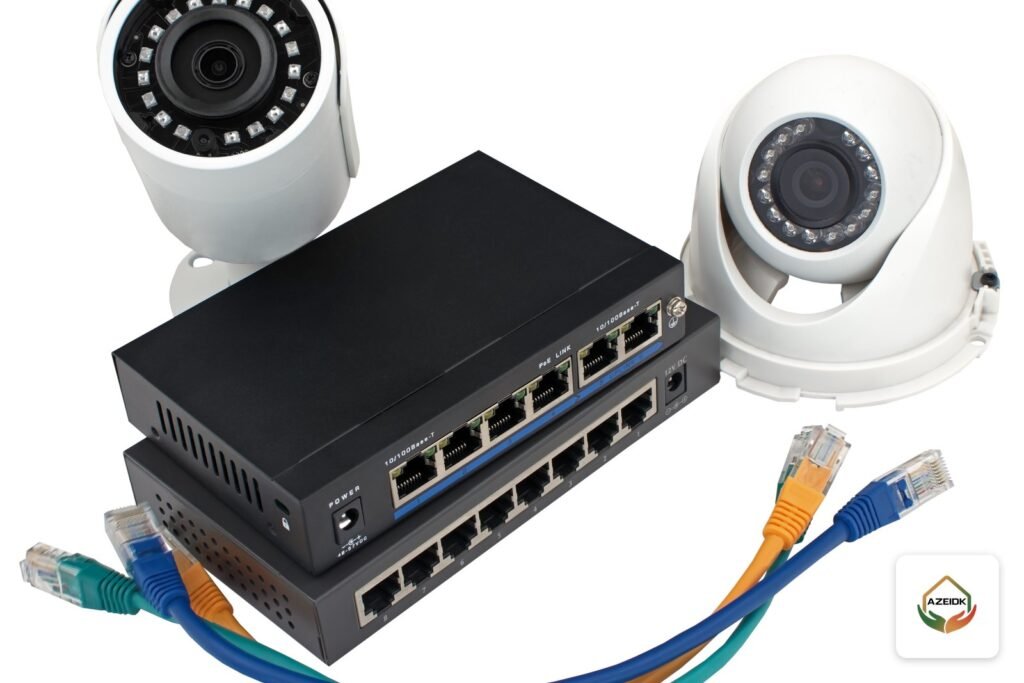
- Power: Is the phone on? Most IP phones are powered by the switch over PoE. IEEE 802.3af delivers up to 15.4 W per port at the switch and guarantees 12.95 W at the device, while 802.3at delivers up to 30 W. Adding cameras or access points to the same switch can exceed the total power budget and shut down some ports.
- Network: Did the phone get a correct IP address on the voice VLAN? A wrong VLAN on the switch port puts the phone on a network where it cannot reach the PBX.
- Account: Extension number, password and PBX address. A 401 or 403 response usually means wrong credentials, or that the PBX has blocked the phone’s address after repeated failed attempts.
- Remote phones: For home workers and branches, Yeastar documents a case where the PBX sends OPTIONS keep-alive messages, the router blocks them, and after three unanswered attempts the PBX marks the phone unregistered. The permanent fix is in the router settings.
PBX security is part of maintenance
A PBX exposed to the internet is a constant target for intrusion and toll fraud. The Yeastar P-Series security guide recommends, among other steps:
- Avoiding port forwarding and using the manufacturer’s remote access service instead.
- Enabling Auto Defense rules that block addresses sending excessive packets within a short period.
- Restricting access to trusted countries or addresses and blocking untrusted access to the web interface.
Add to that changing default passwords and reviewing outbound call records for unusual international calls.
Does a PBX need routine maintenance?
Yes. The table below is a good-practice preventive programme we suggest, not a regulatory requirement. Adjust it to the site and the manufacturer’s instructions.
| Item | Action | Suggested interval |
|---|---|---|
| Backup | Store a copy of the PBX configuration off the device and confirm it can be restored | Monthly and after every change |
| Firmware | Review manufacturer releases and apply security updates after a backup | Quarterly |
| Security logs | Review blocked addresses and failed logins | Monthly |
| Trunks | Test every external line, inbound and outbound | Quarterly |
| UPS | Check batteries and actual runtime for the PBX and switches | Every six months |
| Phones and ports | Check unregistered phones, faulty ports and analog devices | Quarterly |
The PBX can be included in preventive maintenance contracts together with the building’s other low current systems.
When should an old PBX be replaced?
Repair is not always the cheaper option. Upgrading or replacing makes sense when:
- The manufacturer no longer releases firmware or security updates for the model.
- Spare parts and port modules are unavailable or slow to source.
- The PBX cannot support the SIP trunks or IP phones the business needs.
- Extensions or concurrent calls have reached the unit’s limit with no expansion licences available.
When replacing, cabling and analog devices can sometimes be kept through FXS ports or analog adapters. To compare available systems, see IP PBX and IP phone brands in Saudi Arabia, including Yeastar, Grandstream and Fanvil.
Common PBX maintenance mistakes
- Rebooting the PBX for every fault without logging the symptom and time, which erases the trail.
- Updating firmware without a configuration backup.
- Changing the router or internet provider without reviewing SIP ALG and port forwarding, so one-way audio appears the next day.
- Adding cameras to the phone switch without checking the PoE budget.
- Leaving the PBX web interface open to the internet with the default password.
- No up-to-date record of extensions, ports and outlets, which makes every repair slower.
What drives PBX maintenance cost, and what should the quotation include?
There is no fixed price, because cost follows the size and condition of the system. The main factors:
- PBX type and the number of extensions and external lines.
- Number and type of phones, and any analog devices or DECT handsets.
- Whether the network, switches and UPS are in scope or only the PBX.
- Required response time, and remote support versus site visits.
- Whether spare parts are included or charged separately.
A written maintenance quotation should state the covered equipment by name and model, the number and content of preventive visits, fault response time, how faults are reported, how spare parts and licences are handled, firmware updates, and the report delivered after each visit.
Frequently asked questions
Why does the audio cut out on our PBX?
Choppy audio is usually network congestion without voice priority (QoS). One-way audio is usually caused by NAT settings, SIP ALG on the router or RTP port forwarding.
Why won’t our IP phones register?
Check power (PoE) first, then the IP address and voice VLAN, then the extension and password. The PBX may also block a phone’s address after repeated failed logins.
Does a PBX need routine maintenance?
Yes. Routine work covers configuration backups, firmware updates, security log reviews, trunk tests and UPS battery checks.
When should an old PBX be replaced?
When security updates stop, spare parts disappear, the unit cannot support SIP trunks and IP phones, or it reaches its capacity with no expansion path.
Does an IP PBX need a strong network?
It needs a stable network more than a fast one: a separate voice VLAN, voice priority and low delay. ITU-T recommends one-way delay below 150 ms.
Can new lines be added to the PBX later?
That depends on the model, its capacity, licences and available port modules. Check the datasheet before ordering lines.
What determines PBX maintenance cost?
The number of extensions, lines and phones, whether the network and UPS are in scope, the required response time, and how spare parts are charged.
Summary
Good PBX maintenance starts by defining the scope of the fault, then checking the responsible layer: the line, the router, the switch, the phone or the PBX itself. With regular backups, security updates and an up-to-date system record, faults become rarer and repairs faster.
Dropped lines or voice problems on your PBX? Send us the PBX type, number of extensions and a description of the fault, and we will agree the checks and the right maintenance scope with you. Contact the AZEIDK team