

The safe way to stop a fire alarm does not start at the panel button. It starts with confirming there is no fire: follow the evacuation procedure first, then an authorised person reads the panel display, checks the location on site, and only then presses Silence to stop the bells, followed by Reset once the cause is cleared. Switching off the panel’s power or removing detectors to stop the noise is never acceptable.
This article explains the difference between acknowledge, silence, reset and disable, why an alarm comes back after a reset, and how a facility should handle repeated false alarms. If alarms keep repeating or fault messages will not clear, that is a job for corrective maintenance and technical support, not for the security guard.
Key takeaways
- Do not silence the alarm before confirming there is no fire and starting evacuation under the emergency plan.
- Silence stops the bells and sounders only. The alarm stays registered on the panel until it is reset.
- Reset returns the panel to normal. If the cause is still present, the alarm returns at once.
- On Context Plus CFP conventional panels, Silence and Reset sit at access level 2 (authorised user), entered by code or keyswitch; XFP addressable panels use the same three-level structure.
- Cutting power, removing a detector or disabling a zone without a formal procedure leaves the building unprotected.
In this article
- How to stop a fire alarm, step by step
- Silence vs Reset on a fire alarm panel
- How do I silence the fire alarm bell without disabling protection?
- Why does the alarm come back after a reset?
- Repeated false alarms: when to handle it yourself and when to call maintenance
- How do I know the fire alarm system is not working?
- How is a fire alarm tested without disrupting the building?
- Can the fire alarm panel be switched off during maintenance?
- Common mistakes when silencing an alarm
- Frequently asked questions
- Conclusion
How to stop a fire alarm, step by step
The order matters more than how fast you reach the buttons. These are general steps that apply to most panels; the exact operation of each model is in the operating manual supplied with the panel.
- Treat the alarm as a real fire. Start evacuation under the facility’s emergency plan and do not wait for confirmation.
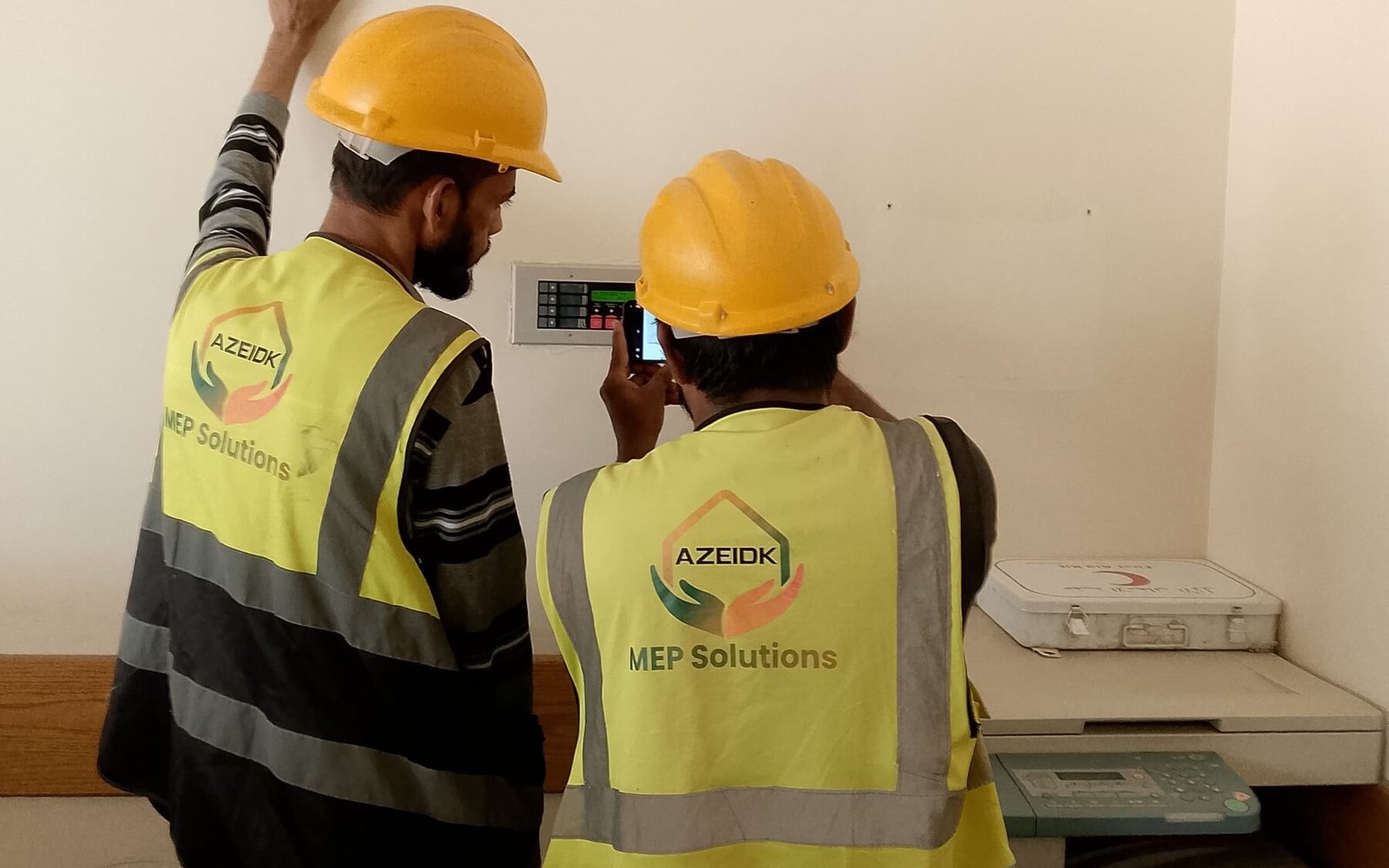
- Read the panel. An addressable panel shows the device address and location text; a conventional panel lights the indicator of the zone in alarm.
- Check the location. A trained person goes to the indicated area and looks for smoke, heat or an operated manual call point, without entering any smoke-filled space.
- If there is a fire: call Civil Defense on 998 or the unified security operations number 911, and leave the system running.
- If there is confirmed to be no fire: the authorised person enters the required access level and presses Silence.
- Clear the cause. Cooking smoke, construction dust, steam, or a call point that needs its glass or resettable element restored.
- Reset and watch the panel until it settles in normal condition, then record the event in the fire safety log.
If the alarm returns straight after a reset, do not keep pressing Reset. Silence again and call a maintenance technician.
Silence vs Reset on a fire alarm panel
Most panels offer four functions that people often confuse. Knowing the difference prevents the most common mistake: assuming that a silenced bell means the alarm is over.
| Function | What it does | What remains | Usually performed by |
|---|---|---|---|
| Mute internal buzzer (Mute / Acknowledge) | Stops the buzzer inside the panel and confirms someone has seen the event | Building sounders keep running; the event stays on the display | Any user at access level 1 |
| Silence | Stops the bells and sounders in the building | The alarm condition and its indicators until reset | Authorised user |
| Reset | Clears the alarm condition and returns detectors and circuits to normal | The event log in panel memory | Authorised user, after the cause is removed |
| Disable | Stops a zone, device or output from responding at all | A disablement indicator; the area is unprotected | Authorised user or engineer, under a documented maintenance procedure |
An example from the Context Plus panels supplied by AZEIDK: the datasheet for the CFP conventional panels places “mute internal sounder” at access level 1, while silencing alarm sounders, resetting the system and disabling zones and sounders sit at access level 2 for the authorised user, entered by keypad code or keyswitch. Programming functions belong to the engineer at level 3, including whether sounders resound (or not) when a new zone enters alarm. The XFP addressable panels have three access levels (general, authorised user, engineer), with levels 2 and 3 entered by keypad code or keyswitch, and Silence, Reset and Resound controls and a Silenced indicator. The level each button needs on a given panel is set out in its operating manual. We do not publish access codes or key sequences here: they depend on the model and its programming and are handed to the authorised person with the operating manual.
How do I silence the fire alarm bell without disabling protection?
Silencing should be temporary and controlled. NFPA 72 is the technical reference designers use in Saudi Arabia alongside the SBC 801 Saudi Fire Code and Civil Defense requirements. According to published technical articles quoting earlier editions, its silencing rules rest on three principles: the silencing means is protected against unauthorised use, the panel clearly indicates it is silenced, and a new alarm from another device or zone reactivates the sounders. What governs a given project is the edition adopted in the design and the approved panel programming, so after silencing, make sure the sounders will come back on a new alarm. A correctly silenced system is not a deaf one.
The shortcuts some people take to stop the noise are, in practice, disabling the system:
- Switching off the panel’s mains breaker: the panel moves to batteries and stays in alarm, then the batteries drain and the building has no system.
- Pulling a detector off its base: on a conventional system the whole zone reports a fault; on an addressable system that location loses protection.
- Disconnecting sounder wiring or covering a sounder: nobody will hear the next alarm if it is real.
- Disabling a whole zone because one detector is a nuisance.
Why does the alarm come back after a reset?
Reset fixes nothing; it only makes the panel read the devices again. If the cause is still there, the panel returns to alarm within seconds. The usual reasons:
- Smoke, dust or steam still inside the detector chamber. Ventilating the area and waiting for clear air before resetting solves many cases.
- A manual call point still operated because the glass is broken or the element has not been restored with its key.
- A dirty or ageing detector that reads high constantly. Cleaning it, or replacing it with a model compatible with the panel, is technical work.
- A signal from another system such as a sprinkler flow switch or an input module linked to a suppression system, where the alarm reflects a real condition in that system.
- A wiring problem or moisture in a junction box, often accompanied by fault messages.
We cover fault messages in detail in Fire Alarm Panel Faults, and the causes of false alarms and how to reduce them in Fire Alarm False Alarms.
Repeated false alarms: when to handle it yourself and when to call maintenance
Stopping an alarm after an event with an obvious cause, such as kitchen smoke, is work for a trained responsible person. A false alarm that keeps coming from the same device or zone points to a defect that needs a technician. Call maintenance if:
- The same address goes into alarm more than once with no visible cause.
- The alarm returns immediately after a reset in clean air.
- Fault or disablement messages appear that you cannot explain.
- You do not have the level 2 code or key, or nobody in the facility knows how to enter it.
- The sounders do not operate during a test, or cannot be heard in some areas.
Frequent false alarms are more dangerous than they are annoying, because they teach people to ignore the bell. The fix lies in the cause: the right detector type for the space, its position and cleanliness, and delay or verification programming where the approved design allows it.
How do I know the fire alarm system is not working?
A healthy panel normally shows only its power-on indication with no messages. Signs that need attention:
- A Fault or Disablement indicator lit continuously.
- The internal buzzer sounding intermittently.
- A blank display or an unlit mains power indicator.
- A battery or charger message.
- Detectors flashing a colour different from normal for that system, as described in the device manual.
These signs do not necessarily mean the whole system is down, but part of it may fail to detect a fire or warn occupants. For how the components fit together, see Fire Alarm Devices: Components and How They Work.
How is a fire alarm tested without disrupting the building?
Periodic testing is technical work carried out within a maintenance programme, with occupants or staff told in advance. The technician typically operates a detector or call point in each zone, confirms the signal reaches the panel, checks the sounders and strobes, then resets and records the result. Where the panel is linked to lifts, HVAC or door locks, the test is coordinated so those systems are not affected by accident.
Sounder types and required sound levels are a separate subject, covered in Fire Alarm Bells, Sounders and Strobes.
Can the fire alarm panel be switched off during maintenance?
The system is never shut down on one person’s decision. When part of it must be taken out of service for maintenance, fit-out or hot work, use the disable function for the specific zone or device only, for the shortest possible time, and with the facility’s safety officer informed. Any disabled part is treated as a system impairment that calls for alternative measures, such as direct watch of the area, and it is re-enabled with the disablement indicator confirmed clear before the technician leaves. The designer, the approving authority and Civil Defense requirements determine what applies in each case.
Common mistakes when silencing an alarm
- Silencing before finding the source, then forgetting the event on the display.
- Pressing Reset repeatedly instead of finding the cause.
- Leaving the key in the panel or writing the access code on its door, which opens level 2 to everyone.
- Leaving a zone disabled after the work there is finished.
- Not logging false alarms, so the pattern that points to the faulty device is lost.
- Training only one person on the panel, so response is delayed when that person is absent.
Frequently asked questions
How do I stop the fire alarm bell?
Once there is confirmed to be no fire and evacuation has started, the authorised person enters the code or key, presses Silence, clears the cause and then resets.
What is the difference between Silence and Reset?
Silence stops the sounders but keeps the alarm shown on the panel. Reset clears the alarm condition and returns the system to normal.
Can I just switch off the panel’s power?
No. The panel runs on standby batteries, and cutting power disables protection without solving the cause.
Why does the alarm return after a reset?
Because the cause is still there: smoke that has not cleared, a call point not restored, a dirty detector or a signal from a linked system. A technical check is needed.
I do not have the panel code. What should I do?
Contact the installer or your maintenance contractor. The code and key are handed to the authorised person with the handover documents.
Does silencing stop the alarm permanently?
No. The alarm stays on the panel until reset, and in systems designed and programmed to the recognised references a new alarm from another zone reactivates the sounders even when silenced.
Conclusion
Silence is a tool for managing the situation after verification, not a way to end the alarm. The right order is evacuate, identify the source, check on site, silence by an authorised person, clear the cause, reset and log the event. Anything beyond that, from repeated alarms to faults that will not clear, needs a technician who knows the panel and its programming.
Alarms repeating in your facility, or a panel showing messages you cannot read? Send us the panel type, a photo of the display and the location of the device involved, and our technical team will advise the next step. Contact the AZEIDK team
AZEIDK supplies, installs and maintains fire alarm systems in Saudi Arabia.
Related guides
- Fire Extinguisher Sizes: 6 kg, 2, 9 or 12 kg, and How to Choose by Space and Hazard
- Ansul R-102 or American Fire Control for Kitchen Fire Suppression: A Practical Comparison for Restaurants in Saudi Arabia
- Fire Protection Shop Drawings: Content and Approval
- Fire and Security Project Certificates in Saudi Arabia: SABER, UL/FM, LPCB and Local Content