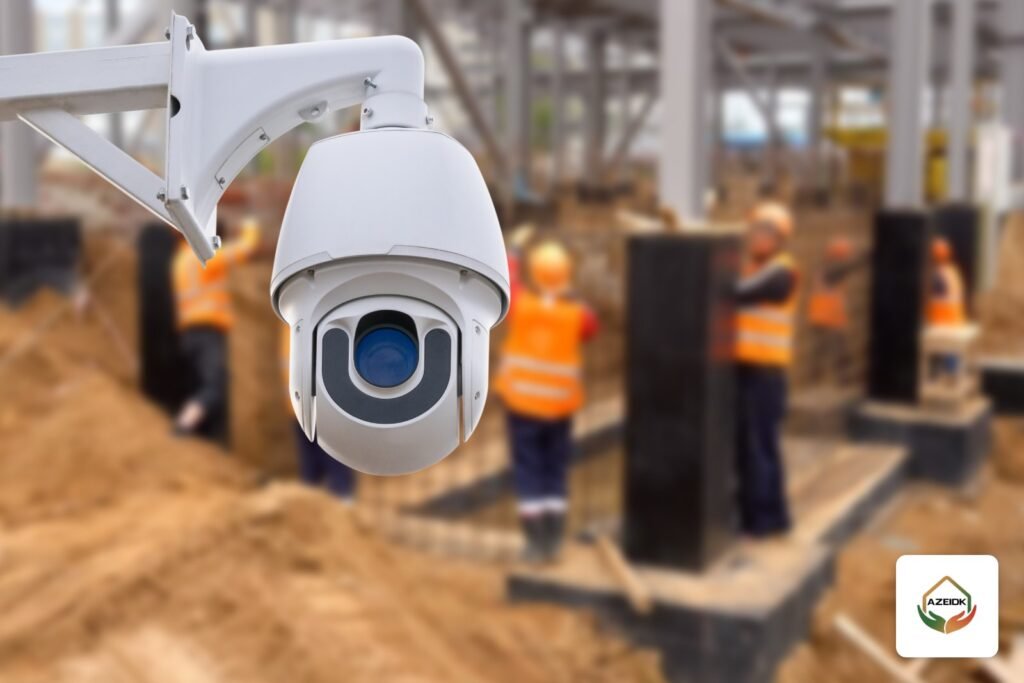
Construction site CCTV is a temporary system covering the site gate, material store, equipment yard and hoarding, powered from the site’s temporary supply or from solar, and sending video over a 4G SIM or a wireless bridge to the site office or the manager’s phone. Its first job is protecting plant and materials at night; its second is following progress without visiting the site every day. It is designed as part of security and surveillance systems so it can move with the project phases.
Key takeaways
- Start from what you are protecting: gate, store, equipment yard, hoarding. Then choose a camera for each point.
- Power decides the design: a fixed camera drawing 9–12 W is very different from a PTZ camera drawing up to 60 W.
- A 4G router suits remote viewing; a wireless bridge links the edges of the site to the office without long cable runs.
- Human and vehicle classification cuts night-time false alarms from cats, dust and trees.
- Audio recording needs approval from the competent authority, and privacy masking is required for some cameras that overlook areas beyond the site, under the Implementing Regulations of the Security Surveillance Cameras Law.
In this article
- What does construction site CCTV protect?
- Powering site cameras: temporary supply, generator or solar?
- Getting the video out: 4G SIM, wireless bridge or cable?
- Protecting plant at night: smart detection and alarms
- Following progress from the project office
- The Security Surveillance Cameras Law: audio and privacy on site
- Moving the system between phases and handing over
- Common construction site CCTV mistakes
- Frequently asked questions
- Conclusion
What does construction site CCTV protect?
A construction site changes every week: temporary hoarding, a gate that moves, materials arriving and being installed, plant moving from one side to the other. So do not start with a camera count. Start with the points that really need protection, and what you need to see at each one:
| Point | What you need to see | Suitable camera |
|---|---|---|
| Site gate | Faces of people entering, truck plates, entry and exit times | Fixed camera with a fairly narrow lens, angled along the vehicle path |
| Material and cable store | The door and anyone approaching after hours | Fixed camera with line crossing or region entrance detection |
| Equipment yard | People and vehicles moving around plant at night | Camera with long-range infrared |
| Temporary hoarding | Anyone crossing from outside the site | Fixed cameras in sequence along the hoarding, with intrusion alarm |
| Whole site | Progress and incident review | PTZ or panoramic camera on a high point |
How to work out viewing distance and camera count for each point is covered in our CCTV coverage guide, so we will not repeat it here.
Powering site cameras: temporary supply, generator or solar?
Most sites have a temporary distribution board or a generator, but the generator is often switched off after working hours, which is exactly when the cameras matter. So the first question is: is there a supply that runs 24 hours?
- Permanent temporary supply: the simplest option. Cameras are fed from a PoE switch in a small enclosure protected from dust and rain, with a UPS to ride through short outages. Our PoE switch and power budget guide shows the calculation.
- Generator during working hours only: needs batteries that cover the whole night, or the cameras will stop at the wrong time.
- Solar: suits points far from the distribution board. Size the panel and battery on the overnight load of the camera and the communication device, leave a margin for dusty days, and clean the panel regularly because dust cuts charging. For a comparison of solar and battery cameras themselves, see solar powered CCTV cameras and battery cameras.
Power draw settles the choice. According to its datasheet, the fixed Hikvision DS-2CD2T46G2-2I/4I draws up to 9 W (-2I) or 12 W (-4I) over PoE. A PTZ camera such as the Hikvision DS-2SF8C442MXG-ELW/26 draws up to 60 W on 36 V DC or Hi-PoE. So keep PTZ cameras where there is stable power, and use low-consumption fixed cameras at the edges.
We do not name specific solar models or cameras with built-in 4G here, because they are not on AZEIDK’s current product pages. The criteria below apply whichever solution you choose.
Getting the video out: 4G SIM, wireless bridge or cable?
Recording can happen on site, on an NVR or on the camera’s memory card. Remote viewing needs a link, and there are three options:
| Option | When it fits | Watch out for |
|---|---|---|
| 4G router with SIM | Sites with no fixed internet that need phone viewing and alerts | Upload speed is limited: view on the sub-stream, record full resolution locally, and watch data usage |
| Wireless bridge | Linking a remote gate or camera mast to the site office | Needs clear line of sight between both ends, which changes as buildings rise and cranes go up |
| Network cable or fibre | Short distances and routes that will not change | Easily cut during excavation and plant movement, and must be re-run at each phase |
One wireless bridge in AZEIDK’s range is the Hikvision DS-3WF02C-5AC, a 5 GHz outdoor bridge whose datasheet gives a range of up to 5 km and an 867 Mbps air rate. What matters for design is that real throughput falls with distance: 230 Mbps at 0.5 km, 200 Mbps at 1 km and 40 Mbps at 5 km. It draws only 4.5 W from 12 V passive PoE and is rated IP55, so a small supply can run it.
Bit rate per camera and the number of retention days set the NVR disk size. You can estimate it with our NVR storage and bandwidth calculation guide.
Protecting plant at night: smart detection and alarms
A camera that only records helps you after the theft. A camera that alerts you when someone walks into the equipment yard at 2 a.m. gives you a chance to act. The usual problem on site is that basic motion detection fires hundreds of alerts from dust, cats and headlights, and the person responsible stops looking at them.
That is why site cameras should be ones that tell people and vehicles apart from other movement. According to its datasheet, the DS-2CD2T46G2-2I/4I classifies humans and vehicles using deep learning and supports line crossing, intrusion and region entrance/exit detection, with infrared up to 60 m (-2I) or 80 m (-4I) and IP67 protection. The Hikvision DS-7608NXI-K1/8P (B) NVR records eight IP cameras, supports perimeter protection with human and vehicle recognition, and has eight PoE ports and one drive bay of up to 10 TB.
You can add an alarm layer independent of the cameras. The Ajax Superior Hub Hybrid (4G) panel communicates over Ethernet and two SIM cards on 2G/3G/LTE, supports photo verification, and runs on a backup battery bought separately. Lighting matters as much as the camera: a floodlight on the gate and the equipment yard improves the image and deters before anything happens. Our night vision CCTV guide compares low-light technologies.
Following progress from the project office
The owner, consultant and project manager want to see the whole site, not just the gate. The usual answer is a camera on a high point that moves as work progresses. According to its datasheet, the DS-2SF8C442MXG-ELW/26 TandemVu camera combines a 190° panoramic channel with a PTZ channel offering 42x optical zoom, a 6–252 mm lens and infrared up to 300 m. You see the whole site in one image and can zoom into a specific point without losing the overview.
To follow progress consistently, agree with the team on a saved snapshot from the same angle at the same time every week, and attach it to the progress report. That gives you a visual record of the works to refer to during claims or disputes over milestones.
The Security Surveillance Cameras Law: audio and privacy on site
The Law on the Use of Security Surveillance Cameras was issued by Royal Decree No. (M/34) dated 7/3/1444H, and its Implementing Regulations by Minister of Interior Decision No. (22688). The regulations set out which entities are covered and which locations must be covered, so first confirm whether the site, or the facility being built, falls under them. Either way, some rules apply directly to site cameras:
- Audio: audio recording may only be enabled with the Directorate’s approval. Some outdoor cameras, such as the Hikvision DS-2CFW02, have a built-in microphone and speaker for two-way audio, so disable audio during programming and record that you did.
- Privacy mask: required for pan-tilt-zoom cameras, outdoor rooftop cameras whose view extends beyond the site boundary, and cameras with zoom beyond 150 m. A PTZ camera on a high point on a construction site usually falls into these cases.
- Recordings: handed over only on an official request from the enforcement authorities, so do not share site footage on messaging groups.
The law and its regulations are covered in detail in our article on the Security Surveillance Cameras Law and facility obligations.
Moving the system between phases and handing over
A temporary system should be designed to come apart and go back up. Mount cameras on movable poles or bases, make the network and power enclosure a single unit that can be lifted, and name each camera after its location on the drawing, not just a number. When the building is complete, the site moves from a temporary system to a permanent one designed for the building itself, and some cameras can be reused if that was planned from the start.
Before installing the temporary system, AZEIDK’s technical site inspection and assessment fixes mounting points, power sources and line of sight for the wireless bridge. After commissioning, the system needs regular attention, because dust, vibration and excavation damage cameras and cables, which is where a CCTV maintenance contract helps.
Common construction site CCTV mistakes
- Cameras fed only from the generator, so they go dark after hours.
- A high-draw PTZ camera at a remote point with no stable power.
- Basic motion detection sending hundreds of alerts that everyone ignores.
- A wireless bridge that lost line of sight once the building rose or a crane went up.
- Remote viewing at full resolution over a 4G SIM, so the data allowance runs out in days.
- A camera overlooking neighbouring buildings without a privacy mask, or with audio enabled without approval.
Frequently asked questions
How many cameras does a construction site need?
There is no fixed number. Work from the points: one or two cameras for the gate, one per store, cameras for the equipment yard and hoarding according to length and viewing distance, then a high camera for the whole site if you need it.
Does construction site CCTV work without internet?
Yes, it records locally on the NVR or memory card. But you will not see the site remotely or receive alerts without a link, such as a 4G router or a wireless bridge to a location with internet.
Is solar enough to run site cameras at night?
It is enough for low-consumption cameras if the panel and battery are sized for the full night with a dust margin, and the panel is cleaned regularly. High-draw PTZ cameras need stable power.
How do I reduce false alarms on site?
Use cameras and recorders that classify humans and vehicles, draw detection zones on the yard and hoarding only, and add fixed night lighting. Review alerts in the first week to tune sensitivity.
Can site cameras record audio?
Under the Implementing Regulations of the Security Surveillance Cameras Law, audio recording may only be enabled with the Directorate’s approval. Disable audio during programming on cameras that support it.
What happens to the cameras when the project ends?
They are removed and moved to another project, or some are reused in the building’s permanent system if that was planned in the design. The permanent system is designed around the finished building’s use and requirements.
Conclusion
Construction site CCTV works when you start from the points you are protecting, then choose the right power and link for each. Low-consumption fixed cameras with smart detection at the edges, a high camera for progress where stable power exists, and a system that moves with the phases and respects the audio and privacy rules.
Starting a new project and need site surveillance? Send the site plan and the available power sources, and the AZEIDK team will propose camera positions and the link design. Talk to the AZEIDK team
Related guides
- Fire Alarm Maintenance: Periodic Inspection and Testing Under NFPA 72 and SBC 801
- Fire Alarm Cause and Effect Matrix: How to Build, Program and Test It
- Sprinkler Hydraulic Calculations: Concept, Inputs and How to Review Them
- CCTV Cameras for Schools in Saudi Arabia: Placement, Privacy and Recording Retention