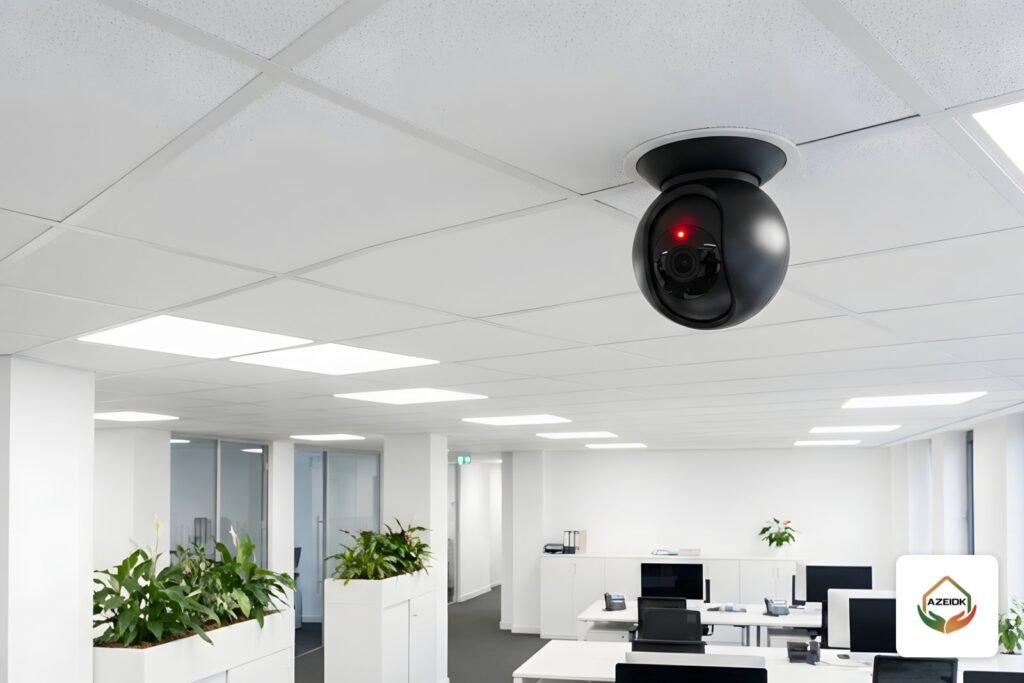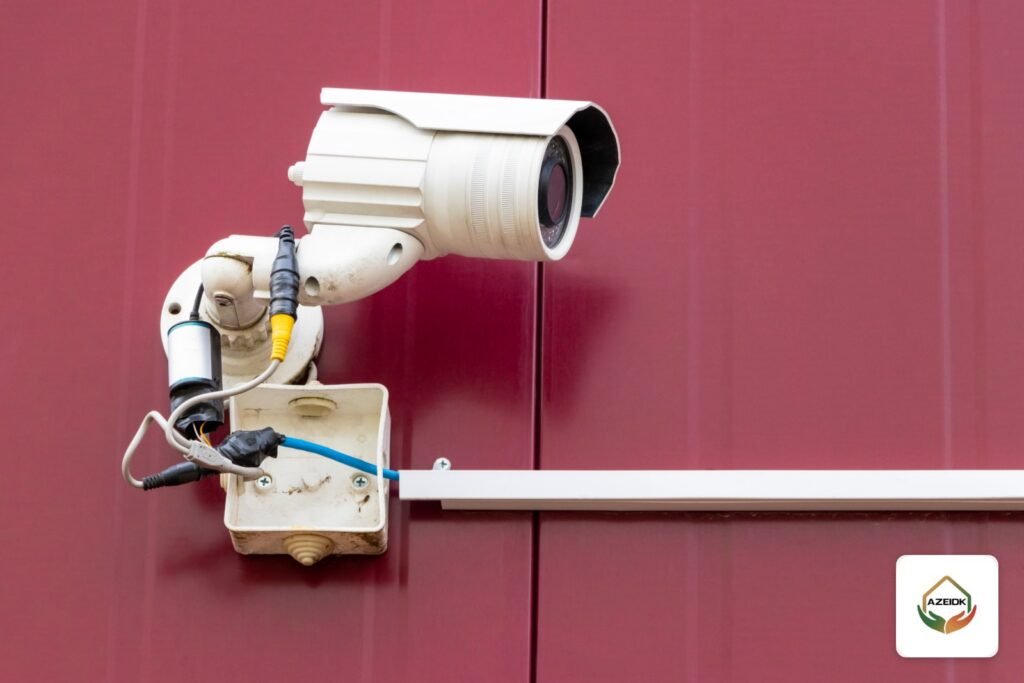
A CCTV camera bracket fixes the camera to a wall, ceiling or pole and sets its viewing angle. It usually works with a junction box that hides the connectors and keeps water and dust off them. The wrong bracket gives you a camera that shakes in the wind, an exposed network plug that fails after the first rainy season, or an angle that misses the entrance. This guide explains which mount suits bullet, dome, turret and PTZ cameras, when a junction box is needed, and when an outdoor housing makes sense, with examples from the official Hikvision and Dahua accessory catalogues.
Key takeaways
- Choose the bracket by camera form factor, weight and mounting surface: wall, ceiling, corner or pole.
- A junction box matched to the camera model brings the connectors inside instead of leaving them exposed behind the camera.
- Every manufacturer publishes an accessory compatibility list; pick the bracket from that list, not by appearance.
- An outdoor housing is mainly for box cameras, which are not weatherproof on their own.
- PTZ cameras need their own dedicated mounts because of their weight and movement.
In this article
- What is a CCTV camera bracket, and why is the built-in base not always enough?
- Types of CCTV mounts by location
- How to choose the mount by camera type
- Junction boxes: why almost every outdoor camera needs one
- When do you need a CCTV camera housing?
- CCTV camera bracket on a pole: what decides the choice?
- Common bracket installation mistakes
- How to order brackets and accessories with the cameras
- Frequently asked questions
- Conclusion
What is a CCTV camera bracket, and why is the built-in base not always enough?
Most cameras come with an integrated base for flat surfaces. Indoors that is often enough, but it does not solve three common site problems:
- Location: the camera has to go on a pole, an external corner, under a suspended ceiling, or away from the wall to clear a projection or a sign.
- Connectors: the camera pigtail ends in an RJ45 plug, a power plug and sometimes audio and alarm leads. Without a box they sit behind the camera, exposed to water, sun and tampering.
- Weight and movement: PTZ cameras and large long-lens cameras are heavier and need a mount with a load rating stated by the manufacturer.
So the bracket is decided at design stage alongside the camera model, as part of the security and surveillance system design, not on installation day.
Types of CCTV mounts by location
| Type | Typical use | Notes |
|---|---|---|
| Wall mount bracket (wall stand) | Facades, external walkways, inner side of perimeter walls | Holds the camera away from the wall and gives dome and turret cameras a wider tilt range |
| Ceiling mount | Covered entrances, covered car parks, halls | Pendant versions on a pipe bring the camera down below high ceilings |
| Corner mount | External building corners | Fits the corner and is usually combined with a wall mount |
| Pole mount | Poles in car parks, yards and along fences | Clamps around the pole with metal straps; the manufacturer states the pole diameter range |
| Junction box | Between the camera and the surface or bracket | Holds the connectors and lifts the camera slightly off the surface |
| Outdoor housing (camera case / box) | Box cameras outdoors | Encloses the whole camera; some versions include a fan or heater |
How to choose the mount by camera type
Bullet cameras
A bullet has a jointed base for aiming and is usually fixed straight to the wall or onto a matching junction box. On a pole, a pole mount carries the junction box and then the camera. Its long body catches more wind than a dome, so tighten the joint screws firmly once the angle is set.
Dome and turret cameras
These are designed for ceilings. On a wall their tilt range is limited, so a wall bracket that hangs the camera downwards, as if it were on a ceiling, is the usual answer. One example of a wall bracket in the Hikvision catalogue is the DS-1272ZJ-110, listed on the Hikvision site as a wall mount; check it against the camera model in the manufacturer’s compatibility list before ordering.
PTZ cameras
A PTZ camera pans, tilts and zooms and is heavier than a fixed camera, so the manufacturer specifies dedicated wall, ceiling and pole mounts for each model. Never fit a PTZ to a fixed-camera bracket because it looks similar. For choosing the camera itself, see our guide to PTZ cameras from Dahua and Hikvision.
Box cameras
Box cameras are often sold without a lens or with a separate lens and are not weatherproof. Outdoors they need a housing, which then sits on a wall or pole bracket. Hikvision lists a separate Housing category on its website, including the DS-1331HZ series described as outdoor housings.
Junction boxes: why almost every outdoor camera needs one
A junction box is a round or square back box fitted between the camera and the wall. Its main job is to take the network and power connectors inside it instead of leaving them behind the camera. In Saudi conditions that means protection from direct sun, dust, rain and facade washing water, and from someone cutting or unplugging the cable.
Examples from the official catalogues:
- Dahua PFA130-E: a water-proof junction box that Dahua’s page lists as aluminium alloy, IP66, with a 3.0 kg load capacity.
- Dahua PFB302S: a wall mount bracket with an embedded junction box for hiding cables, aluminium alloy, IP66 and 4.0 kg load capacity according to the manufacturer’s page.
- Hikvision DS-1280ZJ-XS: a junction box whose datasheet states aluminium alloy construction.
The key point is that the junction box must match the camera base and its hole pattern. Dahua accessory pages refer to a “Camera Accessories Selection” list for compatible models, and Hikvision publishes similar compatibility lists. Write the junction box model next to the camera model in the bill of quantities from the start.
When do you need a CCTV camera housing?
People searching for a “CCTV camera box” or “camera case” usually mean one of two things: the junction box above, or an outdoor housing that encloses the whole camera. Modern outdoor bullet, dome and turret cameras normally carry their own water and dust rating and need no extra housing. A housing is needed in specific cases:
- A box camera installed outdoors.
- An indoor camera used in a dusty or humid area, such as parts of factories and warehouses, where the manufacturer allows it.
- A need for more tamper or impact protection than the camera body provides.
Compare the IP rating of the housing or camera. Under IEC 60529, second numeral 6 relates to the powerful water jet test and 7 to the temporary immersion test. For a fuller explanation of outdoor ratings, see our outdoor CCTV camera guide.
CCTV camera bracket on a pole: what decides the choice?
A pole mount clamps around the pole with metal straps, and each model covers a stated diameter range. For example, Dahua’s page for the PFA152-E describes an aluminium alloy pole mount with an SUS304 stainless steel hoop for poles of 80 to 150 mm diameter and a 3.0 kg load capacity. Hikvision lists its DS-1275ZJ series as vertical pole mounts. Measure the pole on site before ordering the mount. Choosing the pole itself, its height and its foundation is covered in a separate guide.
Common bracket installation mistakes
- Leaving the network plug behind the camera with no junction box, wrapped only in insulating tape.
- Mounting a dome flat on a wall so the wall edge or soffit appears in the image.
- Using a bracket rated below the weight of the camera and its accessories.
- Fixing into hollow block or plasterboard with the wrong anchors, so the mount loosens over time.
- Bringing the cable in from the top of the box so water runs towards the connector, instead of entering from below or through a sealed gland.
- Leaving unused cable entries in the junction box unsealed.
- Choosing a mount that leaves no room to open the camera cover or reach the memory card slot during maintenance.
These mistakes usually surface during CCTV maintenance as one camera that keeps dropping off the recorder, or an image that shakes in the wind.
How to order brackets and accessories with the cameras
The simplest method is a schedule that lists, for each camera, the model, mounting location (wall, ceiling, corner, pole), surface (concrete, block, steel, gypsum), approximate height, and indoor or outdoor use. From that schedule the bracket and junction box are selected using the manufacturer’s compatibility list and ordered through technical supply together with the cameras, then fitted as part of installation. In an existing building, a technical site survey confirms the mounting surfaces and cable routes before pricing.
Frequently asked questions
What is the difference between a camera bracket and a junction box?
The bracket sets the camera position and angle and holds it off the surface; the junction box houses and protects the connectors. Outdoors they are usually used together, and some models combine both in one piece.
Does any bracket fit any camera?
No. Each bracket has its own load rating and hole pattern, and the manufacturer publishes a camera-to-accessory compatibility list. Select from the list, not by looks.
Does an outdoor camera need a housing?
Modern outdoor cameras are already water and dust resistant and normally need no extra housing. Housings are mainly for box cameras or for extra protection the manufacturer allows.
Which wall mount suits a dome camera?
A wall bracket that hangs the dome downwards, with a matching junction box if it is outdoors. That gives the dome its full view without the wall showing in the image.
Can a PTZ camera go on a standard bracket?
It is not recommended. A PTZ is heavier and moves, and the manufacturer specifies dedicated mounts for each model.
How do I know which pole diameter a pole mount fits?
Measure the pole on site and compare it with the diameter range on the manufacturer’s page, such as 80 to 150 mm for the Dahua PFA152-E.
Conclusion
CCTV camera brackets and junction boxes belong in the design, not in a last-minute purchase. Record each camera’s location and surface, choose the bracket and junction box from the manufacturer’s compatibility list, and use an outdoor housing only when the camera really needs one. That keeps connectors dry and angles steady for years.
Planning Hikvision or Dahua cameras for a building or an outdoor site? Send the drawings with the number and locations of cameras, and our team will select the brackets and junction boxes that match each camera. Talk to the AZEIDK team
Related guides
- General Contracting for Factories and Warehouses in Saudi Arabia: Structure, MEP and Fire Systems Under One Contract
- Building Compliance Certificate on Balady: Civil Defense and Fire System Tests Before Occupancy
- Hood Safer in Saudi Arabia: Kitchen Hood Fire Suppression
- Smoke Detector Red Light: What Blinking or Steady LED Means, and Remote Indicators