ZYCOO is a brand of SIP-based communication and network audio equipment, and AZEIDK supplies its network intercoms, network speakers, IAS-L100 audio server, X10 paging gateway, FXS gateways for analog phones and network panic button in Saudi Arabia. Every one of these devices registers as a SIP extension on an existing IP PBX or on ZYCOO’s own audio server, so the entrance door station, the help point and the corridor speaker become part of the same phone system. This guide covers what each device does, how it connects to the PBX and when you need the audio server. The product list is on the ZYCOO brand page.
Key takeaways
- AZEIDK lists ten ZYCOO products: VI intercoms, IPS-C1, IPS-W1 and IPS-H1 speakers, the IAS-L100 server, X10 gateway, M100 console, SD260 and SD2140 amplifiers, G216 and G232 gateways and the PB-S11 panic button.
- VI intercoms, speakers and the panic button run on PoE, so one network cable per device is enough.
- The IAS-L100 registers up to 100 SIP devices and handles zoned paging, background music and scheduled announcements.
- G216 and G232 gateways connect 16 or 32 analog phones or fax machines to an IP PBX, which helps when upgrading a hotel or hospital phone system.
- The PBX itself can come from the brands on our IP telephony page, such as Yeastar and Grandstream, and the ZYCOO devices register on it.
In this article
- Where ZYCOO fits in a communication system
- ZYCOO VI network intercom
- Network paging: speakers and the IAS-L100 server
- Reusing old speakers: X10 gateway and network amplifiers
- Analog phones and the panic button
- Note: network paging is not a fire voice evacuation system
- What to check before designing a ZYCOO system
- How AZEIDK supports ZYCOO projects
- Frequently asked questions
- Conclusion
Where ZYCOO fits in a communication system
Any modern building has an IP PBX handling extensions, trunks and phones. ZYCOO adds the endpoints that are not desk phones: the door station at the entrance, the help point in the car park or lift lobby, speakers in corridors and yards, the panic button at the cashier and the old analog phones in hotel rooms. They all speak SIP, so they register on the PBX like any other extension.
In practice, reception answers the door station from a desk phone, a supervisor pages a group of speakers by dialling an extension, and pressing the panic button calls security directly. For the wider phone system, see IP telephone systems and network and communication systems.
| Device | Role | Power | Key datasheet points |
|---|---|---|---|
| VI-A05 / VI-D05 / VI-V05 | SIP intercom: audio, dual-button or video | PoE | 5 W speaker, 720p at 25 fps on VI-V05, flush or surface mount |
| IPS-C1 | Network ceiling speaker | PoE/PoE+ or 24 V | Class-D amplifier, up to 16 W, built-in microphone |
| IPS-W1 | Network wall speaker | PoE/PoE+ or 24 V | Up to 16 W, adjustable bracket, built-in microphone |
| IPS-H1 | Outdoor horn speaker | PoE/PoE+ or 24 V | IP66, 105 dB sensitivity, up to 20 W on 24 V |
| IAS-L100 | 1U central audio server | AC | Up to 100 SIP devices, 80 concurrent calls, 24 playlists |
| X10 | SIP paging gateway | PoE or 12 V | 2 × 10 W amplifier and line output to an existing amplifier |
| M100 | Paging microphone console | PoE or 12 V | 4.3-inch screen and fast keys for zones |
| SD260 / SD2140 | 1U network power amplifier | AC | 2 × 60 W or 2 × 140 W on 100/70 V lines, Dante support |
| G216 / G232 | FXS gateway | AC | 16 or 32 analog phone ports, 1U |
| PB-S11 | SIP panic button | PoE | Microphone and dry-contact output for a strobe or siren |
ZYCOO VI network intercom
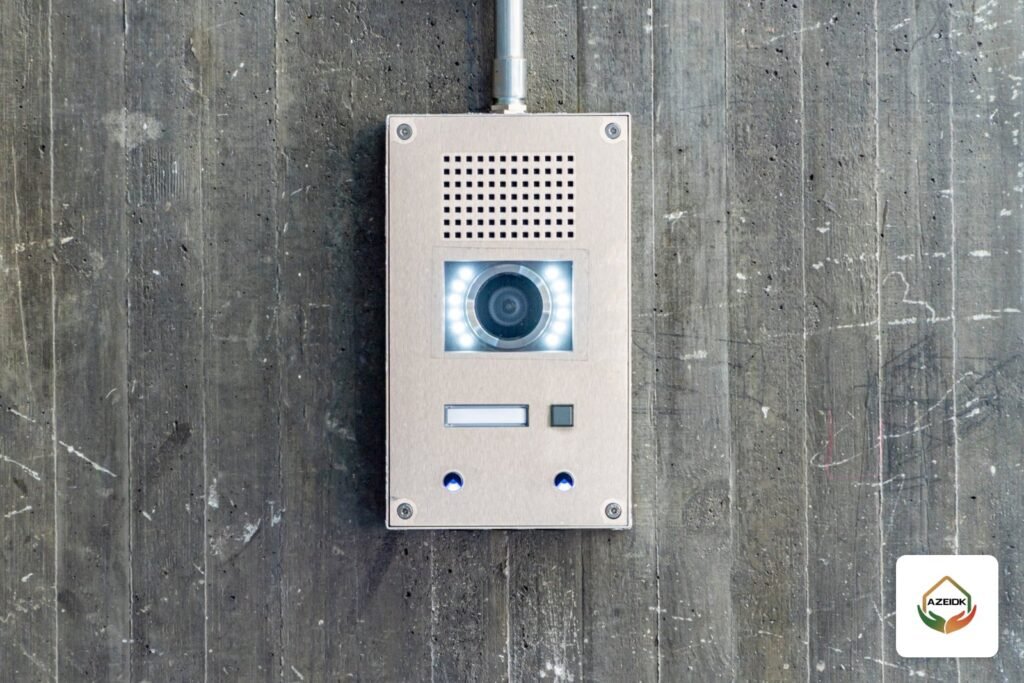
The VI series has three models in the same 114 × 114 × 40 mm housing: VI-A05 with audio and one button, VI-D05 with two buttons that can call different numbers, and VI-V05 with a 1280 × 720 camera at 25 fps. Power is PoE, the speaker is rated 5 W at 4 Ω, and units mount flush or on the wall surface.
Typical uses are door stations for offices and warehouses, help points in car parks, lift entrances and lobbies, and emergency call points in hospital and school corridors. Because the unit registers on the PBX, a call can ring reception first and roll over to the security room if nobody answers. That logic lives in the PBX settings, not in the intercom.
For residential compounds that need indoor monitors in each flat, a dedicated video intercom system is the better fit, under intercom systems. ZYCOO intercoms suit contact points in commercial and industrial buildings where staff answer on IP phones.
Network paging: speakers and the IAS-L100 server
There are two ways to run ZYCOO speakers. The first is to register each speaker on the PBX as an extension and use the PBX paging group feature to send audio to a set of speakers. That works for a limited number of speakers and live paging from a phone.
The second is to register the speakers on the IAS-L100 audio server, a 1U unit preloaded with ZYCOO’s IP Audio Center software. Per the datasheet, it registers up to 100 SIP devices and supports up to 80 concurrent calls, 80 simultaneous paging speakers and 24 playlists. The server pays off when you need:
- Scheduled announcements, such as school bells or shift changes in a factory.
- Background music in a hotel, restaurant or mall, interrupted by paging when needed.
- Zoning, with paging to one or more zones from an M100 console at reception or the security room.
Speakers come in three types: IPS-C1 for suspended ceilings in offices and hotels, IPS-W1 for walls in classrooms and corridors, and IPS-H1, rated IP66, for yards, loading areas and car parks. Each has its own amplifier and microphone and can drive one passive extension speaker of the same family through an RJ45 port. Output depends on the power source: 10 W on standard PoE and up to 16 W on PoE+, so the switch must support PoE+ if you want full output.
Reusing old speakers: X10 gateway and network amplifiers
Many buildings already have a PA system with 100 V speakers and analog amplifiers. Rather than replace it all, you can bring it onto the network in two ways:
- X10 gateway: receives SIP audio from the PBX or server and converts it to analog. It has a 2 × 10 W amplifier for a few speakers and a line output to feed an existing amplifier. It runs on PoE or 12 V and has a dry-contact output.
- SD260 and SD2140 network amplifiers: 1U Class-D amplifiers that take network paging directly and drive 100 V or 70 V lines. The SD260 is 2 × 60 W and the SD2140 is 2 × 140 W, and both channels can be bridged into one at double the power.
This approach suits mosques, halls and malls that want phone paging or scheduling without re-cabling the speakers.
Analog phones and the panic button
When a hotel or hospital moves to an IP PBX, hundreds of analog phones usually remain in the rooms with their copper cabling in place. The G216 and G232 gateways solve this: 16 or 32 FXS ports in a 1U unit, with RJ21 connectors to cable straight to the distribution frame. Each port registers on the new PBX as an extension, so the old handset keeps working. They also serve fax machines and analog door phones.
The PB-S11 is a small PoE panic button. Pressing it calls a set number on the PBX or the audio server; it has a microphone for talk-back and a dry-contact output to trigger a strobe or siren. Typical locations are cashier desks, reception, patient rooms and corridors.
Note: network paging is not a fire voice evacuation system
ZYCOO speakers and network paging are for operational communication and announcements. If the building needs a voice evacuation system under the code, that is a separate system with its own approval requirements, linked to the fire alarm panel, and network paging does not replace it. Both can run in the same building, each doing its own job.
What to check before designing a ZYCOO system
- PBX: confirm the existing or new PBX can take the extra extensions the ZYCOO devices need, and supports group paging if you plan to use it.
- Switches: calculate the PoE budget per switch and confirm PoE+ for speakers that need the higher output.
- Network: put audio devices on their own VLAN with voice priority so paging quality does not suffer from data traffic.
- Zones: define clear paging zones before ordering, since they decide the number and type of speakers and where the console goes.
- Environment: use the IP66 IPS-H1 outdoors; the published operating range of the IAS-L100 and the speakers is -20°C to 50°C.
How AZEIDK supports ZYCOO projects
We supply ZYCOO devices as part of low current systems and communication projects, install them and program them on the PBX, whether it is a Yeastar or Grandstream system or an existing SIP-capable PBX, and test paging and intercom with the site team before handover.
Frequently asked questions
Does AZEIDK supply the ZYCOO IP PBX itself?
The ZYCOO products currently listed by AZEIDK are intercoms, speakers, the audio server, gateways and the panic button. The PBX can come from Yeastar or Grandstream. If your specification names a ZYCOO PBX, contact us to confirm availability.
Do ZYCOO intercoms work with another brand of PBX?
They use SIP, so they register on any SIP-capable IP PBX. Video and door-release functions should be tested with the actual PBX and phones, because video support varies between systems.
When do I need the IAS-L100 audio server?
When you need scheduled announcements, background music or many paging zones. For live paging from a phone to a few speakers, the PBX alone may be enough.
How many speakers does the IAS-L100 support?
Per the datasheet, it registers up to 100 SIP devices and plays to up to 80 paging speakers at the same time.
Can we keep analog phones after moving to an IP PBX?
Yes, through FXS gateways such as the ZYCOO G216 and G232. Each port becomes an extension on the new PBX and the copper cabling stays as it is.
Is network paging enough for fire evacuation?
No. A code-required voice evacuation system is a separate system linked to the fire alarm panel with its own approvals. ZYCOO paging is for operational announcements.
Conclusion
ZYCOO devices complete an IP PBX with the contact points a building needs: intercoms at doors and help points, paging in corridors and yards, links to old phones and speakers, and panic buttons. Start with the zones, the PBX and the PoE budget, then choose the devices.
Want intercom and paging tied into your phone system? Send the drawings and the number of contact points and speakers, and our team will propose the design and devices. Talk to the AZEIDK team
Related guides
- General Contracting and MEP Works in Fire Projects: Scope and Coordination
- Mosque Speakers in Saudi Arabia: Indoor, Outdoor, Amplifier and Zoning
- Attendance Software for Fingerprint Devices: ZKBio Time and Hikvision Software, Reports, Shifts and Payroll Export
- Face Recognition CCTV Cameras: How They Work, Where They Fit and the Saudi Legal Limits