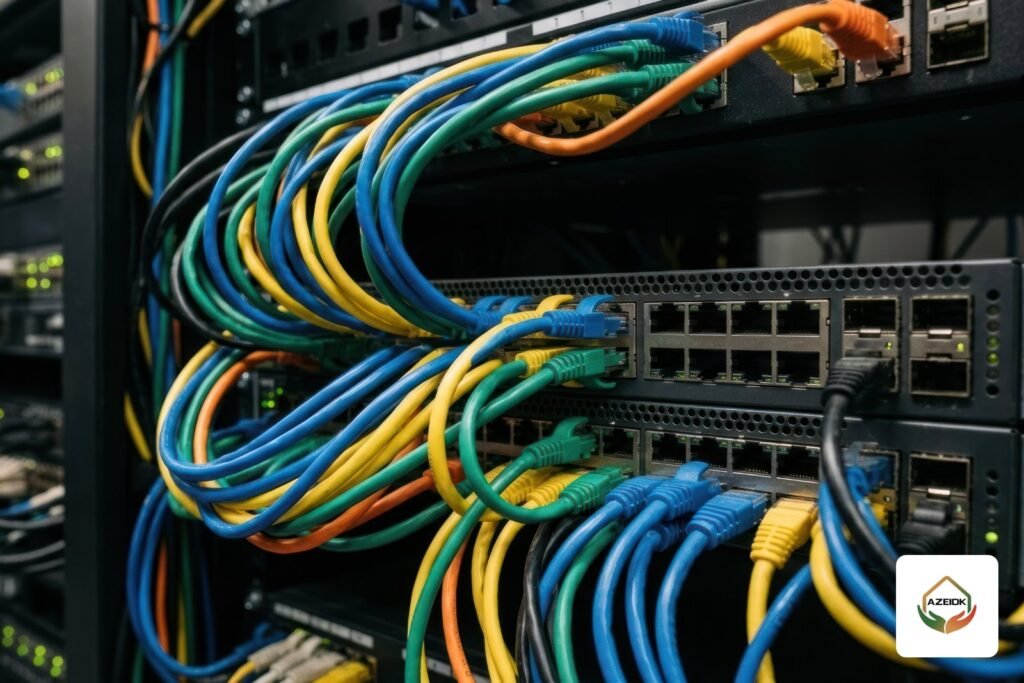
The term network switch covers everything from an 8-port desktop unit to the core switches in the main network room of a multi-storey building. The difference is not only the number of ports. It is how the switch is managed, whether it powers devices over the cable (PoE), whether it can route between networks (Layer 3), and how fast its uplinks are. The wrong type shows up after handover: cameras that drop, slow Wi-Fi, or a network that cannot be segmented.
Below we explain the types, then how to size ports and speed. The topic sits within AZEIDK’s network and communication systems scope, which covers supplying, installing, testing and maintaining switches as part of the network project. For a comparison of manufacturers, see network switch and Wi-Fi brands in Saudi Arabia; we will not repeat it here.
Key takeaways
- Short answer: for a home or small office on one flat network, an unmanaged switch is enough. If you need separate networks (VLANs) for cameras, guests or phones, choose a smart or managed switch. If routing between those VLANs should happen inside the building, put a Layer 3 switch at the core.
- PoE is a feature, not a separate type: 802.3af gives up to 15.4 W per port, 802.3at up to 30 W, and 802.3bt up to 60 or 90 W.
- Per-port power is not enough on its own. The switch’s total PoE budget decides how many devices can run at once.
- Count ports from the real device list, then add uplinks and spare capacity.
- 1 Gbps access ports suit most office devices. Higher speeds belong mainly on the uplinks between switches.
In this article
- What is a network switch, and how is it different from a router?
- Types by management: unmanaged, smart and managed
- Layer 2 vs Layer 3 switch: what is the difference?
- PoE switch: when you need one and how to read the numbers
- Other types you will see in quotations
- How many switch ports does your facility need?
- Port and uplink speed: 1, 2.5 or 10 Gbps?
- Common mistakes when buying a network switch
- Frequently asked questions
- Conclusion
What is a network switch, and how is it different from a router?
A switch connects devices inside the local network (PCs, printers, cameras, access points, IP phones, time attendance devices) and forwards data between them by each device’s MAC address. A router connects the local network to another network, usually the internet.
In a small office the router comes from the service provider with about four ports, so a switch is added for more ports. In larger buildings, switches are arranged in layers: access switches in each floor’s network room, where devices plug in, and a distribution or core switch in the main network room, where the floor uplinks meet. In mid-sized facilities the distribution and core layers are often combined in one switch.
Types by management: unmanaged, smart and managed
Unmanaged switch
Plug it in and it works, with no configuration. It does not support VLANs, traffic priority (QoS) or remote monitoring, so every device on it sits on one network. It suits homes, extra ports in a small office, and a camera system fully isolated from the office network.
Smart (web-managed) switch
Configured through a web page, it offers part of a managed switch’s features: basic VLANs, simple QoS and some port security. It is a middle ground for offices, clinics and shops that want a separate guest or camera network without a dedicated network team. One example is the Hikvision DS-3E1309P-EI supplied by AZEIDK; its product page describes it as a smart PoE switch with eight 10/100 ports and one gigabit uplink.
Managed switch
Fully configurable through a web interface or command line (CLI), including remotely. It supports VLANs, QoS, spanning tree (STP) to prevent loops, link aggregation, port mirroring for troubleshooting, SNMP monitoring, 802.1X device authentication and access control lists (ACLs). It is the natural choice for company networks with servers, Wi-Fi, IP phones and cameras, or for networks heading towards hundreds of devices.
Some managed switches are cloud-managed from one dashboard across several branches, such as Cisco Meraki; Meraki documentation states that its current products need a valid licence to operate. The Cisco families available are covered in Cisco switches in Saudi Arabia.
Layer 2 vs Layer 3 switch: what is the difference?
A Layer 2 switch forwards traffic within one network or within each VLAN, but it does not pass traffic from one VLAN to another. If you split the building into staff, camera and guest networks, you need a device that routes between them when required.
A Layer 3 switch combines switching and routing. Each VLAN has an interface on the switch that acts as the default gateway for its devices, so traffic between networks is routed inside the switch instead of going to the router or firewall. That is why it usually sits at the core, while access switches stay Layer 2. Some models support dynamic routing protocols such as OSPF, which matters in residential compounds and multi-building sites on one network.
When do you not need one? In an office with one or two networks, where the router or firewall can handle routing, a Layer 3 switch adds cost without a return.
PoE switch: when you need one and how to read the numbers
A PoE switch sends power with data over the same network cable, so a camera, access point or IP phone runs without a local power adapter. The feature exists on unmanaged, smart, managed and Layer 3 switches, so choose the management type first, then look for PoE within it.
| Standard | Common name | Max power from switch per port | Power available at the device |
|---|---|---|---|
| IEEE 802.3af | PoE | 15.4 W | 12.95 W |
| IEEE 802.3at | PoE+ | 30 W | 25.5 W |
| IEEE 802.3bt Type 3 | PoE++ | 60 W | 51 W |
| IEEE 802.3bt Type 4 | PoE++ | 90 W | 71.3 W |
Two numbers decide the choice: the maximum power per port and the switch’s total PoE budget. The DS-3E1309P-EI, for example, gives up to 30 W per port, but its total budget is 110 W, so it cannot run eight devices drawing 30 W each at the same time. Add up each device’s consumption from its datasheet and leave a margin. The full calculation for cameras is in PoE switches for CCTV.
Modern Wi-Fi access points usually draw more power than fixed cameras, and some models need 802.3bt for full capability. The Cisco Wireless 9176 is one example: its datasheet lists reduced capability on 802.3at, including a 2.5 Gbps uplink instead of 10 Gbps. Check the access point datasheet before choosing the switch, not after.
Other types you will see in quotations
- Desktop or rack switch: small units sit on a desk or mount on a wall; 19-inch switches mount in the network cabinet (rack).
- Industrial switch: fanless metal housing, DIN-rail mounting and a wide temperature range. It suits outdoor cabinets, factories and car parks. Check the temperature range on the model datasheet before approving it.
- Stackable switch: several units run and are managed as one switch, useful when a floor room needs more than 48 ports.
- Switch with fibre ports (SFP / SFP+): for links between floors or buildings when the distance exceeds what copper allows.
How many switch ports does your facility need?
- Count the actual wired devices served by each network room: PCs, printers, IP phones, cameras, access points, attendance and access control devices, screens.
- Separate the devices powered over the cable, since they set the number of PoE ports and the power budget.
- Add uplinks: one or two to the core switch, plus a port for the router or firewall on the main switch.
- Add spare capacity for growth. The designer or the project specification sets the percentage.
- Pick the nearest available size: 8, 16, 24 or 48 ports, or more than one switch.
| Item (illustrative office floor) | Qty | Needs PoE? |
|---|---|---|
| Desktop PCs | 20 | No |
| Printers | 2 | No |
| IP phones | 4 | Yes |
| Wi-Fi access points | 3 | Yes |
| IP cameras | 6 | Yes |
| Total | 35 | 13 PoE ports |
Assuming 20% spare, the count becomes 42 ports, so one 48-port switch with at least 16 PoE ports and two uplinks will do. If the cameras sit on a separate switch connected to the recorder, size each switch separately. The percentage is for illustration, not a rule.
Port and uplink speed: 1, 2.5 or 10 Gbps?
Device ports: 1 Gbps is the norm for office devices. 10/100 ports still appear on budget camera switches, because a single camera stream is below the port’s capacity in most settings, but check the bitrate configured on the camera. Multi-gigabit 2.5 or 5 Gbps ports are usually requested for high-speed modern access points.
Uplinks: this is where most networks bottleneck. Twenty-four 1 Gbps ports sharing a single 1 Gbps uplink gives a 24:1 ratio if every device runs at full speed; with two 10 Gbps uplinks the ratio drops to 1.2:1. Not every network needs a low ratio, but a switch carrying cameras that record continuously to a recorder or server in another room needs a real calculation.
Port speed also depends on the cable category. The values below are from Intel’s copper cabling guide:
| Speed | Cat5e | Cat6 | Cat6A |
|---|---|---|---|
| 1 Gbps (1000BASE-T) | 100 m | 100 m | 100 m |
| 2.5 Gbps | 100 m | 100 m | 100 m |
| 5 Gbps | Not listed | 100 m | 100 m |
| 10 Gbps (10GBASE-T) | Not listed | 55 m | 100 m |
If two switches are more than 100 m apart, or the link runs between buildings, use fibre ports: SFP for 1 Gbps or SFP+ for 10 Gbps, with transceivers compatible with the switch.
Common mistakes when buying a network switch
- An unmanaged switch on a network that will later need separate camera or guest VLANs, so it gets replaced after handover.
- Reading the per-port power and forgetting the total PoE budget.
- A single 1 Gbps uplink on a 48-port switch serving cameras and access points.
- A desktop switch in an outdoor, non-air-conditioned cabinet. The DS-3E1309P-EI, for example, is rated 0 to 40 °C, which calls for an indoor or cooled cabinet.
- No spare ports, so a small switch ends up under a desk and becomes a weak point.
- Staff, guests and cameras on one network with no separation.
- Not checking with the supplier which conformity and import certificates the device needs in Saudi Arabia before delivery.
Frequently asked questions
What is the difference between CAT6 and CAT6A for a switch?
Both run 1 Gbps ports up to 100 m. The difference is 10 Gbps over copper: CAT6A reaches 100 m, CAT6 up to 55 m according to Intel’s guide.
When should I use fibre instead of copper between switches?
When the distance exceeds 100 m, between buildings, or to link floor switches to the core at 10 Gbps or more. The switch then needs SFP or SFP+ ports.
How do I get Wi-Fi to every part of a villa?
Use several wired access points spread across the floors, powered and connected by one PoE switch in the network room. This is more reliable than a wireless extender that rebroadcasts the signal.
What is a network rack, and what size does a switch need?
A 19-inch cabinet measured in rack units (U). Size it from the switch height, patch panel and cable manager plus spare space; sizes are covered in our wall-mount network cabinet article.
How does the switch help with cybersecurity on camera networks?
Regulatory requirements come from the competent authority and the project specification. Technically, a managed switch helps by isolating cameras in their own VLAN, disabling unused ports, restricting access to the management interface and changing the default password.
How much does office network cabling cost, and what share is the switch?
There is no fixed price. Cost depends on the number of points, cable length and category, switch type and PoE port count, the cabinet and testing. Ask for a quote based on a clear device list.
Conclusion
Choosing a network switch starts with two questions: will you need to segment the network, and do devices take power from the cable? The answers set the management type and PoE. Then come the numbers: port count from the device list plus spare, the power budget, uplink speed and cable category. Reviewing these items at design stage costs far less than replacing the switch after handover.
Planning an office or building network? Send us the device list per floor and the cable distances, and we will propose the switch type, port count and PoE budget with official datasheets. Talk to the AZEIDK team
Related guides
- Floor Standing Rack 42U and 32U: Sizes, Depth, Ventilation, Accessories and When to Choose It Over a Wall Cabinet
- Civil Defense Licence for Hospitals and Private Medical Complexes: Required Systems and Documents
- Falcon Gold in Saudi Arabia: Fire Cabinets, Doors & Equipment
- FM200 Recharge After Discharge: Steps, Cylinder Checks and Return to Service