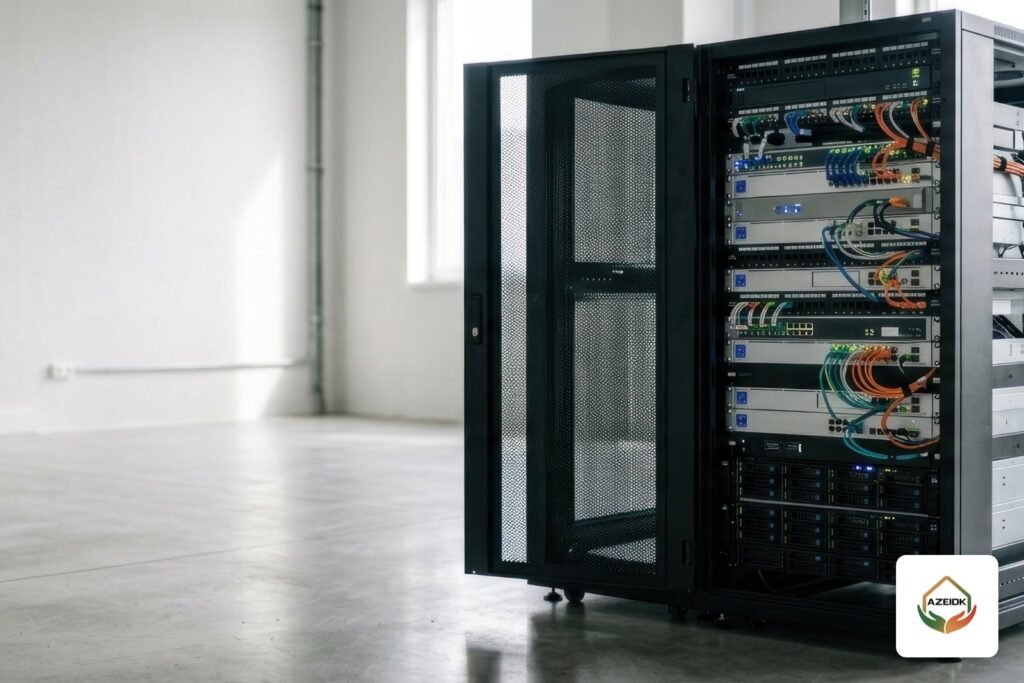
A floor standing rack 42U is a 19-inch cabinet that stands on the floor and offers 42 rack units of mounting space. You need one when switches, servers and a rack-mount UPS outgrow what a wall cabinet can carry in weight, depth and heat. Choose it by depth first (the deepest device decides), then rated load, then ventilation and accessories. A 32U rack is the middle option for rooms with a low ceiling or projects that only need about half a cabinet.
Key takeaways
- One rack unit (1U) is 1.75 in (44.45 mm) under EIA-310, the standard cabinet datasheets refer to. That gives about 1,867 mm of mounting space in a 42U rack and about 1,422 mm in a 32U rack.
- Depth is the most common mistake. Light network cabinets usually work at 600 mm; for servers, take the depth from the server and rail-kit datasheets.
- The Legrand Linkeo 646760 cabinet listed by AZEIDK: 42U, 400 kg permissible load, glass front door, IP20.
- Move from a wall cabinet to a floor standing rack once you need more than 12U or add servers or a rack-mount UPS.
In this article
- What is a floor standing server rack?
- 42U and 32U server rack sizes: height and width
- How deep should a floor standing rack be?
- Load rating: how much can a 42U cabinet carry?
- Server rack ventilation: fans, doors and airflow
- Floor standing rack accessories often missing from quotations
- When do you need a floor standing rack 42U instead of a wall cabinet?
- Legrand Linkeo 42U cabinet at AZEIDK
- Common mistakes when buying a floor standing rack
- Frequently asked questions
- Conclusion
What is a floor standing server rack?
A floor standing rack is a steel cabinet that sits on the floor, on a plinth or on castors, with 19-inch mounting uprights inside. It holds switches, patch panels, servers, NVRs and UPS units. On Saudi sites people call it a “rack”, a “network cabinet” or a “server cabinet”; the name follows what goes inside, not the cabinet design.
The main difference from a wall cabinet is that the floor carries the load instead of the wall, so it takes heavier and deeper equipment. Floor cabinets are part of AZEIDK’s network and communication systems scope, which covers network cabinet installation, patch panels, cable management and network and server room preparation.
42U and 32U server rack sizes: height and width
The U number describes usable mounting space, not the outside height. The cabinet roof and base add height, and a plinth or castors add more. As an example, the Legrand Linkeo 646760 42U cabinet is 2026 mm tall according to AZEIDK’s product page; the Linkeo plinth adds 100 mm and the castor set adds 81 mm.
Widths usually come in 600 mm and 800 mm. A 600 mm cabinet saves floor space in small rooms. An 800 mm cabinet leaves side channels for vertical cable management, which helps when port density is high. In the Linkeo range, for instance, the side cable management rings are for 800 mm wide cabinets only.
| Size | Usable mounting space (calculated) | Typical use |
|---|---|---|
| 32U (33U in some ranges) | About 1,422 mm (32 × 44.45) | Rooms with low ceilings, or a mid-size office with switches, patch panels and one or two servers |
| 42U | About 1,867 mm (42 × 44.45) | Small server room, or the main telecom room of a commercial building, hotel or hospital |
| 47U | About 2,089 mm (47 × 44.45) | Extra units on the same footprint; in Linkeo it comes in 800 mm width only |
A note on 32U: the Legrand Linkeo range has no 32U model; the nearest is 33U. When you write the specification, state the number of units you need and allow the manufacturer’s nearest size, so a compliant offer is not rejected over one unit.
How deep should a floor standing rack be?
Depth decides what you can actually install. The Linkeo datasheet lists 42U cabinets at 600, 800 and 1000 mm depth. A practical rule:
- Network-only cabinet (switches, patch panels, router, small NVR): 600 mm is usually enough because these devices are shallow.
- Servers on sliding rails: start from the server depth in its datasheet, then add the rail length, rear cable space and cable management arms. This is why server cabinets are usually 800 or 1000 mm deep.
- Rack-mount UPS: heavy for its size. Mount it at the bottom and check its depth and the load rating of the shelf or uprights.
Before ordering, collect the datasheet of every device going into the cabinet and build a simple table: height in U, depth, weight and power draw. That table settles depth, load and the number of PDU outlets before purchase, not after installation.
Load rating: how much can a 42U cabinet carry?
Load ratings differ by manufacturer, so do not rely on a generic figure. The Legrand Linkeo 646760 has a permissible load of 400 kg, and the datasheet says the total load on the four castors must not exceed 500 kg. Shelves have their own limits: in this range a 1U fixed shelf takes up to 50 kg, a telescopic shelf up to 30 kg, and a shallow 2U fixed shelf up to 15 kg.
A common mistake is checking the total cabinet weight and ignoring each shelf rating. A heavy device on a light telescopic shelf can bend the shelf or damage the rails even when the total stays under the cabinet limit.
Server rack ventilation: fans, doors and airflow
Most network and server equipment draws air in at the front and exhausts it at the rear. Cabinet ventilation therefore comes down to three things:
- Fans: in the Linkeo range, fan kits mount on the roof, either 2 fans at 180 m³/h or 4 fans at 360 m³/h. Fans help remove hot air; they do not cool the room.
- Door type: a glass door protects equipment and shows status LEDs, but blocks front airflow. A perforated door suits servers better; in Linkeo it is a made-to-order option rather than standard. Put the door type in the specification from the start.
- Closing gaps: empty front units let hot exhaust air return to device intakes. Blanking panels are a cheap, simple fix.
In Saudi rooms, especially in warehouses, factories and rooms where air conditioning does not run around the clock, the cabinet alone is not enough. Room cooling with a standby unit is part of the design; cabinet fans only complement it. Power, cooling and earthing for the whole room are covered in our guide to server room and network room preparation.
Floor standing rack accessories often missing from quotations
A cabinet price in a quotation does not mean the cabinet is ready to use. Check that these items are listed:
| Accessory | Purpose | What to check |
|---|---|---|
| Patch panels | Terminate horizontal cables neatly | Category (Cat6 or Cat6A) and port count matching the number of points |
| Horizontal and vertical cable managers | Route patch cords and protect bend radius | Roughly one horizontal manager per patch panel and switch pair; vertical channels for dense cabinets |
| PDUs | Power distribution inside the cabinet | Number and type of outlets, fed from the UPS |
| Fixed or telescopic shelves | Carry devices not designed for rail mounting | Shelf depth matching the cabinet and an adequate load rating |
| Fan kits and blanking panels | Remove hot air and stop recirculation | Number of fans and their power supply |
| Plinth or castors | Raise the cabinet for bottom cable entry, or allow moving it | Castors for mobility, plinth for final fixing |
| Brush cable entry and earthing kit | Cable entry with less dust; bonding of frame and doors | Entry position (roof or floor) and connection to the electrical earth |
When do you need a floor standing rack 42U instead of a wall cabinet?
AZEIDK’s AZ Link wall cabinets come in 4U, 6U, 9U and 12U, which suit a small office, a villa or a simple CCTV system; sizing them is covered in our article on wall mount network cabinet sizes. Move to a floor standing rack when:
- You need more than 12U once you allow room for growth.
- You are installing a deep server or a rack-mount UPS.
- Point count is high and needs several patch panels and switches, such as Cisco Catalyst 9200 switches in a main telecom room.
- The wall cannot take the load, or you want an organised telecom room with front and rear access.
| Item | Wall cabinet | 32U or 42U floor rack |
|---|---|---|
| Capacity | Up to 12U in the AZ Link cabinets listed | 32U to 42U and more |
| Depth | Limited; suits light network equipment | 600 to 1000 mm depending on model |
| Load | Depends on the wall and fixing method | Carried by the floor; rating stated in the datasheet |
| Servers and rack-mount UPS | Usually not suitable | Suitable with the right depth and shelves |
| Typical use | Small office, villa, floor distribution point | Server room or main telecom room |
Legrand Linkeo 42U cabinet at AZEIDK
One of the floor cabinets AZEIDK lists is the Legrand Linkeo 646760, a 42U 19-inch cabinet. According to the product page and datasheet: height 2026 mm, width 610 mm, depth 630 mm, permissible load 400 kg, a lockable front door of 5 mm clear safety glass, IP20 and IK08 ratings, and a galvanised, painted steel frame. Standards listed on the product page: IEC 61587, EIA-310-E and IEC 60297-3-100.
You can pair it with a Legrand KEOR SPE R/T 2200VA UPS, which is a rack/tower unit. Browse the other Legrand and AZ Link products at AZEIDK, and if you need another size or depth, include it in your quotation request.
Common mistakes when buying a floor standing rack
- Ordering “a 42U cabinet” without a depth, then receiving 600 mm that cannot take the server.
- A solid glass door on a cabinet for servers that need front airflow.
- No cable managers, so within months patch cords cover the switch ports.
- The cabinet pushed against the wall, with no access to rear cables and power.
- No earthing of frame and doors, or devices plugged into a wall socket instead of a PDU fed from the UPS.
- Ignoring heat load from the equipment, especially PoE switches. See the power calculation in our PoE switch power budget article and storage sizing in NVR storage and bandwidth calculation.
If the room already exists, AZEIDK’s technical site inspection and assessment confirms available space, cable routes and the power point before you choose a cabinet.
Frequently asked questions
What is the difference between a 42U server rack and a 42U network cabinet?
The frame is largely the same. The difference is depth, door type and accessories. Server cabinets usually need more depth and a door that lets air through; network cabinets work with shallower depths.
How tall is a 42U rack in centimetres?
Usable mounting space is about 186.7 cm (42 × 4.445 cm). The outside height is greater and varies by manufacturer; the Legrand Linkeo 646760 is 202.6 cm without plinth or castors.
Should I choose a 32U or a 42U rack?
Add up the units you need now and leave room for growth. If that stays under 32U and the ceiling is low, a 32U or 33U cabinet fits. Otherwise a 42U rack gives you extra units on the same floor space.
What is the best depth for a server cabinet?
There is no single number. Take the depth from the datasheet of the deepest device plus its rails and rear cabling. Network devices alone usually fit 600 mm; servers need 800 or 1000 mm depending on the model.
Are fans enough to cool a server cabinet?
No. Fans remove hot air from the cabinet, but room cooling depends on the air conditioning. Use blanking panels and the right door to improve airflow.
When should I replace a wall cabinet with a floor rack?
When you need more than 12U, add a server or rack-mount UPS, or have more patch panels and switches than a wall cabinet can carry and organise.
Conclusion
A floor standing rack 42U is a decision driven by depth, load and ventilation before unit count. Collect the device datasheets, set width and depth, then complete the accessories from patch panels to earthing. For small requirements, a wall cabinet is still the more economical choice.
Need a floor cabinet or a network room fit-out? Send your equipment list and room dimensions, and the AZEIDK team will propose the right size, depth and accessories. Talk to the AZEIDK team