A Paradox alarm system in its hybrid form runs wired zones and Paradox M-series wireless devices from one controller. It is the right choice when a site has existing wired zones worth keeping, or distances and multiple buildings that wireless alone cannot cover reliably, such as warehouses and large compounds. AZEIDK’s core panel for this is the Paradox X45 / X46 hybrid controller, with the compact M25 for smaller sites.
This guide compares the X45, X46 and M25, explains when hybrid beats all-wireless, and shows how to place detectors, keypads, sirens and repeaters in a warehouse or large building. All figures come from AZEIDK’s product pages and Paradox’s official pages and manuals.
Key takeaways
- The X45 and X46 are hybrid controllers for up to 200 zones and 40 areas, with onboard wired inputs (8 on the X45, 16 on the X46, doubled with ATZ) and an encrypted RS-485 bus reaching up to 1.5 km.
- The M25 is a compact PoE-powered console for up to 200 zones, 10 partitions and 128 users. Paradox describes it as a wireless/wired hybrid head unit that expands with wireless devices that include hardwired zones.
- Every wireless device AZEIDK lists is from the M series: K70M and K38M keypads, PMD75M and PMD85M motion detectors, the DCT12M contact, the SR40M-SL siren and the RPT5M repeater.
- AZEIDK’s other hybrid option is the Ajax Superior Hub Hybrid (4G), with wired Fibra and wireless Jeweller devices.
In this article
- What is a Paradox hybrid alarm system?
- X45, X46 or M25: how do the Paradox panels differ?
- When should you choose a wired and wireless panel?
- How do you place motion detectors in a warehouse?
- Door contacts: the DCT12M with an extra wired zone
- Keypads: K70M touchscreen or K38M wireless?
- Where should the siren go? The solar SR40M-SL
- The RPT5M repeater: when do you need it?
- Paradox or the Ajax Superior Hub Hybrid?
- Designing a Paradox alarm system for a warehouse: step by step
- Common hybrid alarm installation mistakes
- Paradox systems from AZEIDK in Saudi Arabia
- FAQ
- Summary
What is a Paradox hybrid alarm system?
An intrusion (burglar) alarm system consists of a control panel, motion detectors and door/window contacts, a keypad for arming and disarming, a siren and a communication path to the owner or a monitoring station. For the general design principles, see our guide to intrusion alarm systems.
On its official M System product line page, Paradox lists three head units: the X45 and X46, described as “All Inclusive Hybrid Controller”, and the M25 / M25 LTE console. “Hybrid” means one system accepts:
- Wired zones: detectors and contacts cabled to the panel’s inputs, or to a wired input on a wireless device.
- M wireless devices: two-way GFSK radio with frequency and encryption hopping, in 868 MHz or 914 MHz variants.
- Network devices: keypads and repeaters connected over Ethernet or Wi-Fi.
X45, X46 or M25: how do the Paradox panels differ?
| Item | X45 | X46 | M25 / M25 LTE |
|---|---|---|---|
| Onboard wired inputs | 8, expandable to 16 with ATZ, plus 1 REX input and a 1 A door output | 16, expandable to 32 with ATZ | None listed on the product page; wired zones via expansion devices |
| System zones | 200 | 200 | 200 |
| Areas / partitions | 40 areas | 40 areas | 10 partitions |
| Users | 1,000; up to 150 remotes | 1,000; up to 150 remotes | 128 |
| Wired bus | RS-485, AES-128 encrypted, up to 200 devices, up to 1.5 km | Same as X45 | Not listed on the product page or in the manual |
| Ethernet / Wi-Fi expansion | Up to 40 devices | Up to 40 devices | Up to 45 devices |
| Communication | Ethernet, 2.4 GHz Wi-Fi; dual-SIM LTE on the LTE model | Same as X45 | Ethernet, built-in Wi-Fi; LTE on the M25 LTE |
| Power | Integrated 100–240 VAC, 65 W | Integrated 100–240 VAC, 65 W | PoE, with a built-in 5000 mAh Li-ion battery (up to 26 h on Ethernet) |
| Outputs | 1 relay (30 V / 2 A), 2 open-collector, 1 bell relay; auxiliary output up to 2.5 A | Same as X45 | Via wireless PGM expanders |
According to the product page, the X45 and X46 also manage video verification, access control and building automation (50 automation rooms, 64 scenarios) from one panel, in a tamper-protected polycarbonate wall enclosure. Paradox’s official X45 page notes that the door output and REX input may be enabled in firmware in phases, so confirm the firmware version before relying on it for door control.
When should you choose a wired and wireless panel?
All-wireless is quick and clean in finished buildings, but some sites need cable. Choose the X45 or X46 when:
You have existing wired zones
When upgrading an old system, detector cabling is often already in the walls. A hybrid panel takes those zones on its wired inputs and adds wireless devices only where new coverage is needed, with no chasing of walls. AZEIDK’s existing systems assessment can establish what is worth keeping.
Distances are long and the site has several buildings
In warehouses and compounds, distances are large and steel structures and racking weaken radio signals. The X45/X46 RS-485 bus reaches up to 1.5 km with up to 200 devices, and Paradox’s official page mentions RS-485 isolation and extension with any industrial RS-485 hub.
You want a mains-powered panel
The X45 and X46 have an integrated 100–240 VAC, 65 W supply and an auxiliary output of up to 2.5 A for wired devices. The M25 instead needs Power over Ethernet from a PoE router or injector.
When is the M25 enough?
For an apartment, villa, shop or small office without existing cabling, the M25 with M wireless devices is enough. Paradox’s installation manual advises mounting it near the centre of the wireless devices and away from large metal objects and electrical panels. If you need one or two wired zones, the DCT12M adds a wired input at a door or window.
How do you place motion detectors in a warehouse?
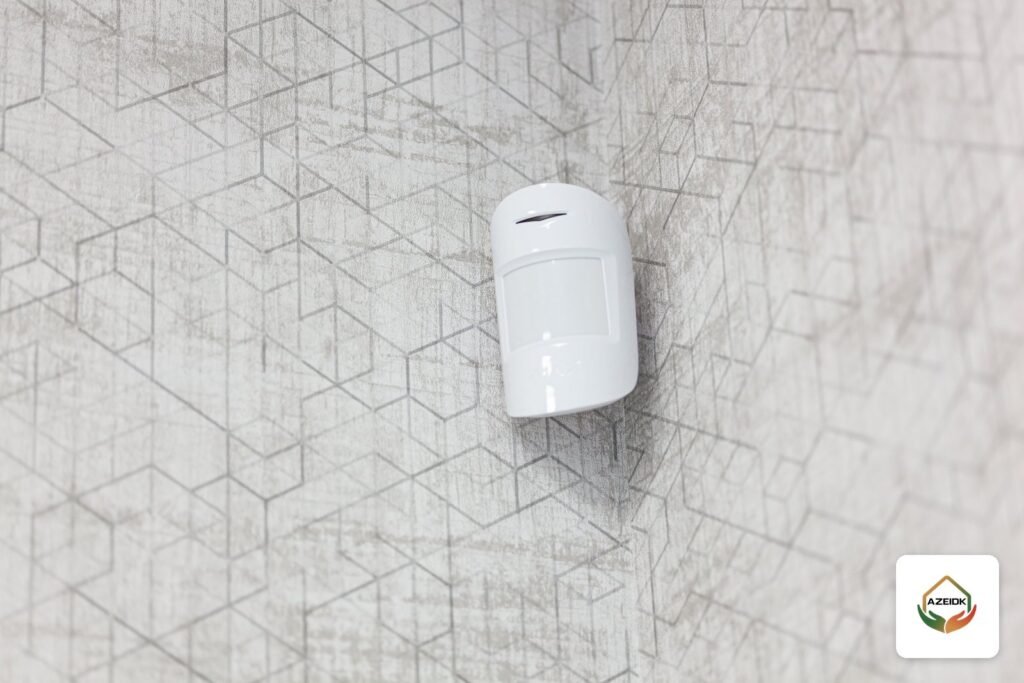
| Item | PMD75M | PMD85M |
|---|---|---|
| Installation | Indoor | Indoor / outdoor |
| Sensor | Two dual-opposed infrared sensors | Dual-element infrared (x2) |
| Coverage | 90°, 11 × 11 m; centre beams to 15 m | 90°, 11 × 11 m; changeable lenses |
| Detection speed | 0.2 to 3.5 m/s | 0.2 to 3.5 m/s |
| Battery | 3 × AAA lithium, 6+ years | 3 × AA lithium, 6+ years |
| Operating temperature | -20 to 40 °C | -20 to 40 °C |
| Grade | Grade 2 (EN 50131) | Not stated on the product page |
- Offices and internal corridors: PMD75M units where an intruder’s path crosses the detection field.
- Loading areas and shaded yards: PMD85M units at external entrances and walkways; its product page lists building perimeters and covered outdoor areas of commercial premises among its applications.
- Storage halls: high racking blocks the field, so split the hall into aisles and check each detector’s coverage on the drawing before ordering.
- Heat: both detectors are rated to 40 °C, so check actual temperatures in unconditioned halls and sun-exposed spots in the Saudi summer.
Follow Paradox’s installation guide for each detector on mounting height, sensitivity and pet-immunity settings.
Door contacts: the DCT12M with an extra wired zone
The Paradox DCT12M gives two zones in one device: the magnet input and a wired input for an additional contact or detector. It closes at a gap below 1 cm and opens above 2 cm. The wired input accepts No EOL, single EOL (47 kΩ) or double EOL, with external cable resistance up to 50 Ω. Its ER17335 battery is designed for 10+ years and it operates from -30 to 50 °C. It is an indoor device.
In a warehouse, fit a DCT12M on the office door and wire the nearby roller shutter contact to its wired input: two zones without a long cable run back to the panel.
Keypads: K70M touchscreen or K38M wireless?
| Item | K70M | K38M |
|---|---|---|
| Display | 7″ colour touchscreen (1024 × 600) | 48-zone icon LCD |
| Link to system | 2.4 GHz Wi-Fi | Two-way GFSK wireless |
| Power | 12 V DC (min. 500 mA); built-in battery up to 6 h | 2 × AA lithium (6+ years) or 6–14 V DC |
| Functions | Security, cameras, access and automation on one screen; speakers for background music | Arming, panic functions, PGM control |
| Best for | Main entrance, reception, security room | Back doors and locations hard to cable |
Rule of thumb: the K70M at the main entrance or security room, where a fixed 12 V supply is available, and a K38M at every door used to arm or disarm, such as a warehouse back door or loading gate.
Where should the siren go? The solar SR40M-SL
The Paradox SR40M-SL is a wireless indoor/outdoor siren rated at 103 dBA or more at 1 m, with a red and blue LED strobe and an IP54 housing. Its solar-charged lithium battery reaches full charge within 10 days of sunlight and gives 9 months of standby (with Squawk off) or up to 240 minutes of alarm. It can also be fed from 11–13 V DC.
- Mount an external siren on the façade or near the gate, where it gets sunlight for charging and is out of reach.
- Add an indoor siren in a large storage hall or near the guard room; an external siren alone may not be heard inside a closed building.
- The X45 and X46 have a bell relay output for a wired siren; check the siren against the output limits in the installation manual.
The RPT5M repeater: when do you need it?
The Paradox RPT5M extends M wireless coverage and connects to the system over Ethernet (PoE) or Wi-Fi, so wireless devices can be installed in an annex, another floor or behind thick concrete. Its 5000 mAh Li-ion battery gives 26 h on Ethernet and 24 h on Wi-Fi, and the system supports up to 75 wireless devices. In a warehouse with adjoining offices, put the panel in the offices and run a network cable to a repeater in the storage hall.
Paradox or the Ajax Superior Hub Hybrid?
AZEIDK also supplies the Ajax Superior Hub Hybrid (4G). From AZEIDK’s product pages:
| Item | Paradox X45 / X46 | Ajax Superior Hub Hybrid (4G) |
|---|---|---|
| Capacity | Up to 200 zones | Up to 100 wired and wireless devices |
| Areas / groups | 40 areas | Up to 9 security groups |
| Users | 1,000 | Up to 50 |
| Wired section | Onboard inputs and RS-485 bus up to 1.5 km | Fibra: 8 lines, up to 2,000 m each (Cat 5) |
| Communication | Ethernet, Wi-Fi; dual-SIM LTE on the LTE model | Ethernet, 2 × SIM (2G/3G/LTE) |
| Power | 100–240 VAC, 65 W | 100–240 VAC; 4, 7 or 9 Ah backup battery (not included) |
If the project needs many zones, users and areas, or access control and automation from the same panel, the X45 / X46 fits better. If you are building on the Ajax ecosystem and app, the Superior Hub Hybrid is the natural extension. For Ajax devices, see Ajax wireless intrusion alarm systems.
Designing a Paradox alarm system for a warehouse: step by step
- Mark every entry point on the drawing: doors, windows and loading doors.
- Split the site into separately armed areas (offices, store, yard).
- Survey existing wired zones and the condition of their cables.
- Choose detectors and contacts per area, measure the radio signal and add RPT5M units for remote parts.
- Locate keypads, sirens and the communication path.
- Order the frequency variant suitable for Saudi Arabia and check each device against the head unit in Paradox’s compatibility list.
Common hybrid alarm installation mistakes
- Choosing the M25 for a building with many wired zones instead of a panel with wired inputs such as the X45 / X46.
- Mounting the head unit or repeater inside an electrical panel or next to steel racking.
- Covering a storage hall with one detector regardless of the racking that blocks the field.
- Installing an indoor detector in an outdoor area.
- Relying on an external siren alone in a large closed building.
- Fixing the unit with double-sided tape: the M25 manual states that one screw must be secured in the tamper hole and that tape does not trigger a tamper alarm.
Paradox systems from AZEIDK in Saudi Arabia
Within its security and surveillance solutions, AZEIDK supplies the nine Paradox products covered here: the X45 / X46, the M25 / M25 LTE console, K70M, K38M, PMD75M, PMD85M, DCT12M, SR40M-SL and RPT5M, with design, installation, programming and technical support. For storage projects, see warehouses and logistics. Each product page carries the manufacturer’s official datasheet.
FAQ
What is the difference between the Paradox X45 and X46?
Both support 200 zones and 40 areas. The X45 has 8 onboard wired inputs (16 with ATZ) plus a REX input and door output; the X46 has 16 (32 with ATZ).
Is the Paradox M25 wireless only?
Its product page lists no onboard wired inputs, but Paradox calls it a hybrid because it expands with wireless devices that include wired zones, such as the DCT12M.
What does the PMD75M motion detector cover?
A 90° field of 11 × 11 m, with centre beams to 15 m, per the Paradox datasheet.
Does the SR40M-SL siren work without mains power?
Yes. Its solar-charged lithium battery gives 9 months of standby (with Squawk off) or up to 240 minutes of alarm, and it can also be fed from 11–13 V DC.
Paradox or Ajax for a warehouse burglar alarm?
It depends on the project. The X45 / X46 offers 200 zones, 1,000 users and an RS-485 bus up to 1.5 km; the Ajax Superior Hub Hybrid offers 100 devices with Fibra lines up to 2,000 m each.
Summary
A Paradox hybrid alarm system suits sites where wireless alone is not enough. Choose the head unit by zone count and wired inputs, place detectors by indoor or outdoor duty, put keypads at the arming doors and sirens inside and out, and add repeaters where the signal is weak.
Planning an alarm system for a warehouse or large building? Send us the layout, the number of doors and any existing wired zones, and we will recommend the right Paradox panel and the number of detectors, sirens and repeaters, with datasheets. Contact the AZEIDK team
AZEIDK supplies, installs and maintains fire alarm systems in Saudi Arabia.
Related guides
- Honeywell Gent Vigilon Plus Fire Alarm System: Design, Loops and S-Cubed Devices in Saudi Arabia
- BFT Parking Barriers: MOOVI vs GIOTTO vs MAXIMA vs MICHELANGELO by Boom Length, Duty and Access Control Integration
- Selecting TYCO Sprinklers for Projects: Models by Application
- Fuel Station Safety Requirements in Saudi Arabia: The Official Document, Extinguishers, Foam and Salamah Licensing