The burglar alarm system price in Saudi Arabia is never one fixed figure. It depends on the type of control panel (wireless, wired or hybrid), how many detectors you need and of which type, and how alarms are sent and who responds to them. A small shop may be covered by a ready-made kit with a panel, a motion detector and a door contact. A warehouse or a two-storey villa needs a layout on the drawing before anyone can price it properly. This article explains each factor that pushes the cost up or down, and how to compare quotations on the same basis, within AZEIDK security and surveillance systems.
Key takeaways
- Final price = control panel + detectors + siren and keypad + communication channel + installation and programming + how the system is monitored.
- Wireless saves cabling and making good in finished buildings. Wired needs cable runs but suits buildings still under construction. Hybrid combines both.
- The detector count comes from entry points, windows and open routes, not from floor area alone.
- Self-monitoring through the app has no monitoring-company subscription, but it needs internet or a data SIM.
- Ask for an itemised quotation with models and quantities so offers can be compared fairly.
In this article
- Which burglar alarm components drive the price?
- Burglar alarm cost: wireless or wired?
- How does the detector count set the price for shops and villas?
- Monitoring and communication: one-off cost or monthly?
- Installation, programming and handover: what is included?
- How to compare burglar alarm system price quotations
- Mistakes that raise the cost later
- Frequently asked questions
- Conclusion
Which burglar alarm components drive the price?
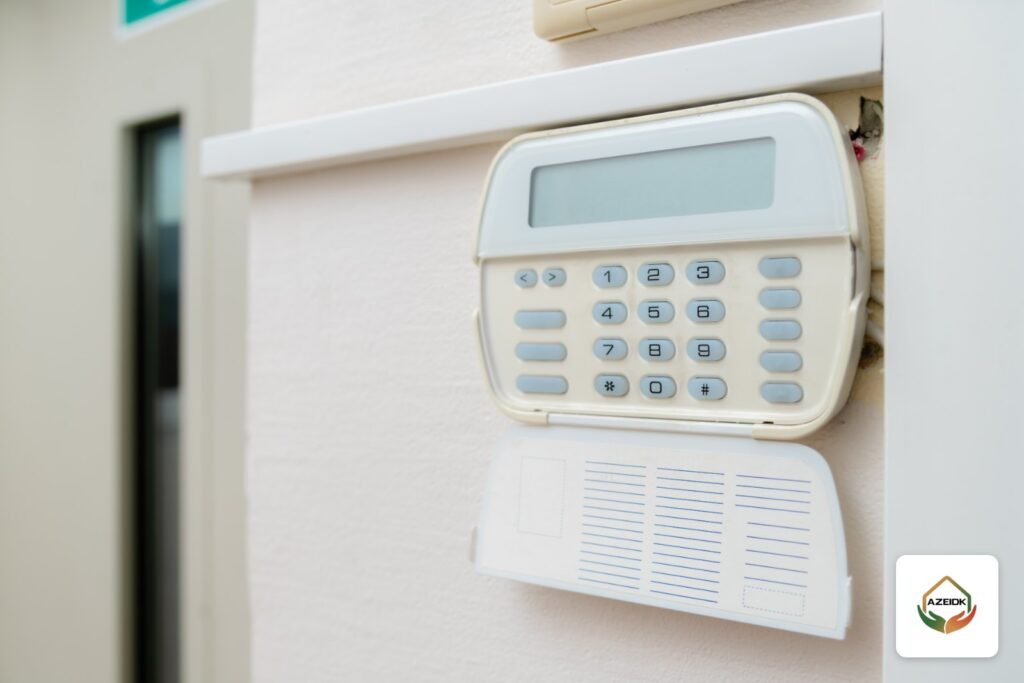
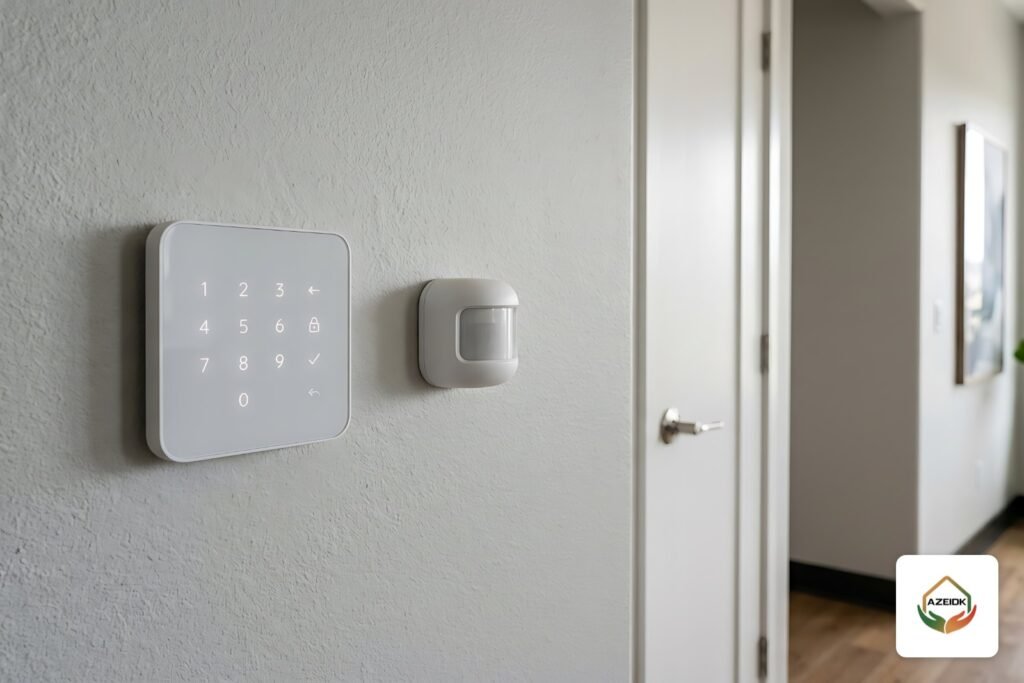
A burglar alarm (also called an intrusion alarm) is built around a control panel, or hub, that receives signals from the detectors, triggers the siren and sends a notification to the owner’s phone. Each item below is a separate line in the quotation. More devices, or more specialised ones, mean a higher total.
| Component | What it does | Effect on price |
|---|---|---|
| Control panel (hub) | Receives detector signals and sends alarms over internet or SIM | Device capacity and number of communication channels set its class and price |
| Door and window contact (magnetic) | Alerts when a door or window opens | One per accessible door or window |
| Motion detector (PIR) | Detects people moving in a room or corridor | Rises with the number of rooms and routes; outdoor and pet-immune types cost more |
| Glass-break detector | Alerts when a glass shopfront or window is broken | Important for shops with glass frontage |
| Indoor and outdoor siren | Audible and visual deterrent | Weatherproof outdoor sirens cost more |
| Keypad or keyfob | Arms and disarms the system | Number of users and entrances sets the quantity |
| Motion detector with camera | Takes photos on alarm so you can see the cause | Optional; raises the price and helps filter false alarms |
AZEIDK supplies Ajax panels and detectors, such as the Hub 2 Plus Jeweller, the Superior MotionProtect motion detector, the Superior DoorProtect contact, the GlassProtect glass-break detector and the Superior KeyPad Plus, along with Hikvision wireless detectors and Paradox hybrid panels. Do not mix detectors from different manufacturers on one panel unless the datasheet states compatibility, because each manufacturer uses its own radio protocol.
Burglar alarm cost: wireless or wired?
This is the first decision that changes the price. A wireless device usually costs more per unit, but it removes cable, conduit, ceiling and paint work. A wired device costs less per unit, yet in a finished building the labour and cabling can outweigh the difference in equipment price.
| Item | Wireless | Wired | Hybrid |
|---|---|---|---|
| Price per device | Usually higher | Usually lower | Depends on each device |
| Cabling and labour | Very limited | Cable to each detector or a shared line, depending on the system | Cabling for fixed areas only |
| Disruption in a finished building | Almost none | Chasing walls or surface trunking | Moderate |
| Batteries | Periodic replacement per datasheet | No detector batteries | Wireless devices only |
| Best fit | Villas, shops and occupied offices | Buildings under construction | Warehouses and large buildings |
Manufacturer figures help with sizing. Ajax states that the Hub 2 Plus controls up to 200 devices, connects over Ethernet, Wi-Fi and two SIM cards, and that Jeweller radio range reaches 2,000 m in open space without obstacles. The Superior Hub Hybrid 4G combines wired (Fibra) and wireless (Jeweller) devices in one system, up to 100 devices, according to Ajax. For large warehouses there is also the Paradox X45/X46 hybrid controller. On real sites, concrete walls and steel doors cut the range, so signal strength is tested on site before devices are fixed.
How does the detector count set the price for shops and villas?
A common mistake is asking for a price per square metre. The right count starts from the possible entry points:
- Every external door (front, back, roof and store door): an opening contact.
- Accessible windows on the ground floor or facing a roof: an opening contact or a glass-break detector.
- Corridors and rooms an intruder must cross: a motion detector. Not every room needs one if the corridor covers the route.
- Glass shopfronts: a glass-break detector in addition to motion detection.
- Yards and boundary walls: an outdoor motion detector, which costs more and needs careful adjustment to limit false alarms.
A typical example: a shop with a glass front, a back door and a small store usually needs a panel, two door contacts, two motion detectors (sales floor and store), one glass-break detector, a siren and a keypad. Ready-made kits such as the Ajax StarterKit Cam Plus are built for roughly this size, with extra devices added as needed. A two-storey villa with a yard and roof needs far more, and is best counted during a technical site inspection before pricing.
If there are pets, ask for pet-immune motion detectors. They cost slightly more but prevent repeated false alarms that lead owners to switch the system off.
Monitoring and communication: one-off cost or monthly?
Once the equipment is bought, the question is who receives the alarm. There are two main options:
- Self-monitoring through the app: notifications go to the owner and any users they add. There is no monitoring-company subscription, but the site needs internet or the panel needs a data SIM, and the data plan is the owner’s cost.
- Connection to a monitoring company: some panels can send events to a monitoring station. This is a separate subscription set by the service provider, so ask about it before choosing the panel.
The number of communication channels affects the panel price itself. A single-channel panel is cheaper; a panel with wired internet, Wi-Fi and two SIMs costs more but keeps reporting if one link fails. Ajax states that the Hub 2 Plus backup battery lasts up to 15 hours with Ethernet and Wi-Fi disabled. Photo verification is another cost item: the Hub 2 Plus supports motion detectors with built-in cameras and can work with Hikvision and Dahua cameras, according to the manufacturer, which is useful if you already have CCTV.
Installation, programming and handover: what is included?
A good quotation is more than a list of devices. Ask about these items, because they are part of the real cost:
- Site visit and detector positions and mounting heights per the installation manual.
- Radio signal test at each point before fixing.
- Programming of zones, schedules and partial arming (for example, perimeter only at night in a villa).
- User accounts in the app, with the administrator account in the owner’s name.
- Testing of every detector, the siren and notifications before handover, plus owner training.
After commissioning there are small but recurring costs: replacing wireless detector batteries on time, periodic testing and firmware updates. A security systems maintenance contract is usually separate from a fire systems maintenance contract, so do not assume one covers the other.
How to compare burglar alarm system price quotations
Two offers with the same total can contain very different things. Before choosing, check that each offer states:
- Manufacturer and model for each device, not just “motion detector”.
- Quantity per item and its approximate location.
- System type (wireless, wired or hybrid) and spare panel capacity for expansion.
- Communication channels included, and who provides the SIM and pays the data plan.
- Whether programming, testing and training are included or priced separately.
- Warranty on equipment and on installation, and how support works after handover.
If the building also needs cameras, ask for one design that places cameras and detectors together, as explained in our article on technical site surveys for fire and CCTV systems, so you do not pay twice for the same cabling.
Mistakes that raise the cost later
- Choosing a small-capacity panel, then replacing it when a floor or store is added.
- Pointing a motion detector at an AC unit or a sunlit window, which causes false alarms.
- Relying on one communication channel where internet outages are common.
- Mounting the outdoor siren where it is easy to reach and disable.
- Buying devices from an unauthorised source with no warranty, then being unable to activate or update them.
Frequently asked questions
How much does a burglar alarm cost for a shop?
It depends on the number of doors, glass fronts and open areas, and on the devices chosen. A small shop may only need a ready kit with a few additions. The accurate answer comes from a quotation after a site visit or after you send the shop layout.
Is a wireless burglar alarm more expensive than a wired one?
Wireless devices usually cost more per unit but save cabling and making good. In occupied buildings wireless is often cheaper overall; in buildings under construction wired may suit better.
Is there a monthly fee for a burglar alarm?
With self-monitoring through the app there is no monitoring-company fee, only the internet or SIM data plan. Connection to an external monitoring station is a separate subscription set by the provider.
Can the alarm be linked to CCTV cameras?
With many panels, yes. Ajax states that the Hub 2 Plus supports motion detectors with cameras for photo verification and can work with Hikvision and Dahua cameras. Check compatibility in the datasheet before buying.
Does the system work during a power or internet outage?
Good panels have a backup battery and alternative communication channels. For example, Ajax states the Hub 2 Plus runs up to 15 hours on battery with Ethernet and Wi-Fi disabled and uses two SIM cards for backup communication.
What is the best burglar alarm for villas?
No single system suits everyone. Finished villas are usually well served by a wireless system such as Ajax; large villas with wide yards may suit a hybrid system. A site visit decides the most cost-effective option.
Conclusion
A burglar alarm price is the result of clear decisions: panel type, detector count based on entry points, communication channels, monitoring method and what the installation includes. Settle these first and you will receive quotations you can compare, without paying for devices your site does not need.
Need a burglar alarm quotation? Send your site layout or request a visit, and the AZEIDK team will specify the right Ajax devices and quantities for your site. Talk to the AZEIDK team
Related guides
- Foam Fire Extinguisher (AFFF): Which Fires It Suits, Foam vs Dry Powder, and 6 to 12 Litre Sizes
- CCTV Camera with Audio from Hikvision: Built-in Mic vs Siren and Strobe, and When Audio Recording Is Allowed in Saudi Arabia
- Common Civil Defense Inspection Notes on Fire Alarm and Fire Fighting Systems, and How to Fix Them Before Resubmission
- Paradox Hybrid Alarm System: When to Choose a Wired and Wireless Panel Such as the X45 or M25 for Warehouses and Large Buildings, and How to Place Detectors and Sirens