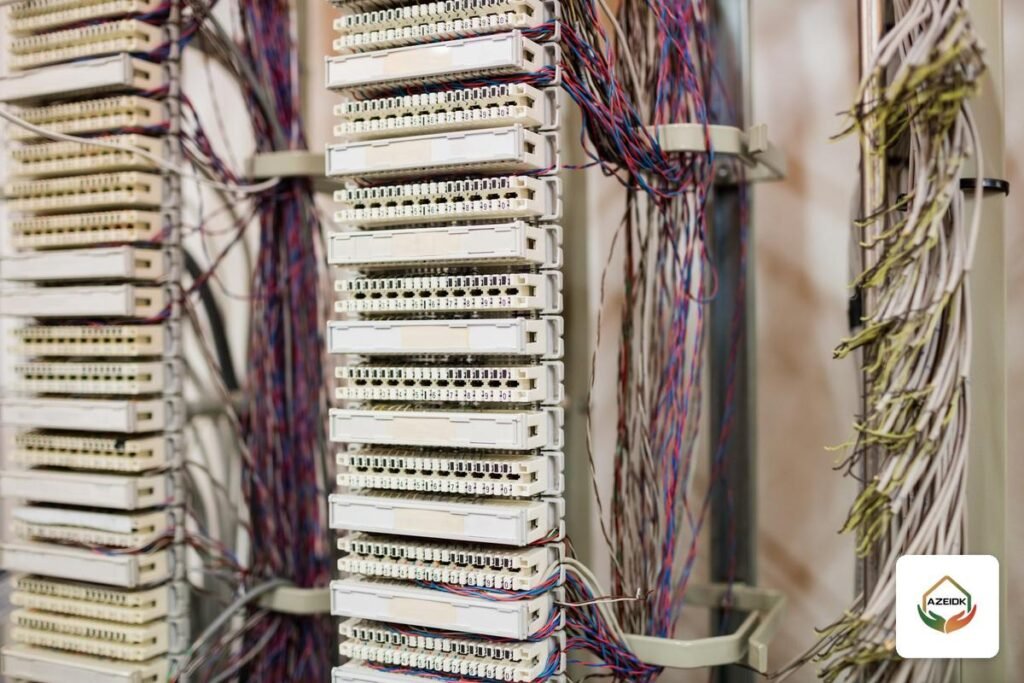
Migrating an analog PBX to IP does not mean throwing everything out. Existing landlines move to the new system through FXO ports or an FXO gateway, ordinary phones and fax machines stay on FXS ports or an ATA, and the old telephone cabling keeps serving those devices. What usually changes is the proprietary digital handsets of the old PBX, and the data network that will carry the IP phones.
This article focuses on the migration itself: what to survey before buying, what can be reused, and how to move a facility in phases without missing customer calls. AZEIDK delivers PBX and IP telephony projects as part of its network and communication systems in Saudi Arabia.
Key takeaways
- An analog line enters an IP PBX through an FXO port. An analog device (phone, fax, lift phone) connects to an FXS port.
- The Grandstream UCM6300 series has 1 to 8 FXO ports and the same number of FXS ports depending on the model, and both can be expanded with external gateways.
- Proprietary digital handsets from an old PBX usually need replacing, because they do not connect directly to a standard SIP PBX.
- Old telephone cable is fine for analog devices. An IP phone needs a network point on a channel no longer than 100 metres.
- A safe migration runs in phases, with the old and new PBX linked during a parallel-running period.
In this article
- What does migrating an analog PBX to IP actually involve?
- What can you keep, and what changes?
- Landlines: FXO ports, an FXO gateway or a SIP trunk?
- Ordinary phones, fax and lift phones: FXS and ATAs
- Cabling: will the old phone wiring run IP phones?
- A phased migration without downtime
- Pre-migration checklist
- Common migration mistakes
- Frequently asked questions
- Conclusion
What does migrating an analog PBX to IP actually involve?
Two kinds of legacy PBX are common in Saudi facilities. The first is the analog PBX: analog landlines come in, and each extension runs to an ordinary phone over a pair of wires. The second is the digital PBX: it may be fed by E1 circuits from the carrier, and it runs proprietary digital handsets that work only with that manufacturer’s system.
An IP PBX replaces the central controller with a box that runs SIP over the data network. So the real question is not “do we replace everything?” but “what connects to the new PBX as it is, what needs an interface device, and what must be replaced?” If you have not yet chosen the PBX type and line count, start with our guide to IP PBX for business and come back here when you plan the cutover.
What can you keep, and what changes?
| Existing item | Kept? | How it connects to the IP PBX |
|---|---|---|
| Analog landlines | Yes, or replaced by a SIP trunk | FXO ports on the PBX or an external FXO gateway |
| Digital E1 circuits | Yes, temporarily or permanently | E1 gateway or an E1-capable PBX, or move to SIP with the carrier |
| Ordinary (analog) phones | Yes | FXS ports, an ATA or an FXS gateway |
| Fax, lift phone, gate phone | Yes, after testing | FXS port or ATA; test the fax on the actual line |
| Proprietary digital handsets | Usually not | Replaced with IP phones |
| Telephone cabling and RJ11 points | Yes, for analog devices | Stays between the device and the FXS port |
| Data network and switches | Depends on condition | Checked for phone points, PoE and voice separation |
| Existing company numbers | Yes | Stay on the same lines, or porting is agreed with the carrier before any service is cancelled |
Landlines: FXO ports, an FXO gateway or a SIP trunk?
FXO ports on the PBX
Each analog landline needs one FXO port. For the Grandstream UCM6300 series, the datasheet lists one port on the UCM6301, two on the UCM6302, four on the UCM6304 and eight on the UCM6308, and Grandstream’s knowledge base documents connecting several FXO gateways to one UCM to add ports. Our Grandstream PBX article explains how to pick the model by line count.
External FXO gateway
When the lines outnumber the PBX ports, add an FXO gateway. Examples include the Grandstream HT841 and HT881 (4 and 8 FXO ports) and the Yeastar TA410, TA810 and TA1610 (4, 8 and 16 FXO ports). Grandstream’s guide describes two connection methods: a peer SIP trunk between PBX and gateway, or registering each gateway port as an extension on the PBX.
E1 circuits on a digital PBX
The UCM6300 datasheet does not list an E1 interface. If the facility runs on an E1 circuit, the options are an E1 gateway such as the Yeastar TE100 (one E1/T1 port) or TE200 (two ports), which Yeastar rates at up to 60 concurrent calls for the series, or a move to a SIP trunk agreed with the carrier. The stc SIP configuration manual also refers to converter devices for customers on traditional signalling such as R2 and QSIG, and to ATAs for RJ11 lines.
Tune the line after connecting it
Grandstream’s analog line guide notes that echo, noise and low volume are mostly linked to the impedance setting on the FXO ports, and that call disconnect detection relies on busy tone, polarity reversal or current disconnect.
Ordinary phones, fax and lift phones: FXS and ATAs
An ordinary phone connects to an FXS port. The UCM6300 series has 1 to 8 FXS ports depending on the model. For more, use an ATA such as the Grandstream HT802 V2, which has two FXS ports and supports T.38 fax relay with automatic switching to G.711, or a larger FXS gateway from the Yeastar TA series.
Fax is the most sensitive device in any migration. The stc SIP trunk manual specifies G.711 A-law pass-through for fax rather than T.38, so set the fax method to match the actual line and test with real send and receive jobs before moving the machine for good.
For power cuts, the UCM6300 datasheet states that its FXS and FXO ports have lifeline capability. The PBX and the switches powering the IP phones still need a UPS if calls are to continue.
Cabling: will the old phone wiring run IP phones?
Old telephone cable remains fine for analog devices on FXS ports. It is usually not suitable as a network point for an IP phone. A modern IP phone has a 10/100 or gigabit port and is often powered over the same cable (PoE).
Under structured cabling standards, an IP phone needs a copper network point whose channel does not exceed 100 metres: 90 metres of fixed cabling plus 10 metres of patch cords. Where a desk has a single network point for the PC, many IP phones offer a pass-through port, but that port’s speed then limits the PC. Cable categories and testing are covered in structured cabling and network systems, and phone and PoE switch selection in IP phones for the office.
A phased migration without downtime
A practical order:
- Survey: number and type of lines (analog, E1 or SIP), published customer numbers, extension count, and every analog device that must keep working (fax, lift, gate, guard room).
- Prepare the network: network points for desks getting IP phones, a PoE switch, and a UPS for the communications room.
- Install the new PBX beside the old one: Grandstream documents that FXO ports can take lines from a legacy analog PBX as well as carrier lines. Connect some extensions of the old PBX to FXO ports on the new one so staff can call between the two systems during the transition.
- Move departments in stages: one department or floor at a time, with a single numbering plan so nobody’s extension number changes.
- Move the external lines: at a quiet time, testing inbound and outbound calls, caller ID and the auto attendant (IVR) before the end of the working day.
- Decommission the old PBX: after enough running time, keeping the connections documented so you can roll back.
Pre-migration checklist
- A table of every line: number, type and where its calls go.
- A table of every extension: user, number, current phone type and its replacement (IP or FXS).
- Peak concurrent calls, not just headcount.
- Call recording, paging or an auto attendant that must keep running.
- Communications room location, rack condition and backup power.
- Network point status at each desk and the PoE capacity of the switches.
- The carrier’s SIP configuration document if you are moving to a SIP trunk.
- A clear rollback plan if the line cutover fails on the day.
Common migration mistakes
- Sizing the PBX by users alone: where landlines stay, FXO port count is the real limit.
- Forgetting the silent analog devices: the lift phone or gate unit is not on the staff list, and is missed only after the old PBX is removed.
- Assuming the digital handsets will work: they are built for their own PBX.
- Running IP phones over old phone cable: the result is low speed or a phone that will not power up on PoE.
- Cancelling the old line before the new one is proven: no service is cancelled until the new lines and numbers are tested.
- Skipping FXO port tuning: echo on calls and lines that stay busy.
Frequently asked questions
Can we migrate an analog PBX to IP without changing our numbers?
Usually yes. Landlines keep their numbers on FXO ports. If you move to a SIP trunk, agree number retention with the carrier before cancelling the old service.
What is the difference between FXO and FXS?
An FXO port receives a line from the carrier or from another PBX. An FXS port powers an analog device such as an ordinary phone or fax.
Do ordinary phones work with an IP PBX?
Yes, through FXS ports on the PBX, an ATA or an FXS gateway. Proprietary digital handsets from an old PBX usually need replacing.
Can the old PBX be connected to the new IP PBX?
Yes. Extensions from the old PBX are wired to FXO ports on the new one, so both systems run together during the transition.
Do IP phones need new cabling?
Each IP phone needs a network point or a pass-through port from another device. Old phone cable should not be relied on for this.
Will the fax still work after migration?
In most cases it works through an FXS port or ATA, but the transport method depends on the line, so test real send and receive jobs before relying on it.
Conclusion
Migrating an analog PBX to IP is a planning decision before it is a purchase. Survey the lines, extensions and analog devices, keep what can connect through FXO and FXS, replace the digital handsets, and prepare the network for IP phones. Then move in phases with both systems running, and do not remove the old PBX until the new one has proven itself.
Planning to migrate your phone system? Send us your line count and type, extension count and current analog devices, and we will suggest the PBX, gateways and migration plan that fit. Talk to the AZEIDK team